Is your Shark Navigator vacuum’s brush roll refusing to spin when you switch from carpet to a hard floor? This frustrating issue is usually not a major breakdown but often stems from a simple safety feature activation, a jam, or a sensor problem. The solution frequently involves a straightforward reset, a thorough cleaning of the brush roll and its housing, or checking for obstructions specific to hard floor use. Don’t panic—most cases can be resolved at home in minutes with the right steps.
You’re cruising along on your beautiful hardwoods or tile, your Shark Navigator gliding smoothly, when you remember: you need to engage the brush roll for that final, thorough clean. You press the “Brush Roll” button. The indicator light might flicker, or maybe nothing happens at all. You try again. Still, nothing. The brush roll remains stubbornly still. This specific problem—Shark Navigator brush will not turn on hard floor—is one of the most common troubleshooting queries for this popular vacuum series. It’s incredibly frustrating because you know the machine is powerful; it just seems to have forgotten its primary function when you need it most. Before you resign yourself to a service call or a costly replacement, take a deep breath. In the vast majority of cases, this is a fix you can handle yourself with a little patience, a screwdriver, and some common household supplies. This guide will walk you through every potential cause, from the simplest fix to more complex diagnostics, specifically tailored to the Shark Navigator brush will not turn on hard floor scenario.
Key Takeaways
- The “Brush Off” indicator is often the culprit: Shark vacuums have a safety switch that automatically stops the brush roll on hard floors to prevent scattering debris. This feature can sometimes be accidentally triggered or malfunction.
- Debris jams are the #1 physical cause: Hair, string, and carpet fibers wrap around the brush roll bearings or get caught in the end caps, stopping it cold. Hard floors can push small particles deeper into the housing.
- A simple reset can solve many electronic glitches: Unplugging the vacuum, removing the battery (if cordless), and letting it sit for 30 seconds clears the internal memory and often resolves sensor errors.
- Clean the brush roll housing thoroughly: It’s not enough to just clean the bristles. You must remove the brush roll and clean the entire black plastic housing channel where debris hides, especially on hard floors.
- Check the brush roll sensor and actuator: A small plastic pin or lever (the actuator) near the brush roll housing tells the vacuum if the brush is installed. If it’s stuck or broken, the brush won’t engage.
- Hard floor use exacerbates certain issues: Less friction means the motor works harder, and fine dust can coat sensors. The lack of carpet pile means debris isn’t pushed into the brush as effectively, leading to different jam patterns.
- When to seek professional help: If you’ve performed all basic and advanced troubleshooting (reset, deep clean, check actuator, inspect belt/pulley) and the brush still won’t spin, the motor or internal wiring may be faulty.
📑 Table of Contents
Understanding the Shark Navigator’s Brush Roll System
To troubleshoot effectively, you need to understand what makes the brush roll spin. It’s not just a motor and a brush. It’s a coordinated system with safety features designed to protect your floors and the vacuum itself. The Shark Navigator brush will not turn on hard floor issue often originates from a breakdown in communication between a few key components.
The Role of the “Brush Off” Safety Feature
Shark vacuums, including all Navigator models, are equipped with an automatic “Brush Off” safety feature. When you switch from a carpeted surface to a hard floor (or sometimes even when the vacuum detects minimal resistance), the system is designed to automatically disengage the brush roll. Why? A spinning brush on a hard floor with no carpet pile to grab onto can actually scatter debris and dust rather than collecting it. It also prevents the brush from damaging delicate hard floor surfaces or getting tangled with small objects like loose screws or pins. This feature is triggered by sensors that detect surface type or by the vacuum’s internal logic when it senses the brush roll isn’t meeting resistance. A malfunction in this system is a prime suspect when your Shark Navigator brush will not turn on hard floor.
Key Components: Motor, Belt, Brush Roll, and Sensors
The brush roll system is a chain: the motor provides power, which is transferred via a small rubber belt (in most Navigator models) or directly (in some direct-drive models) to the brush roll. The brush roll itself is a cylinder with nylon bristles that agitate carpet fibers. For it to work on hard floors, it still needs to agitate debris into the suction path. Wrapped around this system are sensors. There’s typically a sensor that detects if the brush roll housing is properly seated. There’s also the actuator—a small plastic pin or lever that physically moves when the brush roll is installed, telling the main PCB (printed circuit board) that it’s safe to spin the brush. If any link in this chain is broken—a stretched belt, a jammed brush, a stuck actuator—the Shark Navigator brush will not turn on hard floor.
Common Causes: Why Your Brush Refuses to Spin
When faced with a Shark Navigator brush will not turn on hard floor situation, the causes generally fall into three categories: software/electronic glitches, physical blockages, and component failures. Let’s break down the most frequent offenders.
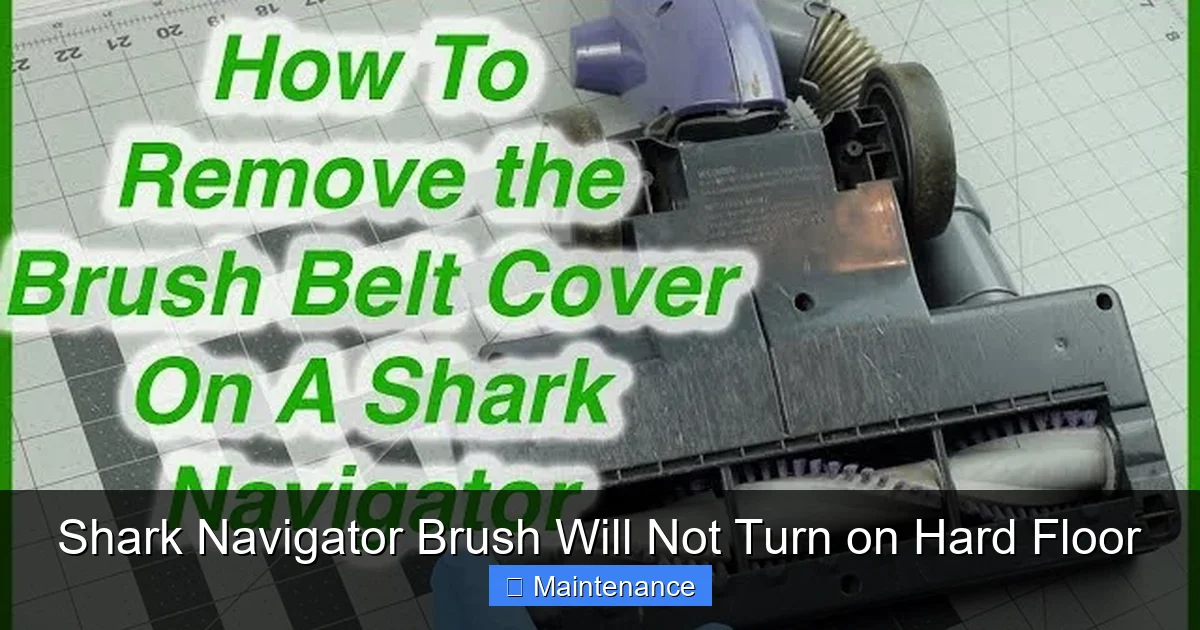
Visual guide about Shark Navigator Brush Will Not Turn on Hard Floor
Image source: i.ytimg.com
The Accidental “Brush Off” Activation
The simplest and most overlooked cause is that the “Brush Roll” button was accidentally pressed, turning the feature off manually. On many Shark models, there is a dedicated button with a brush icon. Check if the corresponding brush roll indicator light on the vacuum is illuminated. If it’s off, press the button once to turn it back on. This seems too obvious, but it’s the first thing to check. Sometimes, the button can be pressed inadvertently when setting the vacuum down or during storage.
Debris Jams and Tangles
This is the physical nemesis of every vacuum owner. Hair, string, carpet fibers, and even small pieces of paper or plastic wrap can wind around the brush roll’s axle, binding it tight. On hard floors, fine dust and pet hair can accumulate inside the brush roll housing itself, packing in around the bearings and creating immense friction. The motor might hum or strain, but the brush won’t turn. A severe jam can even strip the drive belt or damage the motor over time.
A Tripped Safety Switch or Faulty Actuator
Inside the brush roll housing, near where it attaches to the vacuum body, is a small plastic piece (the actuator) that depresses a micro-switch when the housing is locked in place. If this actuator is broken, stuck in the “depressed” position (as if the housing isn’t attached), or if the switch itself is faulty, the vacuum’s computer thinks the brush roll housing is missing or improperly installed. It will then disable the brush roll as a safety measure, leading directly to the Shark Navigator brush will not turn on hard floor problem. This can happen from wear and tear or a minor impact.
Worn or Broken Drive Belt
In belt-driven Shark Navigator models, the rubber belt connects the motor shaft to the brush roll. Over time, this belt can stretch, become glazed (smooth and slick), develop cracks, or even snap. A stretched belt will slip and not transfer power. A broken belt is obvious, but a glazed or stretched one can be tricky. If the belt is loose and slips when you try to turn the brush roll by hand, that’s your issue. Direct-drive models don’t have this belt, so skip this step for those.
Failed Brush Roll Motor or Internal Wiring
This is the least common but most serious cause. The motor that spins the brush roll itself can burn out. Or, the wiring that runs from the main vacuum body down to the brush roll housing (often through a flexible wiring harness) can become frayed or broken from repeated flexing. If you’ve eliminated jams, reset the machine, checked the belt/actuator, and the brush still won’t spin with a clean bill of health, the motor or wiring may need professional replacement.
Step-by-Step Diagnostic & Fix Guide
Now, let’s get our hands dirty. Follow this systematic approach to diagnose and fix the Shark Navigator brush will not turn on hard floor issue. Always unplug the vacuum (or remove the battery for cordless models) before performing any inspection or maintenance.
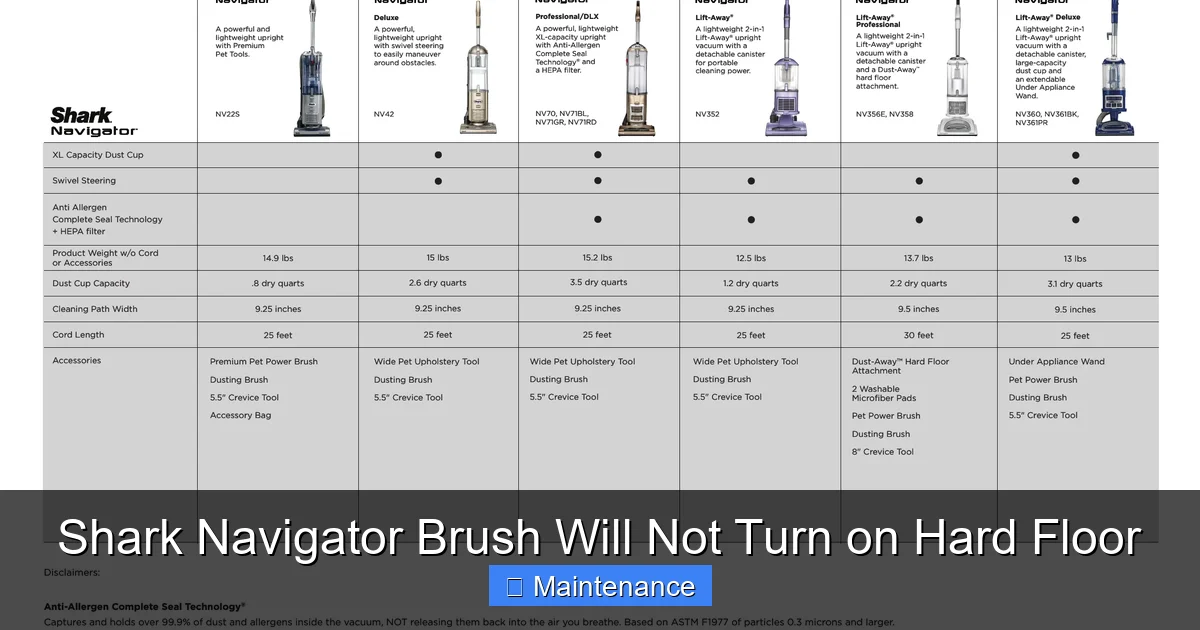
Visual guide about Shark Navigator Brush Will Not Turn on Hard Floor
Image source: device.report
Step 1: The Quick Reset and Button Check
This is your 60-second first line of defense.
- Unplug the vacuum from the wall outlet. If it’s a cordless Shark Navigator Lift-Away, remove the battery.
- Press and hold the power button for 10-15 seconds to fully discharge any residual power.
- Reinsert the battery or plug it back in.
- Press the “Brush Roll” button firmly to ensure it’s toggled on. Check for the brush roll indicator light.
- Test on a hard floor. If it works, the issue was a temporary electronic glitch. If not, proceed.
Step 2: The Deep Clean and Jam Removal
This is the most effective fix for 70% of cases. You’ll need a Phillips screwdriver, scissors, and maybe a small hook or seam ripper for hair.
- Lay the vacuum flat on its side for access to the brush roll housing.
- Release the brush roll housing. There is usually a red release lever or button on the underside of the vacuum head. Press it and pull the entire brush roll housing straight out.
- Inspect and clear the housing channel. Look inside the black plastic housing where the brush roll sits. Use a flashlight. You’ll likely find a felt-like mat of dust, hair, and debris packed along the sides and around the ends. Use your fingers, a tool, or the suction hose (on low) to remove all of it. This is critical for hard floor use, as fine dust settles here.
- Remove the brush roll. Once the housing is clear, pull the brush roll cylinder straight out. It may be held by clips.
- Clean the brush roll thoroughly. Use scissors to carefully cut away any hair or string wrapped around the bristles and the metal axles at each end. Pull the debris off. Wipe the bristles with a damp cloth. Check that the brush roll spins freely by hand.
- Check the belt (if applicable). With the brush roll out, you can see the belt. If it’s broken, cracked, or stretched, replace it. If it’s just loose, you may need to adjust the motor pulley or replace the belt. A new belt is inexpensive.
- Reassemble in reverse order. Ensure the brush roll is seated correctly and the housing clicks firmly into place. You should hear a distinct click.
- Test before full reassembly. With the vacuum still unplugged, try to spin the brush roll by hand through the housing opening. It should turn smoothly. Then plug in and test.
Step 3: Inspect the Actuator and Safety Switch
If cleaning didn’t solve the Shark Navigator brush will not turn on hard floor puzzle, the actuator is next.
- With the brush roll housing removed, look at the area where it connects to the main vacuum body. You’ll see a small plastic pin or lever (the actuator) protruding slightly.
- Gently press and release this pin several times. It should move freely up and down with a slight springiness. If it’s stuck, broken, or missing, this is your problem.
- Check the corresponding micro-switch on the main body. It’s a small black or white component with a tiny button. Press it manually with a tool. It should click. If it doesn’t, it may be faulty.
- If the actuator is broken, you need a replacement part. Search for “Shark Navigator brush roll actuator” or “brush roll housing switch pin” for your specific model number (found on the back plate).
Step 4: Advanced Checks (Motor & Wiring)
Only proceed if all above steps fail.
- Listen for motor sounds. When you press the brush roll button, do you hear a faint hum or click from the brush roll area? If you hear nothing, it points to a lack of signal (actuator/sensor issue) or a complete motor failure. If you hear a struggling hum but no movement, it’s likely a jammed brush roll (re-check cleaning) or a stripped motor coupling.
- Check for visible wiring damage. Trace the wiring harness from the main body down to the brush roll housing. Look for any cuts, frays, or areas where the wire is pinched, especially at the pivot point where the housing swivels.
- Test the motor directly (advanced). This requires comfort with electronics. You can try applying 12V DC power directly to the motor’s two wires (after disconnecting from the PCB) to see if it spins. Caution: If you are not confident, skip this and consult a professional.
Specific Considerations for Hard Floors
The Shark Navigator brush will not turn on hard floor issue can be uniquely triggered or worsened by the surface you’re cleaning. Understanding this helps in both diagnosis and prevention.
Visual guide about Shark Navigator Brush Will Not Turn on Hard Floor
Image source: i.ytimg.com
Why the System Gets Confused on Hard Surfaces
The vacuum’s surface detection logic often relies on measuring resistance. On deep-pile carpet, the brush roll meets significant resistance, confirming it’s on carpet. On a smooth hard floor, the brush roll encounters almost no resistance as it spins. The vacuum’s firmware is programmed to interpret this lack of resistance as “this is not carpet,” and in many models, it automatically disables the brush roll to comply with the “Brush Off on hard floors” safety design. If this sensor logic is too sensitive or faulty, it might think it’s on a hard floor even when it’s on low-pile carpet, or it might fail to re-engage the brush when you *want* it on for a hard floor deep clean (some users prefer the agitation for embedded debris in grout lines).
The Debris Pattern Difference
On carpet, debris gets wrapped into the brush. On hard floors, debris is mostly pushed ahead of the brush. This means fine, powdery dust and tiny particles can be forced *into* the brush roll housing’s internal channels and bearings rather than wrapping around the bristles. This dust can pack in tightly, creating a gritty paste that binds the brush roll. When you do your cleaning, pay special attention to sucking out this dust from inside the housing with a crevice tool or a dedicated vacuum attachment.
Adjusting Your Technique for Hard Floors
Even with a working brush roll, technique matters on hard floors.
- Go slower. Give the brush roll more time to agitate debris out of corners and grout lines.
- Overlap passes. Ensure you’re not missing strips.
- Use the correct setting. Some Shark Navigators have a specific “Hard Floor” setting that optimizes suction and may affect brush roll behavior. Consult your manual.
- Empty the dust cup frequently. On hard floors, the cup fills with fine dust that can reduce overall suction power, making the brush roll seem less effective.
Preventive Maintenance to Avoid Future Issues
An ounce of prevention is worth a pound of cure. Incorporate these habits to keep your Shark Navigator brush will not turn on hard floor problems at bay.
Establish a Weekly Cleaning Ritual
Don’t wait for a problem. After every 2-3 uses, especially on hard floors:
- Remove the brush roll and use the included cleaning tool (or a comb) to pull out any hair or fibers from the bristles and end caps.
- Use a damp cloth to wipe down the brush roll housing interior. A cotton swab is perfect for cleaning around the actuator pin and the sensor area.
- Check the belt for signs of wear or glazing.
- Ensure the brush roll housing clicks securely into place every time you reattach it.
Mind What You Vacuum
Your vacuum is powerful, but not invincible. Avoid vacuuming:
- Large, sharp objects (screws, tacks, broken glass).
- Wet anything.
- Large quantities of fine powder (like flour or baby powder) in one go—it can clog filters and pack into bearings.
- Long, loose items like curtain ties or Christmas tinsel that are guaranteed to wrap the brush.
Regular Full-Service Intervals
Every 3-6 months, perform a more thorough maintenance:
- Wash or replace the filters (pre-motor and post-motor). Clogged filters reduce suction, making the motor work harder and potentially affecting brush roll performance.
- Inspect the wheels and bearings on the brush roll for smooth rotation.
- Check the wiring harness for any signs of stress or damage at the pivot point.
- Give the entire vacuum, including the wheels and underside, a good wipe-down.
Conclusion: Getting Back to Clean Floors
The frustrating moment when your Shark Navigator brush will not turn on hard floor is not a permanent death sentence for your vacuum. It’s a system telling you it needs a little attention. In most cases, the solution is a combination of a simple reset and a dedicated, thorough cleaning of the brush roll and its housing—a task that takes less than 15 minutes. By understanding the interplay between the safety features, the physical brush roll, and the sensors, you empower yourself to be your own vacuum technician. Start with the quick reset, move to the deep clean jam removal, and then methodically check the actuator and belt. Remember, your Shark Navigator is built to last, and like any tool, it performs best with regular care. Invest a few minutes in preventive maintenance after each use on hard floors, and you’ll likely never face this issue again. Your beautiful hard floors deserve a perfectly functioning brush roll to get into every nook and cranny, and with this guide, you have the keys to make that happen.
Frequently Asked Questions
Why does my Shark Navigator’s brush roll work on carpet but not on hard floor?
This is almost always due to the automatic “Brush Off” safety feature. The vacuum detects minimal resistance on hard floors and disables the brush to prevent scattering debris. A faulty actuator or sensor can cause this feature to engage incorrectly or fail to disengage when you want it to. A thorough reset and cleaning of the brush housing often resolves it.
I cleaned the brush roll and it still won’t spin. What next?
After a deep clean, the next most common culprit is the brush roll actuator—the small plastic pin that tells the vacuum the brush housing is attached. Locate it near where the housing clicks in. Ensure it moves freely. If it’s broken or stuck, it needs replacement. Also, double-check that the housing clicked securely into place with an audible snap.
Can I use my Shark Navigator on hard floors without the brush roll?
Yes, you can. Many users prefer to turn the brush roll off on hard floors to avoid scattering dust and to be gentler on the surface. The vacuum will still pick up debris via suction alone. However, for a deep clean that agitates debris from grout lines, a functioning brush roll is beneficial. The goal is to fix the issue so you have the *option*.
How do I know if my drive belt is broken?
First, remove the brush roll housing. Look for the rubber belt looped around the motor pulley and the brush roll pulley. If it’s snapped, it will be in two pieces. If it’s intact but very loose, stretched, or has a glazed, shiny appearance, it has lost traction and needs replacement. You can also try to manually turn the brush roll; if it spins freely with no belt tension, the belt is likely broken or off.
Is it worth repairing the brush roll motor myself?
For most users, no. Brush roll motor replacement involves significant disassembly, soldering skills, and sourcing the exact correct part. Given the cost of a new Shark Navigator is often comparable to a professional repair, it’s usually more practical to seek a quote from an authorized Shark service center or consider replacement if the vacuum is older.
My vacuum hums but the brush doesn’t spin. What does that mean?
A humming sound with no movement typically means power is reaching the brush roll motor, but something is mechanically preventing it from turning. This points strongly to a severe jam (debris packed so tight the brush can’t move), a stripped gear/pulley connection (if direct drive), or a motor that has seized. Re-check the cleaning of the brush roll bearings and housing with extreme care. If it’s still bound, the motor may be faulty.