Using the probe on your GE Profile oven transforms cooking from guesswork to precise science. Simply insert the probe into your food, set your desired internal temperature, and the oven automatically adjusts heat to achieve perfect doneness—from medium-rare steaks to juicy turkeys. It eliminates overcooking, ensures food safety, and delivers consistent, restaurant-quality results with minimal effort. This feature is your secret weapon for stress-free, perfectly cooked meals.
Have you ever felt that moment of panic when pulling a prime rib from the oven, hoping it’s perfectly medium-rare in the center, only to slice into a disappointing gray band? Or the Thanksgiving turkey anxiety of undercooking the dark meat while drying out the breast? If so, you’re not alone. For years, home cooks relied on intuition, time charts, and clumsy instant-read thermometers. But your GE Profile oven comes with a built-in secret weapon that changes everything: the probe. This simple tool, often tucked away in a drawer, is your direct line to perfectly cooked food, every single time. Think of it as having a professional chef’s precision right in your kitchen. This guide will walk you through every step, from unboxing that probe to becoming a confident, probe-wielding culinary master. We’ll demystify the settings, share pro tips you won’t find in the manual, and troubleshoot common hiccups. Get ready to say goodbye to overcooked chicken and hello to juicy, flawless roasts.
Key Takeaways
- Insertion is Key: Always insert the probe into the thickest part of the food, avoiding bone, fat, or the pan, for an accurate temperature reading.
- Set Your Target: You program the exact internal temperature you want the food to reach; the oven manages the rest, switching to a warm hold if needed.
- Know Your Modes: The probe works with specific modes like “Proof,” “Roast,” and “Bake,” but not with all functions (e.g., Broil or Convection Bake).
- Listen for Alerts: A distinct beep signals when your food has reached the target temperature; the oven may then switch to a warming cycle.
- Clean with Care: The probe and its cord are not dishwasher safe; clean with warm, soapy water and a soft cloth after each use.
- Safety First: The probe is oven-safe only up to a certain point; the handle and cord must remain outside the oven cavity during use.
📑 Table of Contents
Understanding Your Weapon: The GE Profile Probe Anatomy
Before we dive into cooking, let’s get familiar with the tool itself. The probe that comes with your GE Profile oven is a marvel of simple engineering. It consists of two main parts: the stainless steel probe shaft and the plastic plug with its attached cord. The probe shaft is what gets inserted into your food. It’s heat-resistant and designed to transmit accurate internal temperature data. The plug end is what connects to the socket inside your oven’s cooking cavity—usually located on the side wall, often near the front.
The Critical “Oven-Safe” Zone
This is the most important safety and functionality rule. The probe is oven-safe only up to the point where the metal shaft meets the plastic housing. The plastic plug and the cord itself are not heat-resistant. You must never insert the probe so deeply that the plastic part enters the oven cavity. The cord must always be routed out through the oven door seal gap. If you see the plastic part starting to warp or discolor, you’ve made a mistake. Always ensure a firm connection when you plug it in; a loose connection will cause an error or inaccurate readings.
Probe vs. Instant-Read: A Crucial Difference
Do not confuse this probe with an instant-read thermometer like a Thermapen. The GE probe is a continuous-read, oven-integrated thermometer. It stays in the food for the entire cooking cycle. An instant-read thermometer is for quick spot-checks. The built-in probe’s genius is that it communicates with the oven’s computer. You set a target temperature, and the oven’s heating elements will cycle on and off to maintain the perfect environment around the food until the probe reads that target. It’s a closed-loop system of control.
Step-by-Step: Your First Probe Cooking Session
Let’s make this practical. We’ll walk through a classic example: a perfect roast chicken. The goal is a juicy breast (around 165°F) and fully cooked legs (175°F).
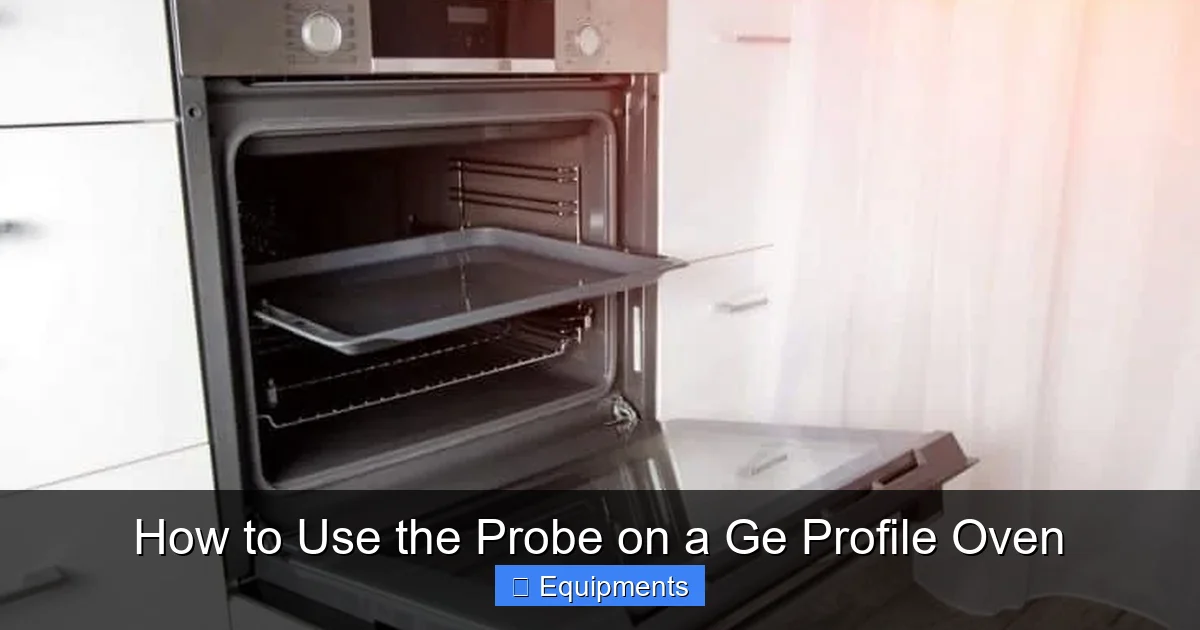
Visual guide about How to Use the Probe on a Ge Profile Oven
Image source: applianceteacher.com
1. Preparation and Insertion
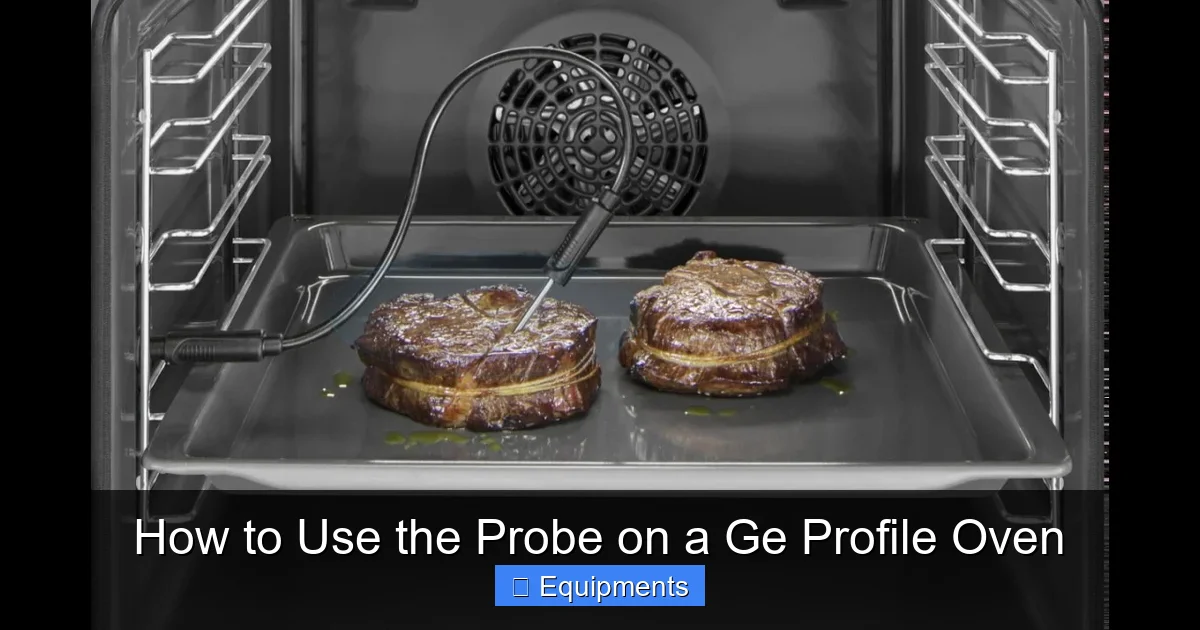
First, prepare your chicken as usual—seasoned, trussed, and placed on a rack in your roasting pan. Now, take the probe. Identify the thickest part of the breast, but avoid the bone if you’re using a bone-in bird. Gently insert the probe shaft horizontally into the breast from the side, aiming for the center of the thickest meat. You want the tip of the probe to be in the absolute thermal center of the largest mass. For accuracy, you can insert it into both the breast and thigh if your model allows dual-probe use (some higher-end GE Profiles do), but for a single probe, the breast is your priority for food safety. Double-check that the plastic housing is completely outside the oven. Route the cord carefully so it isn’t pinched by the oven door.
2. Selecting the Right Cooking Mode
Not all oven modes work with the probe. You must select a mode that supports probe operation. On your GE Profile control panel, look for these modes:
- Roast: Ideal for large cuts of meat and poultry. Uses dry heat from the top and bottom.
- Bake: Good for casseroles, meats, and dishes where you want all-around heat.
- Proof: For dough rising, using very low heat.
- Warm: To maintain temperature after cooking.
- Convection Roast/Bake: Often works with the probe, but check your specific model’s manual. The fan circulates air for faster, more even cooking. You’ll need to adjust target temperatures down slightly (usually 10-15°F) because convection cooks faster and can over-brown.
- Modes that DO NOT work: Broil, Pizza, Convection Broil, Steam (if equipped), and any timer-only modes. The oven will usually display an error or ignore the probe if you try to use an incompatible mode.
For our chicken, select Roast. Set your oven temperature to the starting recipe temperature, say 375°F. The probe temperature you set is separate from the oven air temperature.
3. Setting the Target Temperature
This is the magic step. After selecting your mode and oven temperature, press the Probe button on the control panel. The display will likely show “Probe” and then prompt you to set a temperature. Using the keypad or dial, enter your target. For our chicken, we want the white meat to reach 165°F. Enter 165. The oven will now begin its cycle. It will heat to your set oven temperature (375°F) and will continue cooking, monitoring the probe’s reading. Once the probe senses the chicken has reached 165°F internally, the oven will typically beep loudly and may switch to a “Warm” or “Hold” setting (often at 140-150°F) to keep the food warm without further cooking.
4. The Waiting Game and Final Check
Now, you wait. No more poking and prodding. Trust the system. The oven’s display will usually show the current probe temperature, so you can watch your progress. When the beep sounds, it’s time. But don’t just trust the number entirely. Use your instant-read thermometer to verify in a couple of spots, especially near the bone. This is your final sanity check. Let the chicken rest for 15-20 minutes before carving. The temperature will continue to rise slightly (carryover cooking), and the juices will redistribute.
Mastering Probe Techniques for Different Foods
The basic process is the same, but technique varies by what you’re cooking.
Visual guide about How to Use the Probe on a Ge Profile Oven
Image source: applianceteacher.com
For Large Roasts (Prime Rib, Pork Loin)
The goal is precision doneness. Insert the probe into the absolute geometric center of the roast. For a prime rib targeting medium-rare (130°F), set your probe to 130. Use the Roast mode. Because these are expensive cuts, you might use a reverse-sear method: cook low and slow with the probe (e.g., 225°F oven air temp, probe set to 125°F) until almost there, then remove and sear hard in a cast iron or under a broiler (with the probe removed!) to develop a crust. The probe ensures you pull it at the perfect internal temp before the sear.
For Poultry (Whole Chicken, Turkey)
Food safety is paramount. The USDA requires 165°F for poultry. Insert the probe into the thickest part of the thigh, avoiding the bone. The breast will cook faster. If you want juicier dark meat, you can set the probe for the thigh to 170-175°F, but ensure the breast has also reached 165°F by checking with an instant-read thermometer after the beep. For a large turkey, consider using the probe in the breast (165°F) and a second instant-read to check the thigh later.
For Baked Goods and Casseroles
Yes, you can use it! For a large lasagna or a deep-dish casserole, insert the probe into the center of the dish. Set your target to 160-165°F to ensure it’s bubbling hot all the way through. Use the Bake mode. This is more reliable than a toothpick for doneness in dense, cheesy dishes.
The “No-No” List: What Not to Probe
- Thin Cuts: A pork chop or chicken breast that’s only an inch thick is not a good candidate. The probe will be too close to the pan, giving a false high reading.
- Bones: Never insert the probe into a bone. Bone conducts heat differently and will give a falsely high reading, making you think the meat is done when it isn’t.
- Fat Pockets: Fat renders at a lower temperature. A probe tip sitting in a large fat cap will read high, misleading you.
- Liquid Dishes: Don’t use the probe in soups, stews, or braises where the food is submerged. The probe is for solid foods where you measure the core temperature.
Troubleshooting: When the Probe Doesn’t Behave
Even the best tools have quirks. Here’s how to handle common issues.
Visual guide about How to Use the Probe on a Ge Profile Oven
Image source: i.ytimg.com
Error Codes (F### or Err)
If your display shows an error code after plugging in the probe, first, unplug it and plug it back in firmly. Ensure the plastic housing is completely outside the oven. If the error persists, the probe or the oven’s socket may be faulty. Try a different outlet on the oven if your model has more than one. Consult your manual’s error code list. Sometimes, a simple power cycle (turn off the breaker for 5 minutes) resets the system.
Inaccurate or Fluctuating Readings
Is the temperature on the display jumping from 150°F to 300°F? This usually means the probe is not properly seated in the food or is touching the pan. Gently reposition it so the tip is suspended in the center of the thickest meat, with no contact with bone, pan, or fat. Also, ensure the oven isn’t in a mode that cycles the heating elements so aggressively that it causes massive temperature swings in the air, which can slightly affect the probe’s reading (though the oven’s computer should compensate).
The Oven Ignored the Probe
If you set a probe temperature but the oven cooked to the timer instead, you likely selected an incompatible mode (like Broil). Cancel the cycle, select Roast or Bake, then press Probe and set your temperature. The probe icon should light up on the display.
Probe Won’t Reach Target Temperature
If the cooking time is dragging and the probe temperature is stuck well below your target, check your oven temperature with an independent thermometer. The oven’s internal thermostat may be miscalibrated. Also, ensure you haven’t set the probe temperature lower than the ambient air temperature needed to cook the food (e.g., setting probe for 200°F in a 350°F oven is fine, but setting it for 400°F is impossible).
Beyond the Basics: Pro Tips and Best Practices
Now that you’re operational, let’s elevate your game.
Calibrate Your Expectations (And Maybe Your Oven)
Your oven’s actual temperature may not match the dial. Use a standalone oven thermometer to check. If it’s off by more than 25°F, you may need to calibrate it (see your manual) or adjust your target oven air temperature accordingly. If your oven runs hot, you might set it 25°F lower than the recipe calls for.
The Art of the Rest
The probe beep is not the end; it’s the beginning of the most important step: resting. For large roasts, rest for at least 15-20 minutes tented with foil. For poultry, 20-30 minutes. This allows juices to redistribute. If you carve immediately, all those precious juices will run out onto the cutting board. The probe’s final reading will rise 5-10°F during this rest period (carryover cooking), so you can even set your probe target 5 degrees below your ultimate desired doneness to account for this.
Cleaning and Storage: Protecting Your Investment
This is non-negotiable. After each use, unplug the probe. Do not submerge the plug end. Wash the stainless shaft with warm, soapy water and a soft sponge. Dry thoroughly. The cord can be wiped down. Store it loosely coiled in the provided drawer or a clean kitchen towel. Never wind it tightly around the probe shaft, as this can stress the connection point over time. If food residue bakes on the shaft, soak it in warm soapy water—never use abrasive scrubbers.
Probe Placement Drill
Before a big cook (like Thanksgiving), do a test run with a simpler roast. Practice inserting the probe to find the exact center. You’ll develop a feel for it. For a cylindrical roast (like a pork loin), insert from the end, aiming for the dead center. For a rectangular roast (like a tri-tip), insert from the side.
Conclusion: From Uncertainty to Culinary Confidence
The probe on your GE Profile oven is more than just a thermometer; it’s a gateway to consistent, stress-free, and exceptional cooking. It removes the biggest variable in roasting: the guess. By understanding its simple mechanics—proper insertion, compatible modes, and setting a clear target—you transfer the responsibility for doneness from your anxious mind to the reliable computer in your oven. You’ll find yourself planning menus you once feared, like a perfect medium-rare prime rib for a dinner party or a succulent, safely cooked turkey without drying it out. You’ll save money by cooking expensive cuts to exact specifications, and you’ll gain a reputation as the cook who always gets it right. So, pull that probe out of the drawer, wipe it down, and plug it in. Your journey to perfectly cooked, juicy, and safe meals starts with that single, confident insertion. Happy probing, and even happier eating.
Frequently Asked Questions
Can I use the GE Profile probe with any oven mode?
No. The probe only works with specific modes like Roast, Bake, Proof, and Warm. It will not function with Broil, Convection Broil, Pizza, or Steam modes. Always check your control panel for the probe icon to illuminate after selection.
How do I know if my probe is accurate?
The best test is a boiling water test. Bring a pot of water to a rolling boil. Insert the probe (keeping the plastic housing out of the steam and water). It should read 212°F at sea level (adjust for altitude). If it’s significantly off, it may need replacement.
Can I leave the probe in the food while it rests after cooking?
Yes, and you should. The internal temperature will continue to rise during the rest period (carryover cooking). Leaving the probe in lets you monitor this final rise and ensures you achieve your exact target doneness before carving.
Why does my oven beep but the food isn’t at my target temperature?
This is often due to improper probe placement. If the probe tip is touching the pan, a bone, or a large fat pocket, it will register a falsely high temperature. Re-insert it into the pure, thickest center of the meat, away from any obstacles.
Is the probe dishwasher safe?
Absolutely not. The stainless steel shaft can be hand-washed with warm, soapy water. The plastic plug and electronic components are not water-resistant and will be damaged. Always hand-wash and dry thoroughly before storage.
Where should I store the probe when not in use?
GE Profile ovens typically have a dedicated drawer or storage compartment inside the oven door or on the side panel. Store it loosely coiled, without sharp bends in the cord, to protect the connection point between the cord and the probe shaft.