Is your Frigidaire oven displaying a lock icon and refusing to start? This is a common safety feature, often triggered by a completed self-clean cycle or a accidental control lock. The solution is usually simple and can be done without tools. First, identify the type of lock—self-clean oven door lock or electronic control panel lock. Then, follow the specific reset procedure for your model, which typically involves waiting for the oven to cool, pressing and holding a key (like “Cancel” or “Lock”), or turning off the circuit breaker. If standard methods fail, consult your manual or seek professional help to avoid damage.
Key Takeaways
- Identify the Lock Type: Determine if it’s a self-clean door lock (mechanical latch) or a control panel lock (electronic keypad disable). The “Lock” icon appearance and context are key clues.
- Patience is Primary: For a self-clean cycle lock, the #1 rule is to wait for the oven to fully cool. The lock will not release until internal temperatures drop below a safe threshold, which can take 1-2 hours.
- Standard Reset Sequences: Most control locks are cleared by pressing and holding the “Cancel,” “Clear,” or a dedicated “Lock” key (often with a padlock symbol) for 3-5 seconds.
- The Power Cycle Method: If button combinations fail, turning off the oven’s dedicated circuit breaker at the main panel for 1-2 minutes is a universal reset that clears temporary electronic faults.
- Consult Your Manual: Your specific Frigidaire model’s manual is the ultimate authority. Model numbers are on the oven’s frame or back splash. Digital manuals are free online.
- Safety First: Never force a manually locked oven door. Forcing it can break the latch mechanism, leading to costly repairs. For persistent electronic locks, disconnect power before inspection.
- Know When to Call a Pro: If the oven remains locked after cooling and power cycles, or if you smell burning/see error codes, the lock motor or control board may be faulty and require a certified technician.
📑 Table of Contents
- Introduction: Why Your Frigidaire Oven Locks Itself
- Understanding the Two Main Types of Frigidaire Oven Lock Modes
- How to Exit a Self-Clean Door Lock: The Art of Patience
- How to Exit a Control Panel Lock: The Button Press Method
- Advanced Troubleshooting: When Standard Methods Fail
- Prevention and Maintenance: Keeping Your Oven Happy
- Conclusion: You’ve Got This
Introduction: Why Your Frigidaire Oven Locks Itself
You’ve just finished a delicious meal, or perhaps you’ve started a self-cleaning cycle to tackle baked-on grime. You walk to your Frigidaire oven, ready to open the door or press “Start,” and you’re met with a stubborn, unresponsive lock icon on the display. The door won’t budge, and the buttons seem dead. Panic sets in—dinner is stuck, and your kitchen feels like it’s holding your meal hostage. First, take a deep breath. This is one of the most common, and usually most solvable, issues with modern ovens. Your Frigidaire oven’s lock mode is a critical safety feature, not a random malfunction. It’s designed to prevent you from opening a superheated oven during a self-clean cycle or from accidentally changing settings. Understanding this is the first step to freedom. This guide will walk you through every possible scenario, from the simple 5-second button press to more advanced troubleshooting, all in plain language. We’ll get your oven back under your control.
Understanding the Two Main Types of Frigidaire Oven Lock Modes
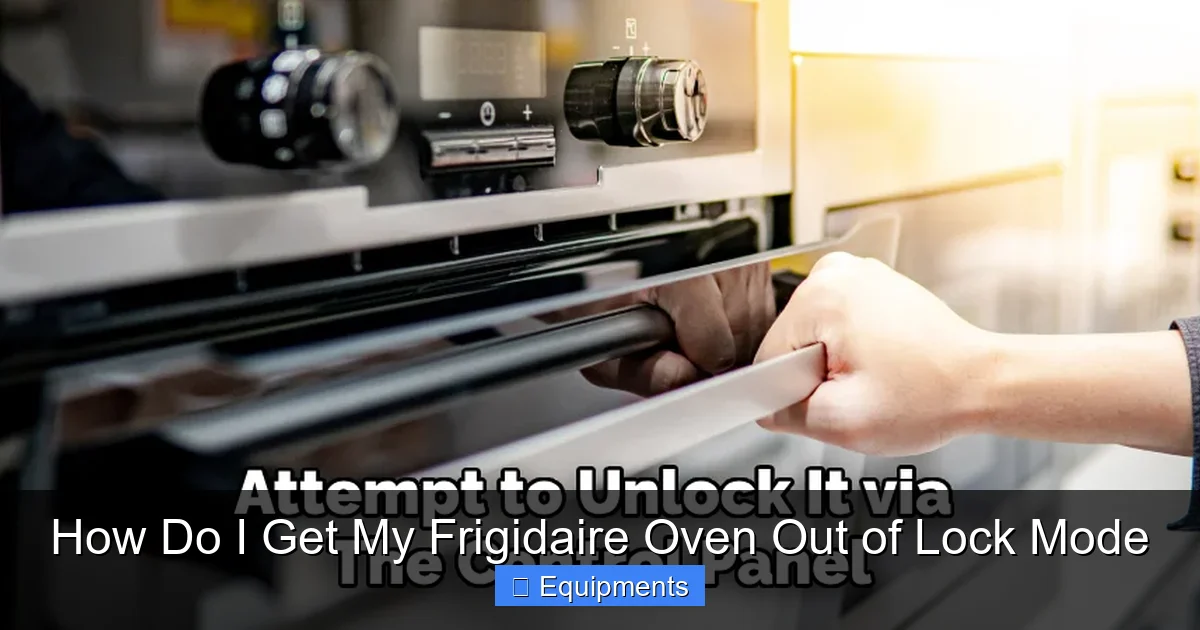
Before you start pressing buttons randomly, it’s crucial to understand what you’re dealing with. Frigidaire ovens primarily use two distinct locking systems, and the method to disengage them is completely different. Misidentifying the lock type is the main reason people get frustrated. Let’s break them down clearly.
Visual guide about How Do I Get My Frigidaire Oven Out of Lock Mode
Image source: thekitchenix.com
The Self-Clean Door Lock (The Mechanical Latch)
This is the classic “oven door is physically locked” scenario. During a self-clean cycle, the oven temperature soars to around 900°F (480°C) to incinerate food residue. To prevent catastrophic burns, a robust mechanical motor-driven latch engages and physically bars the door from opening. This latch is engaged automatically when you select the self-clean cycle and will not release—no matter what buttons you press—until the oven’s internal temperature drops to a safe level, typically below 500°F (260°C). The lock icon will remain illuminated on the display even after the cycle ends and the oven is off. This is a passive, temperature-dependent lock.
The Control Panel Lock (The Electronic Keypad Disable)
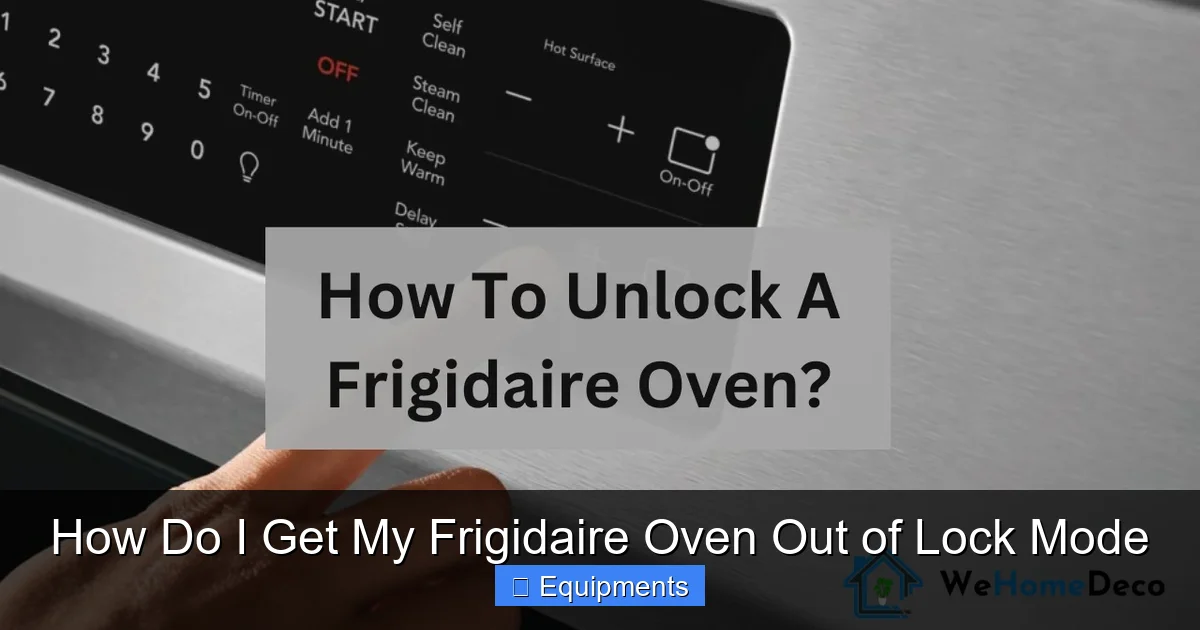
This is a convenience and safety feature that disables all the buttons on the electronic control panel. It’s often activated accidentally by pressing and holding a combination of keys (like “Cancel” and “Clock” or a key with a padlock symbol) for several seconds. Its purpose is to prevent accidental changes to settings, especially in households with children. When this lock is active, the display might show a key icon, a padlock symbol, or the word “Lock,” and none of the buttons will respond. The oven door itself is not physically locked; you can still open it. This is an active, software-based lock that can usually be overridden with the correct button sequence.
How to Exit a Self-Clean Door Lock: The Art of Patience
If your oven door is physically stuck and won’t open, you are dealing with the self-clean door latch. The golden rule here is patience. The lock mechanism is temperature-sensitive and will not disengage until the oven has cooled sufficiently. Rushing this process is the #1 cause of broken latches.
Visual guide about How Do I Get My Frigidaire Oven Out of Lock Mode
Image source: wehomedeco.com
Step 1: Confirm the Cycle is Complete and the Oven is Off
Ensure the self-clean cycle has finished. The display should no longer show a countdown timer. The oven should be in the “Off” state. If it’s still running a cleaning cycle, you must cancel it first (if your model allows mid-cycle cancellation) by pressing “Cancel.” However, for most models, once a high-temp self-clean cycle starts, it must run its course. Your only job now is to wait.
Step 2: The Cooling Period (This is Non-Negotiable)
Leave the oven door closed. Do not try to pry it open. The cooling time varies by model and ambient kitchen temperature. On average, you should expect to wait at least 1 to 2 hours after the cycle ends and the oven turns off. Some larger ovens or models in warm kitchens may take longer. The lock icon will remain lit during this entire cooling period. You can sometimes hear a faint clicking or whirring sound as the latch motor finally disengages once the temperature threshold is met.
Step 3: Test the Door and Reset the Display
After waiting the minimum time, gently try to open the door. It should open smoothly. If it resists, close it and wait another 30 minutes. Forcing it will damage the latch. Once the door opens, the lock icon should disappear from the display. If it remains on, press the “Cancel” or “Off” button once to clear the residual signal from the control board.
What If the Lock Icon Stays On But the Door is Open?
Sometimes the latch disengages, but the control board’s memory still thinks it’s locked. This is a simple software hiccup. With the door open, press and hold the “Cancel” button for 3-5 seconds. This often forces the board to rescan the latch switch’s status and clear the icon. If it persists, a full power cycle (turning off the breaker) is the next step.
How to Exit a Control Panel Lock: The Button Press Method
If your oven door opens freely but the buttons on the front panel do nothing, you have a control panel lock. This is your lucky day—it’s almost always fixed in under 10 seconds. The exact key combination varies slightly across Frigidaire model lines and years, but the principles are the same.
Visual guide about How Do I Get My Frigidaire Oven Out of Lock Mode
Image source: i.ytimg.com
The Most Common Sequences
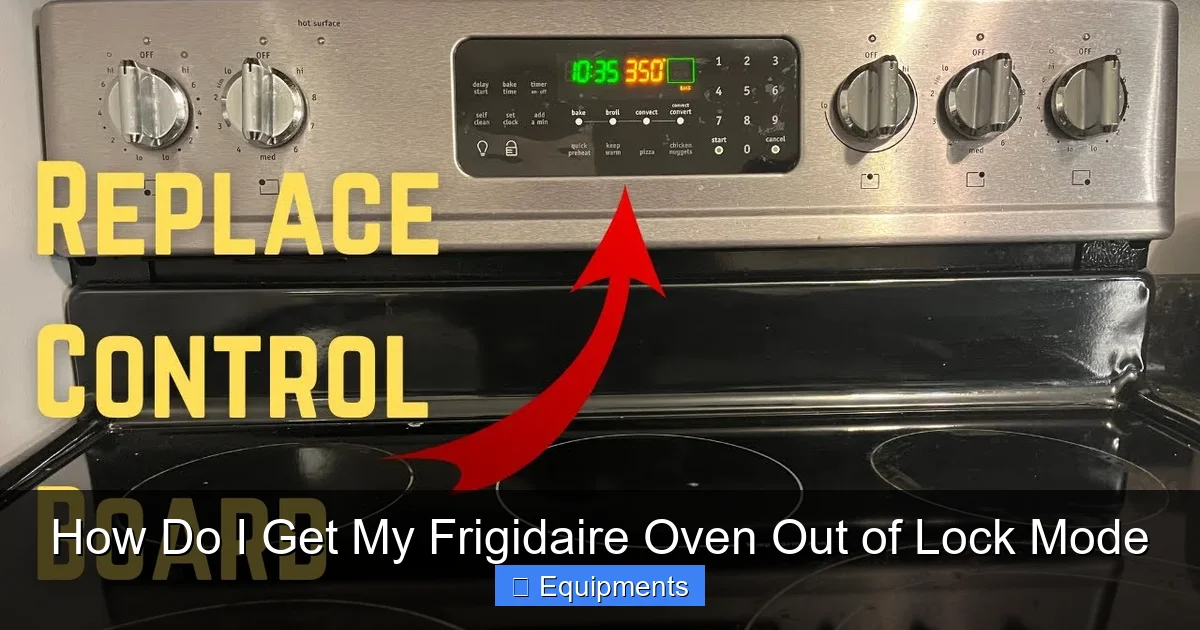
Sequence 1 (Most Common for newer models): Locate the button with a padlock symbol or a key with a lock icon. Press and hold this button for 3-5 seconds. You should hear a beep, and the lock icon should vanish. If there’s no dedicated lock button, try the “Cancel” or “Clear” button.
Sequence 2 (For models with “Lock” text): Press and hold the button labeled “Lock” for 3-5 seconds. The display will change, and the lock will disengage.
Sequence 3 (The “Cancel + Clock” Combo): On many older Frigidaire ranges, you press and hold the “Cancel” button and the “Clock” button (or “Timer”) simultaneously for about 3 seconds. The lock icon will disappear.
Pro Tip: The “Start” Button Trick
On some models, especially those with a large “Start” button, pressing and holding the “Start” button for 5 seconds can toggle the control lock. It’s worth a try if the above sequences fail.
If You Don’t Have the Manual: A Systematic Approach
Don’t have your manual handy? Try this order:
1. Find any button with a padlock (🔒) symbol. Hold it.
2. Try holding Cancel.
3. Try holding Cancel + Clock/Timer together.
4. Try holding Start.
After each attempt, wait a second to see if the display changes or a beep sounds. One of these will almost certainly work.
Advanced Troubleshooting: When Standard Methods Fail
You’ve waited two hours for the self-clean lock to release, and the door is still jammed. Or you’ve pressed every button combination known to man, and the control panel remains dead. Now it’s time for deeper troubleshooting. Before you proceed, safety is paramount.
Step 1: The Ultimate Reset—Power Cycling the Oven
This is the most effective troubleshooting step for any electronic gremlin, including a stubborn control lock or a latch control board that’s confused. It’s not just turning the knob to “Off.” You must cut power at the source.
- Go to your home’s main electrical panel (breaker box).
- Locate the circuit breaker that controls your kitchen range/oven. It is usually a double-pole breaker (two switches connected) labeled “Kitchen,” “Range,” or “Oven.”
- Flip the breaker fully to the “Off” position.
- Wait for a full 60 seconds. This drains residual power from the oven’s capacitors and fully resets its main control computer.
- Flip the breaker back to “On.”
- Return to the oven. The display may flicker or go through a startup sequence. Try opening the door or using the buttons now.
For a self-clean lock, this power cycle does not override the temperature sensor. The oven will still be locked if it’s too hot. But for an electronic control lock, this resolves the issue 90% of the time.
Step 2: Checking for Error Codes
After restoring power, if your oven’s display shows an alphanumeric code (like F1, F2, F3, F5, F9, etc.), this is a diagnostic clue. A lock-related error is often F5 or F9, indicating a problem with the lock motor or its position switch. Write down the code. Look it up in your manual or on a reputable appliance repair website. An F9 error, for example, typically means the control board isn’t sensing that the lock switch is in the “unlocked” position. This could be a faulty switch, a broken latch mechanism, or a wiring issue.
Step 3: Manual Door Unlocking (Last Resort for Self-Clean Latch)
WARNING: This is a last-ditch effort for a physically locked door. It requires accessing the oven’s interior and carries a risk of electric shock if not done carefully. Only proceed if you are comfortable with basic appliance repair and have turned off the circuit breaker.
- Disconnect power: Turn off the oven’s breaker at the main panel.
- Access the latch: You need to get behind the oven door seal. Carefully pull the oven away from the wall (unplug it if it’s a freestanding range with a cord, or ensure the hard-wired connection is off). Remove the lower drawer (if it’s a slide-out drawer model). Look into the opening at the top of the door frame. You should see the metal latch mechanism.
- Locate the motor arm: You’ll see a small electric motor with a plastic or metal arm attached. The arm should be in a “locked” (horizontal) position.
- Manually move the arm: Using a screwdriver or your hand, gently push or pull the arm to move it to the “unlocked” (vertical) position. It should move with moderate force. Do not break it.
- Test: With the arm manually unlocked, try to open the oven door. It should open. You can then manually pull the latch back into its housing. Restore power. The door should now operate normally, but you have bypassed the automatic motor. This is a temporary fix; the motor or its switch likely needs replacement.
Prevention and Maintenance: Keeping Your Oven Happy
An ounce of prevention is worth a pound of repair calls. Here’s how to minimize future lock mode surprises.
For Control Locks: Be Mindful of Button Combinations
Teach everyone in your household that holding “Cancel” and “Clock” (or similar combos) for more than 2 seconds will lock the panel. If you have young children, consider using the lock feature intentionally as a child safety measure and make sure you know the unlock sequence.
For Self-Clean Locks: Let it Cool, Completely
Never interrupt a self-clean cycle unless absolutely necessary (and consult your manual first). After the cycle ends, resist the urge to peek. Let the oven cool with the door closed for the full recommended time. A quick check after an hour might reveal it’s still locked, and that’s normal.
Keep the Latch Area Clean
Food debris and grease can build up around the door seal and latch mechanism, potentially jamming it or interfering with the limit switch that tells the control board the lock is disengaged. During regular cleaning, wipe down the door frame and gasket with a damp cloth. Avoid getting excessive cleaner or water into the latch slot.
Listen for Unusual Noises
During a self-clean cycle, you’ll hear the latch motor engage. It should be a solid, brief whirring sound. If you hear grinding, buzzing, or the sound repeats (the motor trying and failing), the latch mechanism may be worn or obstructed. This is a sign to seek service before it fails completely and locks you out.
Conclusion: You’ve Got This
Finding your Frigidaire oven in lock mode is an inconvenience, but it’s almost never a disaster. The key is systematic thinking: first, identify the lock type (door vs. panel). Then, apply the correct solution—patience and cooling for the door lock, or a specific button sequence for the panel lock. The universal power cycle—turning off the breaker—is your best friend for clearing electronic glitches. Remember, the lock is your friend; it’s a safety feature that protects you from extreme heat and accidental changes. By understanding its purpose and following the clear, step-by-step methods outlined here, you can confidently resolve the issue yourself in minutes. Keep your model’s manual bookmarked, embrace the power of the breaker switch, and don’t be afraid to wait it out. With this knowledge, you’ll be back to baking, roasting, and broiling in no time, and you’ll have a better understanding of the thoughtful engineering inside your kitchen workhorse.
Frequently Asked Questions
How long do I have to wait for the self-clean lock to release?
You must wait for the oven to cool completely, which typically takes 1 to 2 hours after the self-clean cycle ends and the oven turns off. The lock will not release until the internal temperature drops below a safe threshold (around 500°F). Do not force the door.
What if my oven door opens but the display still shows a lock icon?
This is a common software glitch. With the door open, press and hold the “Cancel” or “Off” button for 3-5 seconds. If that fails, perform a full power cycle by turning off the dedicated circuit breaker in your home’s electrical panel for one minute, then turning it back on.
I don’t have a “Lock” button on my Frigidaire oven. How do I unlock the control panel?
The lock function is often tied to another button. Try pressing and holding the “Cancel” button, or “Cancel” and “Clock” together, for 3-5 seconds. On some models, holding the “Start” button works. Consult your manual for the exact sequence for your model number.
Can I manually unlock the self-clean latch if I’m in a hurry?
We strongly advise against it. Forcing the door can break the expensive latch motor or linkage. If you must, you can access the latch mechanism by removing the lower drawer and manually moving the motor arm to the unlocked position, but this requires turning off the power at the breaker and carries a risk of injury or damage. It’s better to wait.
My oven shows an error code (like F5 or F9) along with the lock icon. What does this mean?
An F5 or F9 error code specifically indicates a fault with the door lock assembly—either the motor, the switch that tells the control board the lock is disengaged, or its wiring. After a power cycle, if the code returns, the lock mechanism likely needs diagnosis and replacement by a qualified appliance technician.
Is it safe to use my oven if the control panel is locked but the door opens?
Yes, the control panel lock only disables the buttons; it does not affect the oven’s heating elements or safety. However, you will not be able to set a temperature or start a cycle until you unlock the panel using the correct button sequence. The lock is purely a software-based control disable.