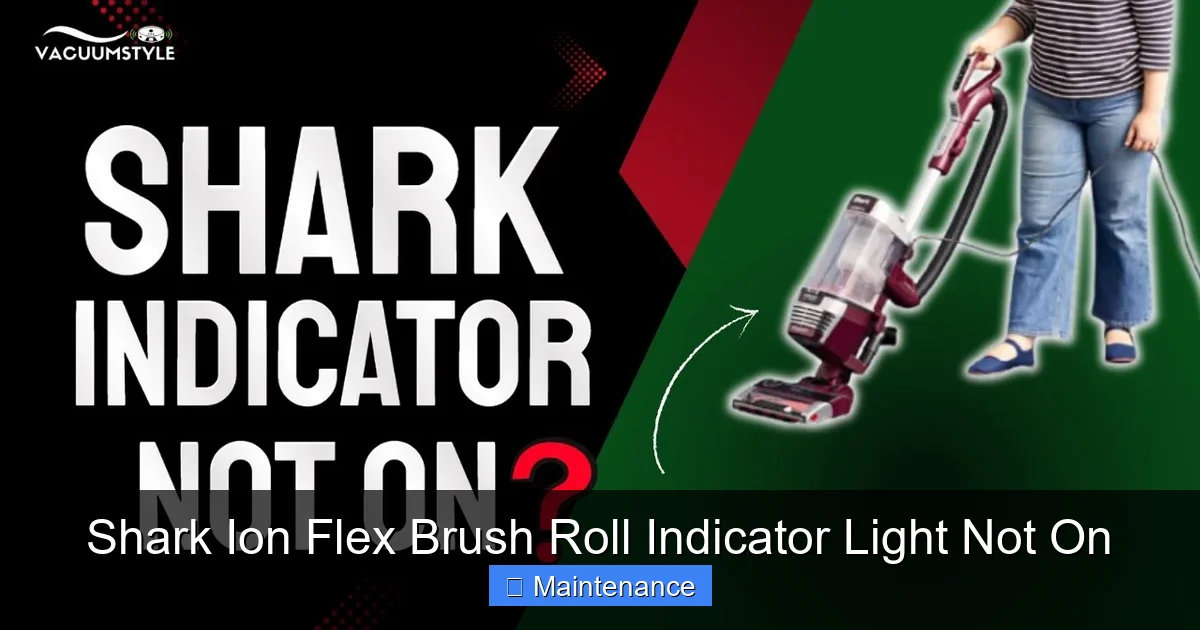
A Shark Ion Flex brush roll indicator light not on typically signals a blockage, a worn belt, or a tripped safety switch. This is a common, often fixable issue. Start by thoroughly checking for clogs in the brush roll housing and hose. If clear, inspect the drive belt for breaks or slippage and reset the vacuum’s internal safety thermostat. Most solutions are simple and require no special tools.
You’re mid-clean, and you notice something’s off. The Shark Ion Flex is humming along, but that little blue light that usually confirms the brush roll is spinning… is dark. Your heart sinks a little. Is it broken? Is it expensive to fix? Before you panic or start shopping for a new vacuum, take a deep breath. A Shark Ion Flex brush roll indicator light not on is one of the most common issues owners face, and the vast majority of the time, it’s a problem you can solve yourself in under 20 minutes with a few simple tools. This guide will walk you through every potential cause, from the simplest clog to more complex internal issues, with clear, step-by-step instructions. Let’s get your Shark spinning again.
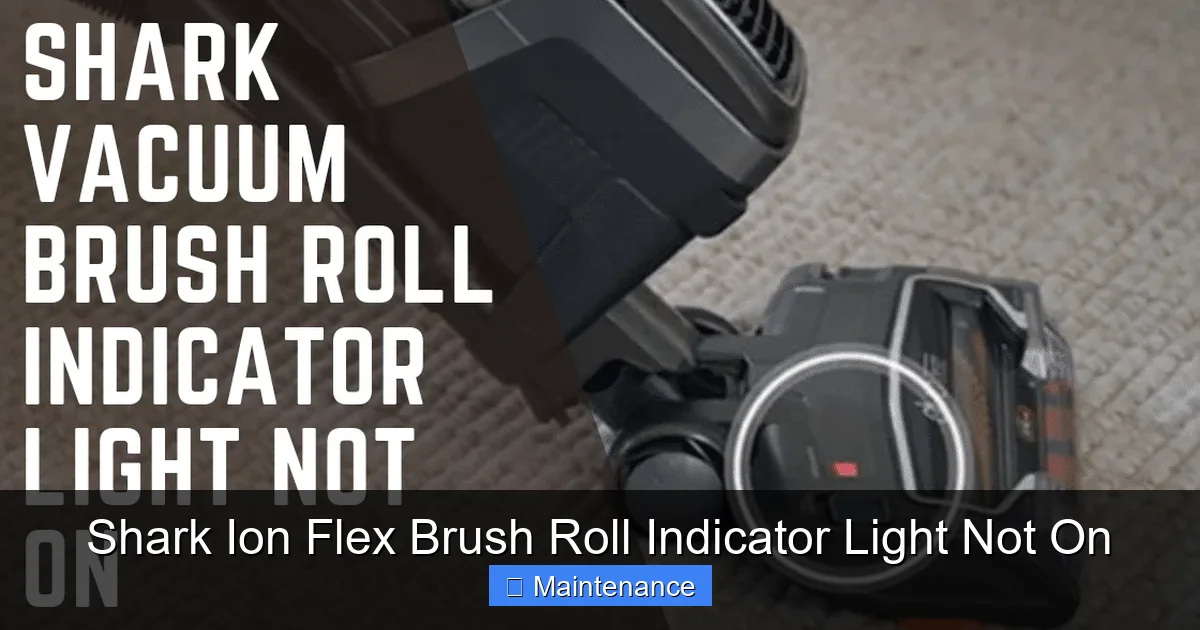
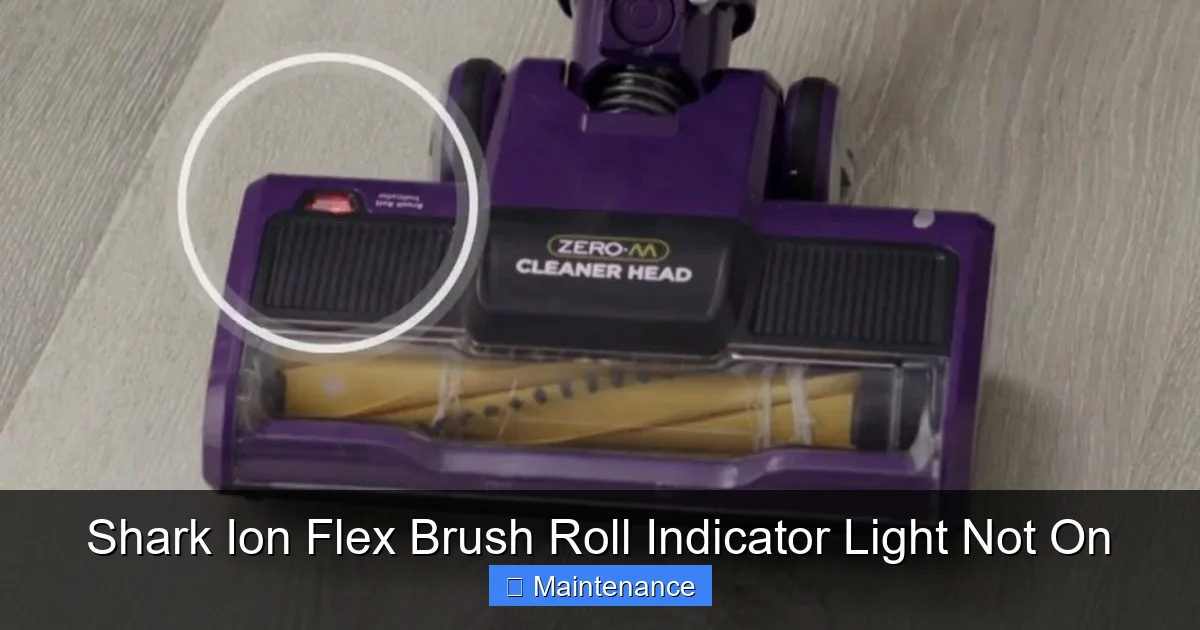
First, understand what that light means. In your Shark Ion Flex, that indicator isn’t just a decoration. It’s a direct signal from the vacuum’s internal computer. When you power on the vacuum with the brush roll engaged (the “Ion” setting), the system checks if the brush roll is spinning freely. A small sensor monitors the brush roll’s rotation. If it detects resistance—meaning something is jammed, the belt isn’t moving, or the motor is struggling—it immediately cuts power to the brush roll motor to prevent overheating and potential burnout. The light going off is the vacuum’s way of saying, “Hey, I’ve shut down the roller to protect myself. Find and fix the blockage.” So, our mission is to find that blockage or fault and clear it.
Key Takeaways
- The light is a critical safety indicator: It confirms the brush roll is spinning. If off, the vacuum has automatically shut off the roller to prevent motor damage from a blockage or jam.
- Clogs are the #1 culprit: Hair, string, and carpet fibers wrapping around the brush roll or blocking the suction path are the most frequent cause of this problem.
- The drive belt is a common mechanical failure point: A broken, stretched, or slipped belt will prevent the brush roll from turning, triggering the light to stay off.
- Safety switches and thermostats can trip: Overheating from a prolonged clog or a jam can cause an internal thermal cutoff to engage, stopping the roller.
- Simple resets and cleanings fix most issues: A full reset and a meticulous, tool-assisted cleaning of the brush roll area resolve the problem in many cases without needing parts.
- Prevention is key: Regularly checking and cleaning the brush roll and its housing is the single best way to avoid the indicator light issue and extend your vacuum’s life.
- Professional repair is a last resort: If all troubleshooting fails, a faulty motor, internal wiring issue, or broken switch may require a technician.
📑 Table of Contents
Understanding Your Shark Ion Flex’s Brush Roll System
To troubleshoot effectively, you need a basic mental map of how the brush roll gets its power. It’s a chain of components, and a failure in any link stops the whole process. The brush roll itself is a cylindrical bar with bristles, mounted in the cleaning head. A rubber drive belt loops from a small motor pulley inside the vacuum’s body to a larger pulley on the brush roll. When the main suction motor runs, a separate smaller brush roll motor spins its pulley, which turns the belt, which in turn spins the brush roll. The indicator light is wired to the circuit that powers this small brush roll motor and its sensor.
The Role of the Drive Belt
The drive belt is the workhorse of this system. It’s a continuous loop, usually about 15-18 inches long, made of a durable rubber. Over time, with use and exposure to heat and debris, this belt can stretch, develop cracks, or even snap completely. If the belt is not properly tensioned or has jumped off its pulleys, the brush roll will be dead. A visual inspection of the belt is absolutely essential.
The Importance of the Brush Roll Housing and Air Path
The brush roll sits inside a plastic housing on the underside of the vacuum head. This housing isn’t just a holder; it’s part of the sealed air pathway. Suction travels from the floor, up through the bristles, into the housing, and through a hose up to the main dust cup. Any obstruction in this path—hair wrapped tightly around the brush roll bearings, a large piece of debris lodged in the housing inlet, or a clog in the hose connecting the head to the main body—creates immense resistance. The vacuum’s sensor detects this resistance and kills power to the brush roll motor, turning off the indicator light.
The Safety Switch and Thermal Cutoff
Your Shark has built-in safeguards. There’s a small switch, often near the brush roll motor, that can be physically tripped if something jams the brush roll hard enough. Additionally, a thermal cutoff (like a fuse) will permanently disconnect the brush roll circuit if the motor overheats from prolonged strain. These are fail-safes. If you clear a clog but the light still doesn’t come on, these components might be the issue, though they are less common than clogs and belts.
Step-by-Step Diagnostic and Fix Guide
We’ll proceed from the most likely and easiest fix to the more involved. Always unplug your Shark Ion Flex from the wall outlet before performing any inspection or maintenance. This is non-negotiable for safety.
Visual guide about Shark Ion Flex Brush Roll Indicator Light Not On
Image source: i.ytimg.com
Step 1: The Thorough Clog Hunt
This is your starting point for 90% of “brush roll indicator light not on” cases. You must be meticulous here. A small piece of hair you can’t see can be enough to trigger the system.
- Remove the Dust Cup: Take out the main dust cup and empty it completely. Even if it looks empty, tap it and check the filter area.
- Detach the Cleaning Head: On the Ion Flex, press the release buttons on the wand or main body to detach the floor head. Lay it on its back for easy access.
- Inspect the Brush Roll Visually: Use a flashlight. Look at the brush roll from both ends. Do you see hair, string, or carpet fibers wrapped around the bristles, especially near the bearings (the plastic end caps)? Use a seam ripper, a pair of scissors, or a dedicated brush roll cleaning tool to carefully cut and remove any debris. Do not pull with your fingers; you might cut yourself on hidden sharp objects or damage the bristles.
- Check the Brush Roll Housing: Look inside the plastic housing where the brush roll sits. Pay special attention to the rectangular inlet opening where suction enters. A common clog spot is right at this opening, where a sock, piece of rug fringe, or accumulated hair forms a plug. Use long-nosed pliers or your cleaning tool to reach in and pull out any obstruction.
- Clear the Suction Hose: The flexible hose that connects the floor head to the main vacuum body is another prime clog location. Detach it from both ends (from the head and from the main body). Look through it. Shine a light from one end. If you see an obstruction, use a long, flexible brush (like a closet rod cleaning brush) or a straightened wire coat hanger (wrapped in tape to avoid scratching) to gently dislodge and pull it out.
After a complete, verified cleaning, reassemble the vacuum. Plug it in and try the brush roll again. If the light is still off, move to the next step.
Step 2: Inspect and Replace the Drive Belt
If the air path is clear, the belt is the next most likely suspect. Accessing it requires a bit more disassembly.
- Access the Brush Roll: With the floor head detached, lay it on its side. You’ll need to remove the bottom plate. This is usually held by 4-6 screws. Some models have Torx (star-shaped) screws. Have the right screwdriver ready. Turn the vacuum over and remove all screws securing the plastic bottom plate. Gently pry the plate off; it may be clipped in places.
- Locate the Belt: With the plate off, you’ll see the brush roll and the belt running from the small motor pulley (usually on the left side) to the larger pulley on the brush roll.
- Inspect Carefully: Pull the belt off the brush roll pulley by stretching it slightly. Look for:
- Cracks, Glazing, or Fraying: A belt that looks shiny, cracked, or has frayed edges is failing.
- Stretching: If the belt is significantly longer than its original length or feels very loose, it has lost tension.
- Breaks: A completely snapped belt is obvious.
- Replacement: If the belt shows any damage, replace it. You need the correct model number, found on the vacuum’s data plate (usually on the back or bottom). Search for “Shark Ion Flex drive belt” + your model number (e.g., IZ682, IZ384, etc.). They are inexpensive, often sold in 2-packs. To replace, stretch the new belt over the motor pulley first, then hook it onto the brush roll pulley and rotate the brush roll to seat the belt fully. Reinstall the bottom plate.
Reassemble and test. If the light comes on, you’ve solved it! If not, proceed.
Step 3: The Full Reset Procedure
Shark vacuums have a built-in memory that can sometimes get “confused,” especially after a thermal event or a jam. A full reset clears this memory and re-initializes the system.
- Unplug the Vacuum: Ensure it is completely disconnected from power.
- Remove the Dust Cup: Take it out and set it aside.
- Press and Hold the Power Button: While the vacuum is unplugged, press and hold the main power button on the vacuum body for 15-20 seconds. This drains any residual power from the capacitors.
- Check for a Reset Button: Some Shark models have a small, recessed reset button on the body, often near the power cord entry or on the back. Use a paperclip to press it firmly. Not all models have this.
- Reassemble and Wait: Put the dust cup back in. Plug the vacuum into the wall. Wait 30 seconds before turning it on. This gives the internal electronics time to reboot.
- Test: Turn the vacuum on, ensure the brush roll switch (often a separate button or the “Ion” mode) is engaged, and check the floor head. Listen for the brush roll sound and look for the light.
Advanced Troubleshooting: When the Basics Fail
You’ve cleared every possible clog. You’ve inspected and replaced the drive belt. You’ve performed a full reset. The brush roll indicator light is still stubbornly off. Now we venture into less common, more complex territory.
Visual guide about Shark Ion Flex Brush Roll Indicator Light Not On
Image source: cleanersadvisor.com
Testing the Brush Roll Motor and Pulley
The small motor that spins the brush roll could be faulty. You can perform a basic test. With the vacuum unplugged and the bottom plate removed, try to spin the brush roll by hand. It should turn smoothly in both directions. If it’s stiff, gritty, or doesn’t turn at all, the bearings inside the brush roll itself are likely seized. The brush roll assembly needs to be replaced. If it spins freely, the motor is suspect. You would need a multimeter to test it for continuity, which is more advanced. If the motor is dead, it needs replacement.
Examining the Safety Switch and Wiring
The small switch that detects brush roll rotation can fail in the “open” position, telling the computer the roll is jammed even when it’s not. This switch is usually a tiny, black component with a small lever or button that the brush roll pulley or a nub on the brush roll assembly presses. Ensure it isn’t broken or stuck. Also, inspect the wiring harness from the brush roll area back to the main PCB (printed circuit board). Look for any wires that are pinched, cut, or have disconnected connectors. This is delicate work and may require a service manual for your specific model.
Thermal Cutoff Failure
If your vacuum overheated badly during a previous clog, the thermal fuse may have blown permanently. This is a small, usually silver or white, cylindrical or rectangular component on the brush roll motor or its wiring. Like a fuse in a car, it’s a one-time part. If it blows, it must be replaced. Diagnosing it requires a multimeter to check for continuity. If there’s no continuity, it’s dead.
Preventive Maintenance: Keeping the Light On
An ounce of prevention is worth a pound of cure. Incorporating these habits will drastically reduce the chance of your brush roll indicator light ever going dark unexpectedly.
Visual guide about Shark Ion Flex Brush Roll Indicator Light Not On
Image source: cleanersadvisor.com
After-Every-Use Brush Roll Check
Make it a habit. After you finish vacuuming, unplug the machine, detach the head, and give the brush roll a quick 30-second once-over with a cleaning tool. Pull off any hair or fibers you see. This prevents the slow, insidious buildup that eventually jams the roll. It takes less time than you think and saves immense hassle later.
Monthly Deep Clean
Once a month, do the full clog hunt procedure described in Step 1. Remove the bottom plate, take out the brush roll, and clean it thoroughly. Wash the brush roll with mild soap and water if it’s very dirty (let it dry completely for 24 hours before reusing). This is also the perfect time to check the belt for wear and replace it preemptively if it shows signs of aging.
Be Mindful of What You Vacuum
Your Shark Ion Flex is powerful, but it’s not invincible. Avoid vacuuming:
- Small, hard objects (coins, pins, LEGO) that can jam mechanisms.
- Very long, fibrous items like hair extensions, tassels, or loose carpet edges that can instantly wrap the brush roll.
- Large amounts of wet debris or fine powders (like flour or baby powder) which can coat the brush roll and belt, causing slippage.
- Drapes or lightweight fabrics that can be sucked into the head. Use the upholstery tool instead.
Maintain Suction Power
A weak suction system makes the brush roll work harder, increasing strain and heat. Regularly wash your pre-motor foam filter (if your model has one) and the felt filter (if applicable) according to the manual. Replace the post-motor HEPA filter as recommended (usually every 6-12 months). Always use genuine Shark replacement filters for optimal performance.
When to Seek Professional Help or Consider Replacement
After exhausting all the DIY steps—deep cleaning, belt replacement, resetting, and inspecting for obvious motor or switch failure—the light remains off. At this point, the fault is likely internal and complex. A failed motor, a broken PCB, or a deeply embedded wiring issue requires diagnostic tools and expertise.
Evaluate the Cost-Benefit: A professional diagnostic fee plus parts (a new brush roll motor or PCB can cost $50-$150+) may approach the value of an older vacuum. Consider the age and original cost of your Shark Ion Flex. If it’s a model from 5+ years ago and repair costs exceed 50% of a new comparable Shark’s price, replacement might be the more economical long-term choice.
Warranty Check: If your vacuum is still under Shark’s limited warranty (typically 1-5 years, with varying coverage on wear items like belts and brush rolls), contact Shark customer support first. They may authorize a repair or replacement under warranty, saving you significant cost. Have your model and serial number ready.
Finding a Reputable Technician: Look for an authorized Shark service center or a highly-rated local appliance repair shop with specific experience in vacuum cleaners. A general appliance tech might not be familiar with the specific internals of Shark’s cordless stick models.
Frequently Asked Questions
Can I use my Shark Ion Flex if the brush roll indicator light is off?
You can use it for above-floor cleaning with the hose and tools, as those don’t engage the brush roll motor. However, do not use it on floors with the brush roll engaged (the “Ion” button pressed). The vacuum has already detected a problem and shut off the roller to prevent damage. Forcing it to run could overheat and permanently burn out the small brush roll motor or damage the belt system, leading to a much more expensive repair.
My brush roll spins freely by hand, but the light is still off. What gives?
If the brush roll spins freely with no resistance, the clog is likely not on the roll itself. Your focus should shift to the drive belt (is it broken, stretched, or slipped off the motor pulley?) and the small brush roll motor (it may have failed electrically). Also, re-check the suction hose and all internal air channels for a hidden clog, especially near the motor intake.
Is a broken drive belt covered under the Shark warranty?
Generally, no. Drive belts are considered wear and tear items, similar to an appliance’s water filter or a car’s wiper blades. They are expected to degrade over time and are typically not covered under the standard limited warranty. Warranties usually cover defects in materials or workmanship for the main motor, electronics, and body, but not consumable parts like belts, filters, and brush rolls.
How often should I replace the drive belt?
There’s no fixed mileage, as it depends on usage. As a preventive rule, inspect the belt every 3-6 months. Replace it at the first sign of cracks, glazing, or stretching. If you’ve had a significant jam or the vacuum was running hot, replace the belt immediately afterward, as the stress can weaken it. Proactive belt replacement is a cheap insurance policy against a non-spinning brush roll.
My vacuum smells like burning rubber and the light is off. Is it toast?
The burning rubber smell is a strong indicator that the drive belt was slipping severely or burning due to extreme tension from a clog. First, unplug it immediately. You must find and eliminate the cause of the extreme friction. This usually means a massive, hidden clog in the housing or hose. Clear it completely. Then, you must replace the drive belt, as it has likely been damaged. After replacing the belt and clearing the clog, perform a full reset. If the smell persists or the light remains off, the brush roll motor may have been damaged by the heat and will need replacement.
Can a clogged main dust cup filter cause the brush roll light to go off?
Indirectly, yes. If the main dust cup is completely full or the pre-motor filter is caked with dirt, overall suction power drops dramatically. This reduced airflow can create enough backpressure in the system to make the brush roll feel like it’s under a heavy load, which the sensor can detect. Always ensure your dust cup is emptied after each use and your filters are clean according to the maintenance schedule in your manual.