Got a locked Asko dishwasher? No worries! This guide walks you through the most common lock problems, shows you easy DIY fixes, and tells you when to call a pro. Follow the simple steps and have your dishwasher back in action in minutes.
Key Takeaways
- Identify the lock type: Know whether you’re dealing with a door latch, child lock, or electronic lock error.
- Basic reset works: Power‑cycle the unit to clear most lock glitches.
- Manual release: Learn how to physically disengage a stuck latch without damaging the appliance.
- Safety first: Always disconnect power and water before attempting repairs.
- When to call a technician: Persistent error codes or broken parts need professional help.
- Prevent future locks: Proper loading, regular cleaning, and routine checks keep the lock system happy.
- Spare parts are available: Original Asko replacement latches and control boards can be ordered online.
📑 Table of Contents
- Introduction: Why Your Asko Dishwasher Might Be Locked
- 1. Understanding the Different Types of Locks on Asko Dishwashers
- 2. Quick Reset – The First Line of Defense
- 3. Manually Releasing a Stuck Mechanical Latch
- 4. Deactivating the Child Lock
- 5. Diagnosing and Fixing Electronic Lock Errors
- 6. Preventive Maintenance to Keep Your Asko Dishwasher Unlocked
- Conclusion: Unlocking Your Asko Dishwasher Is Easier Than You Think
Introduction: Why Your Asko Dishwasher Might Be Locked
Imagine you’ve just finished loading the last rack, pressed start, and… nothing happens. The door stays shut, a blinking light flashes, and the control panel shows an error code. Most homeowners think the dishwasher is broken beyond repair, but in many cases the problem is simply a locked door or a lock‑related error.
Asko dishwashers are known for their sleek design and quiet operation, but like any high‑tech appliance they have safety mechanisms that prevent the door from opening while water is inside or when a child‑lock is engaged. When those mechanisms malfunction, the dishwasher appears “locked.” The good news? Most lock issues can be solved at home with a few minutes of effort and no special tools.
In this article we’ll walk you through every scenario you might encounter, from a stuck latch to a digital lock error, and give you clear, step‑by‑step instructions to unlock your Asko dishwasher safely. We’ll also cover preventive maintenance so the problem doesn’t return.
1. Understanding the Different Types of Locks on Asko Dishwashers
Before you start fiddling with screws, it helps to know what kind of lock you’re dealing with. Asko uses three main lock systems:
Visual guide about How to Unlock Asko Dishwasher
Image source: asko.hgecdn.net
1.1 Mechanical Door Latch
The most common lock is a simple mechanical latch that clicks shut when the door is closed. A spring‑loaded catch holds the door in place, and an electric motor releases it during the wash cycle.
1.2 Child Lock (Control Panel Lock)
Many newer Asko models feature a child‑proof lock that disables the control panel. When activated, the buttons won’t respond, and the display may flash “CL” or a lock icon.
1.3 Electronic Lock/Error Codes
Higher‑end models have an electronic lock that communicates with the control board. If the sensor detects water inside or a door‑ajar condition, it will display an error code such as “E15” or “F01” and keep the door locked.
Knowing which lock you’re facing tells you which troubleshooting path to follow.
2. Quick Reset – The First Line of Defense
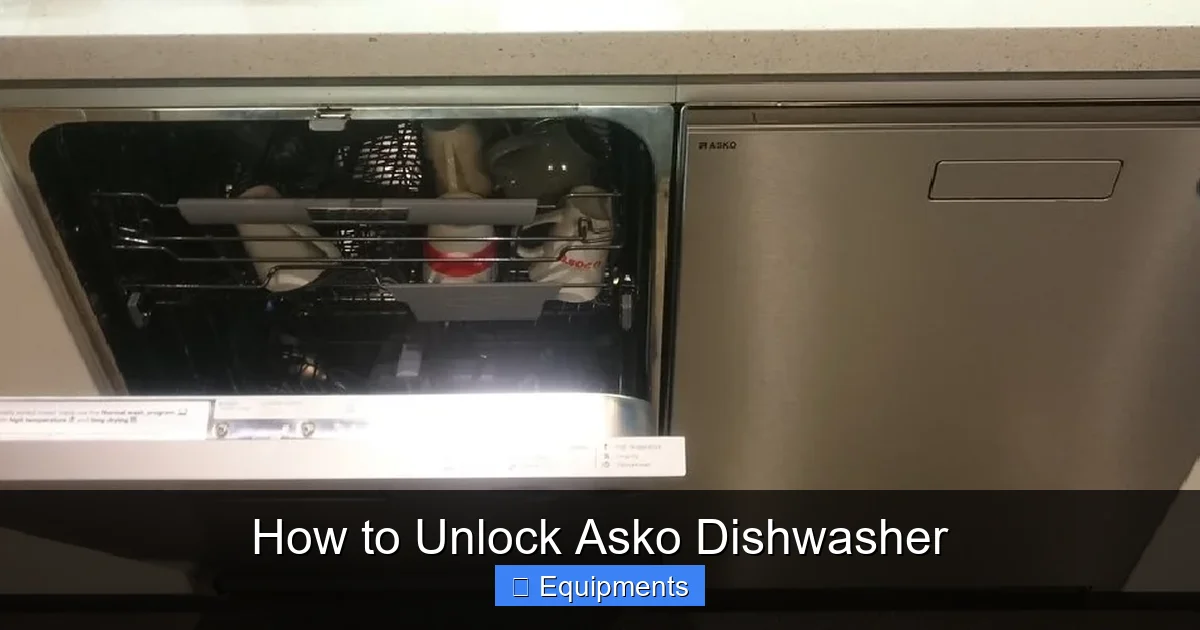
Most lock glitches are caused by a temporary hiccup in the electronics. A power reset often clears the error and releases the door.
Visual guide about How to Unlock Asko Dishwasher
Image source: thekitchenix.com
2.1 Step‑by‑Step Power Reset
- Turn off the dishwasher by pressing the power button (if the panel is responsive).
- Unplug the unit from the wall outlet. If your model is hard‑wired, flip the circuit breaker for 30 seconds.
- Wait at least 60 seconds. This allows the control board’s capacitors to discharge fully.
- Plug it back in or turn the breaker on.
- Press the power button again and wait for the “ready” indicator.
- If the door remains locked, proceed to the next section.
2.2 When a Reset Isn’t Enough
If the lock icon or error code persists after a reset, the issue is likely mechanical (a jammed latch) or a deeper electronic fault. Don’t panic – the next steps will guide you through a safe manual release.
3. Manually Releasing a Stuck Mechanical Latch
When the latch itself is stuck, you’ll need to physically move it. This can happen if a utensil blocks the latch, if the spring loses tension, or if rust has formed.
Visual guide about How to Unlock Asko Dishwasher
Image source: askoappliance.support
3.1 Safety First
- Always disconnect power as described in the reset step.
- Turn off the water supply to avoid leaks if the door opens while water is still inside.
- Wear rubber gloves to protect your hands from sharp edges.
3.2 Locate the Latch Mechanism
Open the dishwasher as far as it will go (you may need to pull the door gently). Look at the top edge of the door where it meets the tub. You’ll see a small metal arm that hooks into a slot on the tub – that’s the latch.
3.3 Free the Latch
- Use a flat‑head screwdriver to gently pry the latch arm away from the slot. Apply steady pressure; avoid sudden jerks.
- If the latch is rusted, spray a little WD‑40 or a silicone‑based lubricant and let it sit for a minute before trying again.
- Once the arm clears the slot, pull the door open slowly. It should swing free.
- Close the door and listen for the “click” that indicates the latch is re‑engaged.
3.4 Test the Dishwasher
Reconnect power and water, then run a short cycle. If the door locks and unlocks normally, the problem is solved. If the latch continues to stick, you may need to replace the latch assembly (see Section 5).
4. Deactivating the Child Lock
Child locks are designed to be user‑friendly, but the combination of buttons can be confusing. Here’s how to turn it off on the most common Asko models.
4.1 Typical Button Combinations
- Model A (12‑year series): Press and hold the “Start/Pause” and “Delay” buttons simultaneously for 3‑5 seconds.
- Model B (15‑year series): Hold the “Power” button for 4 seconds, then press “Cancel” once.
- Model C (Premium line): Press “Program” and “Eco” together for 5 seconds.
4.2 Verifying Deactivation
After the correct hold time, the lock icon should disappear and the control panel will become responsive again. If the icon remains, repeat the combination; sometimes the lock needs a second attempt.
4.3 Resetting After a Power Outage
Power outages can reactivate the child lock automatically. In that case, repeat the deactivation steps once power is restored.
5. Diagnosing and Fixing Electronic Lock Errors
When the dishwasher displays an error code (e.g., “E15 – Door Lock Fault”), the issue is usually with the door‑sensor switch, wiring, or the control board.
5.1 Common Error Codes and Their Meaning
| Error Code | Meaning |
|---|---|
| E15 | Door lock circuit failure |
| E16 | Door latch not detected |
| F01 | Control board communication error |
5.2 Checking the Door Latch Switch
- Remove the bottom front panel (usually secured with two screws).
- Locate the small rectangular switch near the latch arm. It has two wires attached.
- Use a multimeter set to “continuity.” Press the latch (or open the door) and watch the meter. You should see a change from “open” to “closed.”
- If there’s no change, the switch is faulty and needs replacement.
5.3 Inspecting Wiring Connections
Loose or corroded connectors can cause intermittent lock errors. While the dishwasher is still unplugged:
- Disconnect the wires from the latch switch.
- Check for frayed insulation or corrosion.
- Clean contacts with a contact‑cleaner spray and re‑attach securely.
5.4 Replacing the Door Latch Assembly
If the switch and wiring are fine but the error persists, the latch assembly itself may be broken.
- Order the correct part using your model number (found on the door jamb).
- Remove the old latch by unscrewing the mounting bolts (usually 2‑3).
- Install the new latch, reconnect the wires, and secure the bolts.
- Reassemble the front panel and run a test cycle.
5.5 When the Control Board Is At Fault
Control board failures are less common but can happen after power surges. Signs include multiple error codes appearing simultaneously or the panel staying blank.
- Visually inspect the board for burnt components or bulging capacitors.
- If you see damage, replace the board or call a certified technician.
6. Preventive Maintenance to Keep Your Asko Dishwasher Unlocked
Regular care not only extends the life of your dishwasher but also reduces the chance of lock‑related problems.
6.1 Clean the Latch Area
Food particles can accumulate around the latch groove. Every month, wipe the area with a damp cloth and a mild detergent. Avoid abrasive cleaners that could damage the metal.
6.2 Check the Door Seal
A warped or cracked seal can prevent the door from closing fully, causing the lock sensor to think the door is ajar. Inspect the gasket for wear and replace it if necessary.
6.3 Avoid Overloading
Too many large items can push against the latch, stressing the spring. Follow Asko’s loading guidelines and keep tall pots away from the door edge.
6.4 Run a Self‑Clean Cycle
Many Asko models have a “Clean” program that runs a high‑temperature rinse. This helps melt away mineral buildup that could affect the latch mechanism.
6.5 Keep the Control Panel Dry
Spills on the electronic panel can short the child‑lock circuitry. If liquid gets on the buttons, wipe it immediately with a dry microfiber cloth.
Conclusion: Unlocking Your Asko Dishwasher Is Easier Than You Think
Facing a locked Asko dishwasher can be frustrating, but most lock issues are simple to resolve. Start with a power reset, identify whether you’re dealing with a mechanical latch, child lock, or electronic error, and follow the step‑by‑step instructions provided. With a little patience and the right tools, you’ll have your dishwasher humming again in no time.
Remember to practice safety—always disconnect power and water before working on the appliance. Keep the latch and door seal clean, avoid overloading, and run regular maintenance cycles to prevent future lockouts. If you encounter persistent error codes or a broken latch that you’re not comfortable replacing, don’t hesitate to call an authorized Asko service technician.
Now you’re equipped with the knowledge to unlock, troubleshoot, and maintain your Asko dishwasher like a pro. Happy cleaning!
Frequently Asked Questions
Why does my Asko dishwasher stay locked after the cycle ends?
The door may stay locked if the water hasn’t fully drained or if the lock sensor detects moisture. Run a quick drain cycle or reset the unit to clear the lock.
How can I tell if the child lock is activated?
A lock icon or “CL” will appear on the display, and the control buttons become unresponsive. Deactivate it using the specific button‑hold combination for your model.
Can I use a hair dryer to free a stuck latch?
Yes, applying gentle heat can expand metal slightly and loosen a rusted latch. Use a low‑heat setting and keep the dryer moving to avoid overheating plastic parts.
Do I need a professional to replace the latch switch?
Replacing the latch switch is a DIY‑friendly task for most users. Just ensure the dishwasher is unplugged, follow the wiring diagram, and secure the new switch firmly.
What does error code E15 mean on an Asko dishwasher?
E15 indicates a door‑lock circuit fault. Check the latch switch, wiring connections, and the latch itself before considering a control board replacement.
How often should I clean the door gasket to avoid lock problems?
Inspect and clean the gasket monthly. Wipe away food debris and use a mild cleanser to keep the seal flexible and ensure the door closes properly.