Having trouble with your Braun coffee maker? A simple reset can clear error codes, restore default settings, and get your machine brewing again. Follow our easy, step‑by‑step instructions—no tools required—to reset any Braun model in just a few minutes.
Key Takeaways
- Reset solves most issues: A proper reset clears error codes, restores factory settings, and often eliminates the need for professional service.
- Model matters: Braun offers several coffee makers (drip, single‑serve, espresso); each has a slightly different reset method.
- No tools required: Most resets involve only buttons and power cycling—no screwdrivers or disassembly needed.
- Safety first: Always unplug the machine before starting any reset to avoid electric shock.
- Regular maintenance helps: Descaling and cleaning reduce the frequency of resets and extend machine life.
- Keep the manual handy: Specific button sequences are listed in the user guide for each model.
- When to call support: If a reset doesn’t work after three attempts, it’s time to contact Braun customer service.
📑 Table of Contents
- Introduction: Why a Reset Might Be the Quick Fix You Need
- Understanding the Basics of a Braun Coffee Maker Reset
- Step‑by‑Step Reset Procedures for Popular Braun Models
- Tips to Prevent Future Errors and Reduce the Need for Resets
- When a Reset Isn’t Enough: Troubleshooting Beyond the Basics
- Conclusion: A Simple Reset Can Save Time, Money, and Coffee
Introduction: Why a Reset Might Be the Quick Fix You Need
If you’ve ever watched your Braun coffee maker stare back with a blinking light or an error code, you know how frustrating it can be. Most of the time, the problem isn’t a broken part—it’s a simple glitch that a reset can erase. Think of a reset as a fresh start for your machine, much like restarting a computer after it freezes.
In this guide we’ll walk you through the exact steps to reset a Braun coffee maker, no matter if you own a classic drip model, a single‑serve pod machine, or a compact espresso unit. We’ll also cover why resets work, how to prevent future issues, and what to do if the reset doesn’t solve the problem.
Understanding the Basics of a Braun Coffee Maker Reset
What Does “Reset” Actually Mean?
A reset returns the coffee maker’s internal electronics to their default state. It clears temporary memory, erases error codes, and re‑initializes the heating element, pump, and sensor systems. The process does not erase permanent settings such as brew strength preferences on models that allow customization.
Visual guide about How to Reset Braun Coffee Maker
Image source: thekitchenix.com
Common Reasons for Resetting
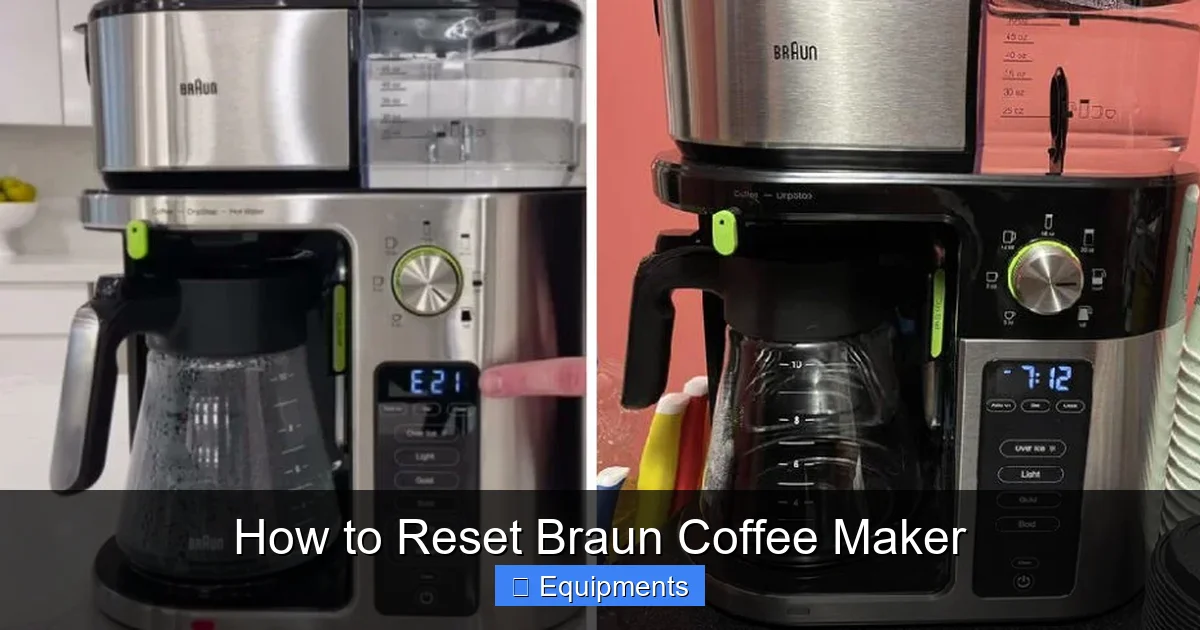
- Error codes: “E1,” “E2,” or a blinking power light usually means the machine detected a fault.
- Stuck brewing cycle: The brew button stays lit or the machine won’t stop dispensing.
- Temperature issues: Coffee is too hot or too cold, indicating a sensor glitch.
- After descaling: Some Braun models recommend a reset after a descaling cycle to recalibrate sensors.
Safety First
Before you touch any buttons, always unplug the coffee maker. This protects you from electric shock and ensures the reset sequence registers correctly.
Step‑by‑Step Reset Procedures for Popular Braun Models
1. Braun Drip Coffee Makers (e.g., Braun KF6050, KF6170)
These are the classic “brew‑a‑pot” machines most households own.
- Unplug the machine and wait 30 seconds.
- Plug it back in while holding down the Power button and the Program button simultaneously.
- Keep both buttons pressed for about 5 seconds until the display flashes or the lights blink.
- Release the buttons. The machine will reboot and show “00” or “00:00” indicating a successful reset.
- Run a short brew cycle with water only to verify normal operation.
2. Braun Single‑Serve Pod Machines (e.g., Braun KF6040, KF6051)
These use K‑Cups or proprietary pods and often have a “Reset” button hidden in the menu.
- Turn the machine off and unplug it for 1 minute.
- Plug it back in and press the Power button three times quickly.
- Within 2 seconds, press and hold the 1‑Cup button for 5 seconds.
- The indicator lights will flash three times, confirming the reset.
- Place a pod, add water, and brew a small cup to ensure everything works.
3. Braun Espresso Machines (e.g., Braun BES870, BES920)
Espresso units have more complex electronics, but the reset is still button‑based.
- Switch off the machine and disconnect it from the wall.
- Wait 2 minutes—this clears the heating element’s residual charge.
- Reconnect power and press the Steam and Espresso buttons together for 7 seconds.
- The machine will beep twice and the display will read “‑‑”.
- Press the Power button to turn the unit back on; it will run a self‑check.
4. Braun Travel Coffee Makers (e.g., Braun KF3000)
Compact, travel‑size models often lack a digital display, so the reset relies on the indicator light.
- Unplug the unit and remove the water reservoir.
- Press and hold the Power button for 10 seconds.
- Release the button, re‑insert the reservoir, and plug the machine back in.
- The indicator light will blink three times, signalling a successful reset.
5. General Reset for Any Braun Model (Power Cycle Method)
If you’re unsure of the exact model or the above steps don’t work, a basic power cycle often does the trick.
- Turn off the machine and unplug it.
- Leave it unplugged for at least 5 minutes. This allows capacitors to discharge fully.
- Press and hold the Power button for 10 seconds while the unit is still unplugged. This drains any residual power.
- Plug the machine back in, press the Power button, and wait for the startup sequence.
Tips to Prevent Future Errors and Reduce the Need for Resets
Regular Descaling
Hard water leaves mineral deposits that can confuse temperature sensors. Descale every 1‑2 months using Braun’s recommended descaling solution or a 1:1 mix of white vinegar and water. After descaling, run a reset (see the “After descaling” note in the manual) to recalibrate the system.
Visual guide about How to Reset Braun Coffee Maker
Image source: i0.wp.com
Clean the Brew Group and Filters
Coffee oils and fine grounds can clog the brew basket, causing the machine to think a blockage exists. Clean the filter basket, drip tray, and any removable brew groups weekly with warm, soapy water.
Check the Power Source
Unstable electricity can trigger error codes. Use a surge protector or plug the coffee maker directly into a wall outlet that provides stable voltage (110‑120 V in the U.S., 220‑240 V in many other regions).
Use the Right Water Temperature
Cold water straight from the tap can cause the heating element to work harder, sometimes leading to overheating warnings. Let tap water sit for a minute to reach room temperature before filling the reservoir.
Store the Machine Properly
If you travel with a Braun travel coffee maker, keep it upright and avoid shaking. For countertop models, ensure there’s at least 2‑inch clearance behind the unit for proper ventilation.
When a Reset Isn’t Enough: Troubleshooting Beyond the Basics
Persistent Error Codes
If the same error code appears after three reset attempts, note the code and consult Braun’s online support page. Common codes:
- E1: Water level sensor problem.
- E2: Heating element failure.
- E3: Pump blockage.
These often require component inspection or replacement.
Checking the Water Pump
Listen for a faint humming sound when the machine tries to brew. No sound may indicate a blocked or burnt‑out pump. Remove the water reservoir, disconnect the power, and gently tap the base to dislodge any trapped debris.
Inspecting the Heating Element
If coffee is consistently lukewarm, the heating element may be failing. A quick test: fill the reservoir, run a brew cycle, and measure water temperature with a kitchen thermometer. If it’s below 190 °F (88 °C), the element likely needs replacement.
When to Call Braun Customer Service
After three unsuccessful resets, repeated error codes, or physical damage (cracked carafe, broken buttons), contact Braun support. Have the model number, serial number, and a brief description of the issue ready. Most warranty claims cover parts and labor for up to two years.
Conclusion: A Simple Reset Can Save Time, Money, and Coffee
Most Braun coffee maker hiccups are solved with a quick reset. By following the model‑specific steps above, you can restore normal operation in under five minutes—no technician required. Combine regular cleaning, descaling, and proper storage, and your Braun will keep brewing reliably for years.
Remember: safety first, unplug before you start, and keep your user manual within reach. If a reset doesn’t work, the troubleshooting tips will point you toward the next logical step. Happy brewing!
Frequently Asked Questions
How often should I reset my Braun coffee maker?
A reset is only needed when you see an error code, the machine won’t start, or after a descaling cycle. Otherwise, regular cleaning is sufficient.
Can I reset my Braun coffee maker without unplugging it?
Unplugging is recommended for safety and to ensure the reset registers correctly. Skipping this step may result in an incomplete reset.
Will resetting delete my brew strength settings?
Most Braun models keep permanent settings like brew strength. A reset clears temporary memory and error codes but retains user‑selected preferences.
What if the lights keep flashing after I reset?
Flashing lights usually indicate a lingering fault. Check the water level, clean the brew group, and try the reset again. If the problem persists, contact Braun support.
Is it safe to use vinegar for descaling before a reset?
Yes, a 1:1 vinegar‑water solution is safe for Braun machines. After descaling, run a reset to recalibrate the sensors, as recommended in the user guide.
My Braun espresso machine still shows “‑‑” after resetting. What now?
The “‑‑” display means the machine is still performing a self‑check. Wait a few minutes; if it doesn’t change, repeat the reset or reach out to customer service for possible hardware issues.
