Having trouble with your Bosch oven? This guide walks you through simple reset procedures, common error codes, and maintenance tips so you can get back to cooking fast. Follow the easy steps and keep your oven running smoothly.
Key Takeaways
- Basic reset works for most issues: Power cycle the oven for a quick fix.
- Know your model: Different Bosch series have slightly different reset buttons.
- Error codes decoded: Identify and clear specific problems.
- Safety first: Always disconnect power before opening panels.
- Routine maintenance prevents resets: Clean sensors and check door seals.
- When to call a professional: Persistent errors may need a technician.
- Helpful resources: Bosch manuals and customer support are valuable tools.
📑 Table of Contents
- Introduction: Why Your Bosch Oven Might Need a Reset
- 1. Understanding the Basics of a Bosch Oven Reset
- 2. Step‑by‑Step Reset Procedures for Different Bosch Models
- 3. Decoding Common Bosch Oven Error Codes
- 4. Preventive Maintenance to Reduce Reset Frequency
- 5. When to Call Bosch Customer Support
- Conclusion: Keep Your Bosch Oven Running Like New
Introduction: Why Your Bosch Oven Might Need a Reset
Imagine you’re about to bake a birthday cake and the oven screen flashes an error code. Frustrating, right? Most homeowners experience this at least once. The good news is that, in many cases, a simple reset can clear the glitch and get your oven back to normal.
Bosch ovens are known for their smart features, precise temperature control, and sleek design. Those same electronics can sometimes get confused by power surges, a stuck button, or a sensor that needs a little “time out.” This article will show you, step by step, how to reset a Bosch oven, interpret common error codes, and keep your appliance healthy for years to come.
1. Understanding the Basics of a Bosch Oven Reset
What does “reset” actually mean?
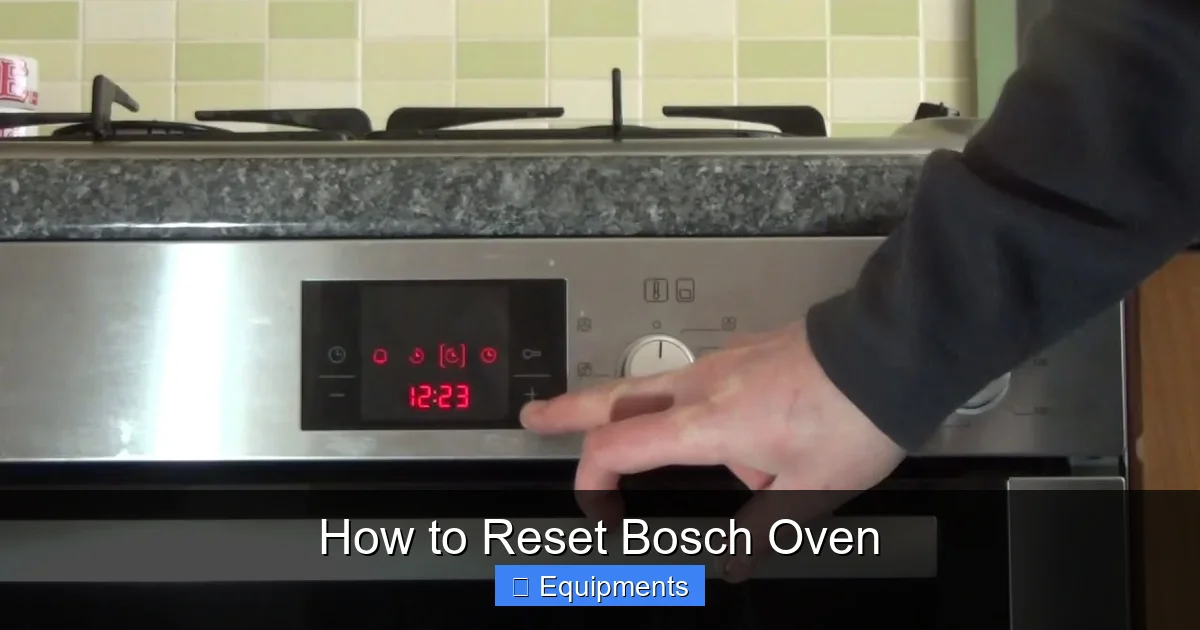
A reset tells the oven’s control board to start fresh. It clears the memory of any temporary faults, similar to restarting a computer. Most resets involve cutting power for a short period, then turning the unit back on.
Visual guide about How to Reset Bosch Oven
Image source: i.ytimg.com
When should you consider a reset?
- Display is blank or frozen.
- Erratic temperature readings.
- Error codes such as “E01,” “E02,” or “H” appear.
- After a power outage or tripped circuit breaker.
Safety first
Before you touch any wires or panels, make sure the oven is completely cool and unplugged or switched off at the circuit breaker. This prevents electric shock and protects the internal components.
2. Step‑by‑Step Reset Procedures for Different Bosch Models
2.1. General Power‑Cycle Reset (All Models)
- Locate the circuit breaker that supplies power to the kitchen.
- Switch the breaker to the “off” position and wait 60 seconds.
- Flip the breaker back to “on.”
- Wait another 30 seconds for the oven to boot up.
- Check the display – the oven should be back to its default screen.
2.2. Reset Using the Control Panel (Series 800, 500, and 300)
Many newer Bosch ovens have a dedicated reset button or a combination of keys you can press.
Visual guide about How to Reset Bosch Oven
Image source: vsanalysis.com
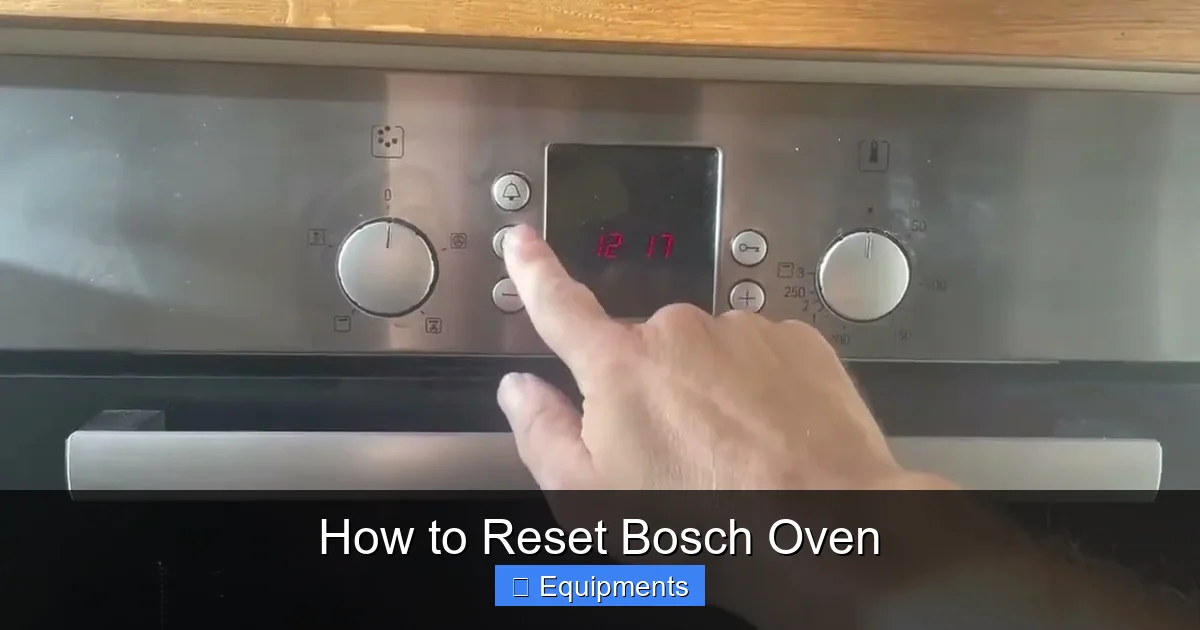
- Press and hold the “Self‑Clean” button for about 5 seconds. The display will show “‑‑‑” or “0.”
- Release the button. The oven will restart and perform a brief diagnostic.
- If the screen returns to normal, the reset was successful.
2.3. Resetting the Touchscreen (Series 900 and Premium Models)
- Turn the oven off using the main power knob.
- Press and hold the “Start/Pause” and “Bake” buttons simultaneously for 10 seconds.
- The screen will go dark, then flash “00.” Release the buttons.
- Turn the oven back on. The touchscreen should respond normally.
2.4. Resetting a Bosch Convection Oven
Convection ovens have a fan motor that can trigger error codes. To reset:
- Switch off the oven and wait 2 minutes.
- Press the “Fan” button three times quickly.
- Turn the oven back on. The fan should run without displaying “F01.”
2.5. Resetting a Built‑In vs. Freestanding Model
Built‑in ovens often share a circuit with a stove top. If you have a combined unit, you may need to reset the entire appliance:
- Locate the main power switch behind the oven (usually a small toggle).
- Flip it to “off,” wait 30 seconds, then flip back to “on.”
- The oven will run its self‑diagnostic routine.
3. Decoding Common Bosch Oven Error Codes
Why error codes matter
When a reset doesn’t solve the problem, the oven will usually display an error code. Knowing what each code means helps you decide whether a DIY fix is possible or a technician is required.
Visual guide about How to Reset Bosch Oven
Image source: thekitchenix.com
Typical error codes and quick fixes
- E01 – Door lock fault: Make sure the door is fully closed. Clean the latch area and try resetting.
- E02 – Temperature sensor issue: Check the sensor for dirt or damage. A gentle wipe with a damp cloth often clears it.
- H – Heating element problem: Turn off power, inspect the element for visible cracks, and replace if needed.
- F01 – Fan motor error: Reset the fan (see section 2.4). If the code persists, the motor may need replacement.
- U – Communication error between control board and display: Power‑cycle the oven twice in a row. If it returns, the board may be loose.
When to move from DIY to professional help
If an error code reappears after three reset attempts, or if you notice smoke, unusual smells, or strange noises, stop immediately and call Bosch customer service or a certified appliance repair technician.
4. Preventive Maintenance to Reduce Reset Frequency
Clean the interior regularly
Spills and food debris can coat temperature sensors and cause false readings. Wipe the interior with a soft damp cloth after each use, and run a light cleaning cycle weekly.
Check and tighten door seals
Loose or cracked seals let heat escape, leading the oven to over‑compensate and trigger an error. Inspect the gasket every six months; replace it if you see tears.
Keep the control panel dry
Moisture is a common culprit for touchscreen glitches. Avoid placing wet dishes near the panel and wipe away any condensation promptly.
Maintain proper ventilation
Make sure the oven’s vent openings are not blocked by cabinets or décor. Good airflow helps the cooling fan work efficiently, reducing fan‑related errors.
Schedule an annual professional check
A qualified technician can test the heating elements, sensors, and control board with specialized tools. An annual visit can catch problems before they cause a reset.
5. When to Call Bosch Customer Support
What information to have ready
- Model number (usually on the door frame or inside the oven cavity).
- Serial number.
- Exact error code and when it appeared.
- Steps you have already tried.
How to reach support
Visit the official Bosch Home Appliances website and use the live chat or phone line. You can also locate a certified service center using the “Find a Dealer” tool.
Warranty considerations
If your oven is still under the standard 2‑year Bosch warranty, most repairs—including control board replacements—are covered. Keep your purchase receipt and registration paperwork handy.
Conclusion: Keep Your Bosch Oven Running Like New
Resetting a Bosch oven is often as simple as cutting power for a minute and pressing a few buttons. By understanding the specific reset method for your model, decoding error codes, and performing regular maintenance, you can avoid most interruptions to your cooking routine. Remember to always prioritize safety, keep your user manual close, and don’t hesitate to call a professional when the problem persists. With these tips, your Bosch oven will stay reliable, efficient, and ready for every recipe you throw its way.
Frequently Asked Questions
How do I perform a basic power‑cycle reset on a Bosch oven?
Turn off the circuit breaker for the kitchen, wait 60 seconds, then turn it back on. After 30 seconds the oven should restart and clear minor faults.
What does the “E01” error code mean on a Bosch oven?
E01 indicates a door lock fault. Ensure the door is fully closed, clean the latch, and try a reset. If the code remains, the lock mechanism may need replacement.
Can I reset a Bosch oven without unplugging it?
Yes, many models have a reset button combination on the control panel (e.g., holding “Self‑Clean” for 5 seconds). Check your user manual for the exact sequence.
Why does my Bosch oven keep showing the “F01” fan error?
F01 signals a fan motor problem. First, power‑cycle the oven and press the fan button three times. If the error persists, the fan motor may be defective and should be inspected by a technician.
Is it safe to open the back panel of my Bosch oven to check wiring?
Only if the oven is completely disconnected from power. If you are not comfortable working with electrical components, it’s best to call a qualified service professional.
Do Bosch ovens have a built‑in self‑diagnostic mode?
Yes, most newer Bosch ovens run a brief self‑diagnostic after a reset. The display will flash error codes if any issues are detected during this check.