Is your microwave getting hot enough to fry an egg on its exterior? This guide shows you exactly how to fix an overheated microwave, from quick resets to deeper component checks. Follow the simple steps, keep your kitchen safe, and extend the life of your appliance.
Key Takeaways
- Identify the cause: Most overheating issues stem from blocked vents, a faulty door latch, or a failing magnetron.
- Safety first: Always unplug the unit and use proper protective gear before opening any panels.
- Simple fixes work: Cleaning the fan, clearing vent space, and resetting the thermal fuse often solve the problem.
- When to call a pro: If the magnetron or high‑voltage capacitor shows damage, professional repair is recommended.
- Prevent future heat‑ups: Regular cleaning, proper loading, and avoiding metal cookware keep temperatures normal.
- Cost‑effective: Many repairs cost less than buying a new microwave when you tackle the issue yourself.
- Extended lifespan: Routine maintenance can add 5‑10 years to your microwave’s useful life.
📑 Table of Contents
- Introduction: Why Your Microwave Might Be Overheating
- 1. Understanding the Basics of Microwave Heat
- 2. Safety First: Preparing to Work on a Microwave
- 3. Common Causes and DIY Fixes
- 4. Step‑by‑Step Repair Guide: From Diagnosis to Final Test
- 5. Preventive Maintenance to Keep Your Microwave Cool
- Conclusion: Take Control of Overheating Issues
Introduction: Why Your Microwave Might Be Overheating
Microwaves are the workhorses of the modern kitchen. We rely on them for everything from reheating leftovers to defrosting meat in minutes. But when the appliance starts to feel unusually hot on the outside, or you hear a humming that turns into a whine, something is wrong. An overheated microwave isn’t just an inconvenience—it can be a fire hazard.
In this article we’ll walk you through the most common reasons a microwave overheats, how to diagnose the issue, and step‑by‑step fixes you can do yourself. Think of it as a friendly chat over coffee, where I share the tricks I’ve learned from years of tinkering with kitchen gear. By the end, you’ll know exactly how to fix overheated microwave problems and keep your device running cool for years.
1. Understanding the Basics of Microwave Heat
How a Microwave Generates Heat
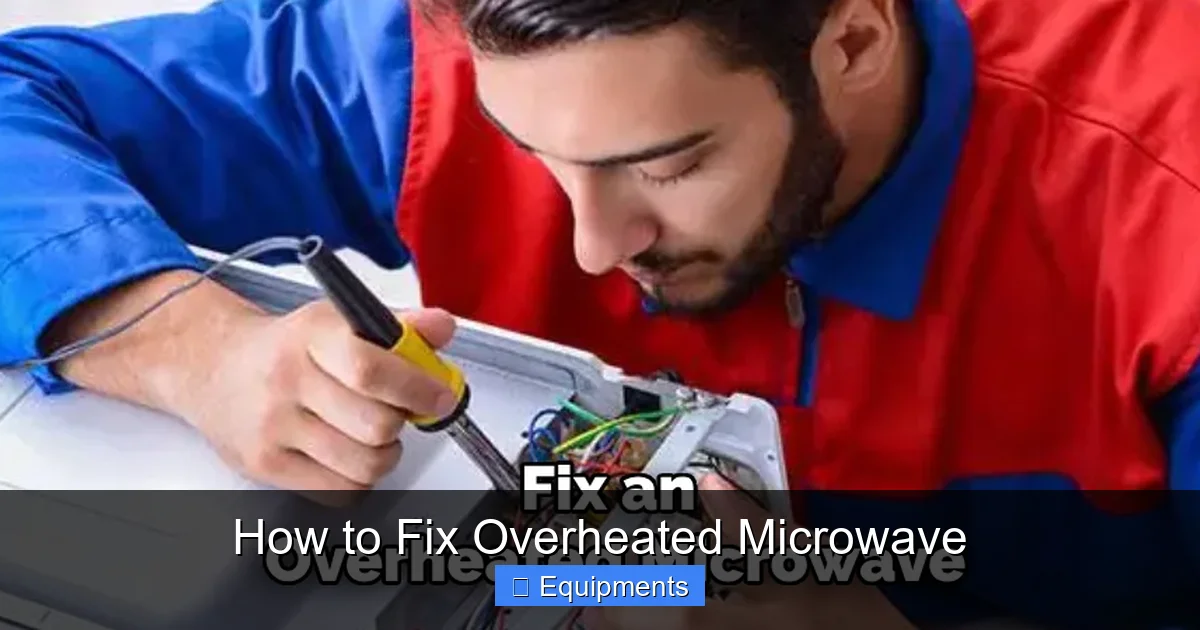
A microwave uses a magnetron to create microwaves—tiny electromagnetic waves that make water molecules vibrate. This vibration creates heat inside the food. The same process produces some heat inside the appliance itself, especially around the magnetron and the high‑voltage transformer.
Visual guide about How to Fix Overheated Microwave
Image source: thekitchenix.com
Why Excess Heat Occurs
Excess heat can happen when the appliance’s cooling system can’t get rid of the internal temperature. The main culprits are:
- Blocked ventilation: Dust, grease, or food particles clog the vent slots.
- Failed fan motor: The fan stops turning, so hot air can’t escape.
- Door latch problems: If the door doesn’t seal, the microwave’s safety interlock may stay engaged, causing the unit to work harder.
- Magnetron wear: An aging magnetron draws more power and gets hotter.
- Electrical issues: A faulty thermal fuse or capacitor can cause the system to overheat.
2. Safety First: Preparing to Work on a Microwave
Unplug and Discharge
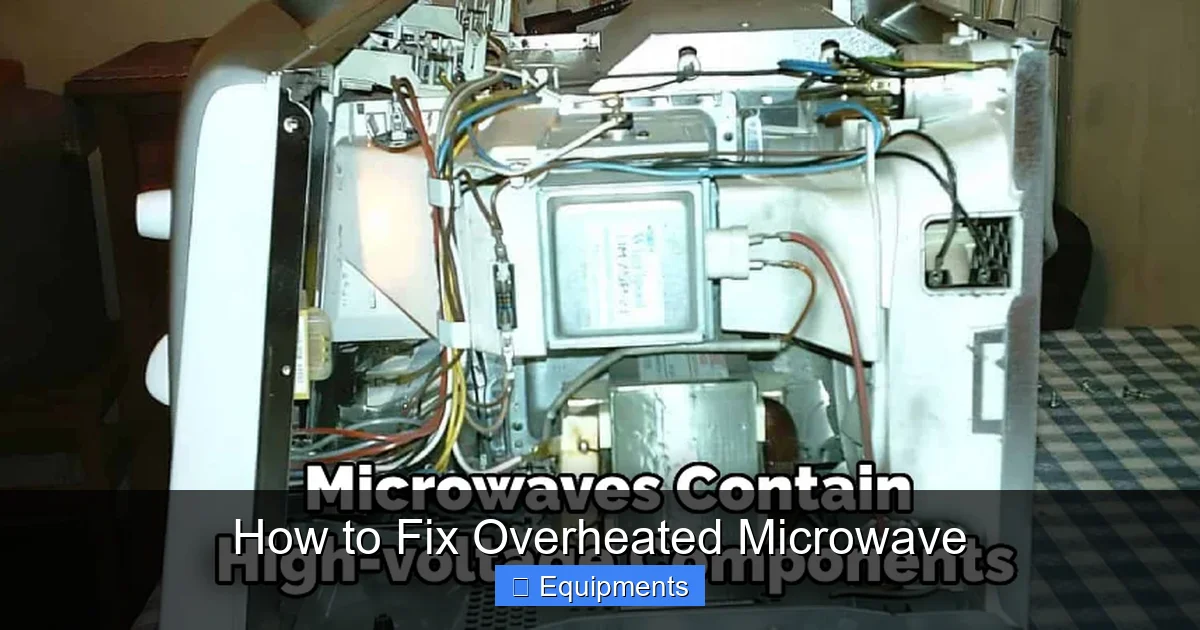
Before you touch anything, unplug the microwave from the wall. Even when unplugged, a microwave stores a high‑voltage charge in its capacitor. To safely discharge:
Visual guide about How to Fix Overheated Microwave
Image source: thekitchenix.com
- Locate the capacitor (usually a large, cylindrical component near the transformer).
- Using an insulated screwdriver, bridge the two terminals on the capacitor’s leads. This will bleed off the stored charge.
- Wear rubber‑soled shoes and safety glasses.
Gather Your Tools
You’ll need a few basic tools:
- Phillips and flat‑head screwdrivers
- Nut driver set
- Flashlight or headlamp
- Soft brush or compressed air can
- Multimeter (for testing fuses and continuity)
Document the Disassembly
Take photos or make quick sketches as you remove panels. This makes reassembly painless and helps you spot any misplaced screws later.
3. Common Causes and DIY Fixes
3.1. Cleaning Blocked Vents
Most overheating issues start with dirty vents. Follow these steps:
Visual guide about How to Fix Overheated Microwave
Image source: thekitchenix.com
- Locate the vent openings—usually on the back or sides of the unit.
- Use a soft brush or a vacuum with a narrow nozzle to remove dust and grease.
- For stubborn grime, dampen a cloth with mild dish soap, wipe the vent area, then dry thoroughly.
- Re‑assemble the outer panel and test the microwave.
Tip: Keep a small brush in your kitchen drawer and clean the vents once every three months.
3.2. Replacing a Faulty Cooling Fan
If cleaning the vents doesn’t help, the fan motor may have failed.
- Open the microwave’s rear panel (usually four screws).
- Locate the fan—it’s a small, propeller‑type unit attached to the transformer.
- Disconnect the fan’s power connector.
- Spin the fan blades by hand; they should move freely. If they feel gritty or stuck, the motor is likely bad.
- Swap in a new fan (match voltage and size). Re‑connect the wiring and secure the panel.
Most replacement fans cost $10‑$20 and are easy to install.
3.3. Checking the Door Latch and Interlock Switches
The microwave will not run if the door isn’t sealed correctly. Overheating can happen when the interlock stays engaged, forcing the magnetron to work continuously.
- Inspect the door gasket for tears or deformation.
- Clean the latch contacts with a cotton swab dipped in isopropyl alcohol.
- Use a multimeter to test each interlock switch for continuity (should read near zero ohms when the door is closed).
- If a switch fails, replace it. They are inexpensive and usually sold as a set.
3.4. Testing the Thermal Fuse
The thermal fuse is a safety device that cuts power when the microwave gets too hot. A blown fuse can cause the unit to shut down intermittently, making it seem “overheated.”
- Locate the thermal fuse (often near the fan or on the control board).
- Remove it and test with a multimeter for continuity.
- If there is no continuity, replace the fuse with an exact match.
Always replace the fuse with the same amperage rating to avoid fire risk.
3.5. Inspecting the Magnetron
The magnetron is the heart of the microwave. It gets hot during normal operation, but a failing magnetron can run excessively hot and even cause a burning smell.
- Visually check for scorch marks, bulging, or leaking coolant.
- Measure the resistance across the magnetron’s terminals (typically 2‑5 Ω). A reading far outside this range indicates a problem.
- Replacing a magnetron is more complex and often costs $40‑$70 plus labor. If you’re not comfortable, call a professional.
4. Step‑by‑Step Repair Guide: From Diagnosis to Final Test
4.1. Diagnose the Symptom
Start by noting what you observe:
- Is the exterior hot to the touch?
- Do you hear the fan but notice no cooling?
- Does the microwave shut off after a short run?
Match the symptom to the probable cause list above.
4.2. Perform the Basic Clean
Even if you suspect a deeper issue, cleaning the vents and fan is the fastest first step. Follow the cleaning instructions in Section 3.1 and 3.2.
4.3. Test Electrical Components
Using your multimeter, check the thermal fuse, door interlocks, and magnetron resistance. Replace any component that fails the continuity test.
4.4. Reassemble and Run a Test Cycle
Put the panels back, plug the microwave in, and run a 30‑second “empty” test (no food inside). Listen for the fan, watch the exterior temperature, and ensure the door locks properly.
If the unit runs cool and the fan stays on, you’ve solved the problem. If it still overheats, the magnetron or high‑voltage capacitor may need professional attention.
4.5. When to Call a Professional
Even the most confident DIYer should call a certified technician if:
- The magnetron shows signs of damage.
- The high‑voltage capacitor leaks or bulges.
- You’re uncomfortable working with high voltage.
Professional repair can be cheaper than replacing a brand‑new microwave, especially for mid‑range models.
5. Preventive Maintenance to Keep Your Microwave Cool
5.1. Regular Cleaning Routine
Wipe the interior after each use. A thin layer of food splatter can harden and block the airflow inside the cavity.
5.2. Keep Vents Clear
Every three months, vacuum the vent openings and brush away any dust that accumulates on the fan blades.
5.3. Use Proper Cookware
Never place metal containers inside. Metal reflects microwaves, causing the magnetron to work harder and heat up.
5.4. Avoid Overloading
Cooking large, dense items for too long forces the microwave to run at full power continuously, raising internal temperature.
5.5. Schedule an Annual Check‑Up
If you rely on your microwave daily, consider a quick professional inspection once a year. A technician can test the high‑voltage components and replace worn parts before they cause overheating.
Conclusion: Take Control of Overheating Issues
Overheating is one of the most common—and fixable—problems with kitchen microwaves. By understanding why it happens, following safe disassembly steps, and tackling the most likely culprits (vent blockage, fan failure, door latch, thermal fuse, or magnetron), you can restore normal operation without a costly replacement. Remember to keep up with regular cleaning, use microwave‑safe cookware, and never ignore a hot exterior. With a bit of care, your microwave will stay cool, safe, and ready for the next quick snack.
Frequently Asked Questions
Why does my microwave feel hot on the outside?
The exterior can become hot when internal vents are blocked, the cooling fan stops working, or the magnetron is drawing excess power.
Can I use a hairdryer to cool down an overheated microwave?
No. Blowing cold air on a hot microwave may temporarily lower the surface temperature, but it does not address the underlying ventilation or component issue.
How often should I clean the microwave vents?
Cleaning the vents every three months is a good rule of thumb, especially if you use the microwave daily.
Is it safe to replace the thermal fuse myself?
Yes, as long as the unit is unplugged and you use a fuse with the exact same rating. Always test the new fuse for continuity before installing.
What does a buzzing sound mean in an overheated microwave?
A buzzing noise often indicates the magnetron is working harder than normal, which can be a sign of poor ventilation or a failing component.
When should I stop trying to fix it and buy a new microwave?
If the magnetron or high‑voltage capacitor is damaged, or repair costs exceed 50% of a new unit, it’s usually more economical to replace the microwave.
