Your Kitchenaid oven’s cooling fan is a critical safety feature designed to prevent overheating and protect internal components. While it’s normal for this fan to run for 15-30 minutes after cooking, a fan that runs continuously or won’t stop indicates a potential problem. This guide explains why the fan operates, provides safe methods to temporarily or permanently address a malfunctioning fan, and emphasizes the significant safety risks and warranty implications of disabling this essential system. Always prioritize safety and consider professional repair for persistent issues.
Key Takeaways
- The cooling fan is a safety feature, not a convenience item. Its primary job is to pull hot air away from the oven’s electronics and cabinet to prevent fire hazards and component damage.
- A continuously running fan usually signals a fault. Common causes include a failed temperature sensor, a stuck relay on the control board, or a faulty fan motor itself.
- There is no “off switch” for the cooling fan in normal operation. It is controlled automatically by the oven’s computer based on internal temperatures.
- Manually disabling the fan is dangerous and voids your warranty. It can lead to oven damage, fire risk, and personal injury from extreme external heat.
- The safest “turn off” method is to fix the underlying cause. This often involves diagnosing and replacing a faulty temperature sensor or control board component.
- Unplugging the oven is the only guaranteed temporary way to stop the fan. This is a diagnostic step, not a permanent solution, as it resets the appliance.
- Professional diagnosis is strongly recommended for persistent fan issues. A technician can safely identify the root cause and perform a correct, safe repair.
📑 Table of Contents
- Understanding Your Kitchenaid Oven’s Cooling Fan: More Than Just a Breeze
- Why Is My Kitchenaid Oven Cooling Fan Running Constantly?
- How to Turn Off Kitchenaid Oven Cooling Fan: Your Options Explained
- Critical Safety Considerations and Warnings
- Troubleshooting Checklist Before You Call a Pro
- Conclusion: Safety First, Always
Understanding Your Kitchenaid Oven’s Cooling Fan: More Than Just a Breeze
You’ve just finished baking a beautiful loaf of bread, the timer dings, and you open the oven door. A wave of hot air greets you, followed by the steady, reassuring hum of the cooling fan. That fan is your oven’s unsung hero, working diligently in the background. But what happens when that hum doesn’t stop? When the fan runs for hours, even overnight? The instinct is to find a way to turn off Kitchenaid oven cooling fan operations. Before we dive into the “how,” we must first understand the “why.” This fan is not a optional extra; it’s a fundamental part of your oven’s safety ecosystem.
Think of your oven as a high-performance engine. It generates intense, focused heat—often exceeding 500°F (260°C). That heat doesn’t just stay in the cooking chamber. Some of it inevitably migrates to the oven’s outer shell and, more critically, to the sensitive electronic control board, wiring harnesses, and touchpad located behind the console or in the back of the appliance. The cooling fan’s sole purpose is to act as an exhaust system, pulling this superheated air out through vents (usually in the toe-kick area or the back panel) and drawing in cooler room air. Without it, the temperature in those critical areas would soar, melting plastic components, frying circuits, and creating a genuine fire hazard. It is a non-negotiable safety feature designed by engineers to protect the appliance and your home.
Why Is My Kitchenaid Oven Cooling Fan Running Constantly?
So, the fan is running non-stop. This is not its intended design. Under normal operation, the cooling fan should activate when the oven cavity reaches a certain temperature (typically around 150-200°F internally) and will continue to run for a programmed cycle after you turn the oven off. This post-cycle run time allows it to cool down the internal components. This is perfectly normal and can last 15 to 30 minutes, sometimes longer after a very long, high-heat cleaning cycle. A fan that runs indefinitely, however, is sounding an alarm bell. Here are the most common culprits behind a malfunctioning cooling fan.
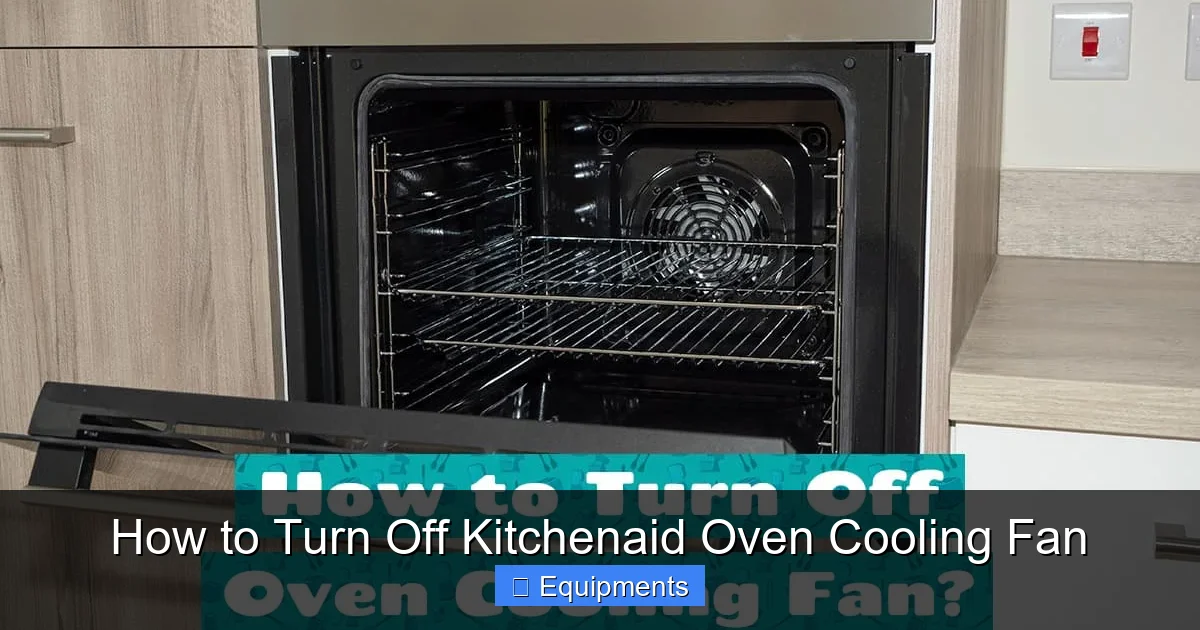
Visual guide about How to Turn Off Kitchenaid Oven Cooling Fan
Image source: howdykitchen.com
The Usual Suspects: Faulty Temperature Sensors
The oven’s brain, the electronic control board, tells the fan when to turn on and off based on temperature readings. It gets these readings from sensors. The most relevant one for the cooling fan is often the oven cavity temperature sensor (a long, thin metal rod visible inside the oven wall) or a separate ambient/control board temperature sensor located near the electronics. If either of these sensors fails and sends a constant “over-temperature” signal to the control board, the board will think the oven is still scorching hot and will keep the cooling fan running indefinitely. It’s a classic case of the system reacting to bad data.
Control Board Failures: The Brain Gets Confused
The main electronic control board is the mission control for your entire oven. It has relays—essentially electronic switches—that control power to the cooling fan motor. If the relay responsible for the fan becomes stuck in the “on” position, the fan will receive constant power and never shut off. This can happen due to normal wear and tear, a power surge, or moisture intrusion. Diagnosing a stuck relay usually requires a multimeter and technical knowledge, making it a common point of failure that professionals address.
The Motor Itself: A Rare but Possible Cause
While less common, the fan motor can fail in a way that causes it to run continuously. More often, a failing motor will make strange noises, wobble, or not start at all. A motor that is mechanically seized might cause the control board to cycle the relay on and off rapidly (a buzzing sound), but true, constant running is rarely the motor’s fault in isolation. It’s usually the signal from the board or sensor that’s the problem.
How to Turn Off Kitchenaid Oven Cooling Fan: Your Options Explained
Now, onto the core of your query. It’s crucial to state upfront: there is no user-accessible “off” switch or button for the cooling fan on a Kitchenaid oven. It is fully automated. Therefore, the methods to stop it involve either resetting the system, interrupting the power, or correcting the fault. We will list these in order of safety and permanence.
Visual guide about How to Turn Off Kitchenaid Oven Cooling Fan
Image source: howdykitchen.com
Method 1: The Power Reset (The First and Safest Step)
This is the universal first step for any appliance glitch and should always be your initial action. It clears any temporary error codes or faulty logic in the control board’s memory.
- Unplug the Oven: If your oven is on a dedicated circuit with a plug (common for freestanding ranges), simply unplug it from the wall outlet. Wait a full 5 minutes. This ensures all residual power drains from the capacitors on the control board.
- Turn Off the Breaker: For hardwired ovens or if you can’t easily access the plug, go to your home’s main electrical panel. Locate the breaker that controls the oven circuit and flip it to the OFF position. Again, wait 5 minutes before flipping it back ON.
After restoring power, the oven will go through its start-up sequence. The fan may run briefly as the system initializes. The true test is whether it stops after the normal cool-down period. If the fan continues to run non-stop after a power reset, the fault is persistent and hardware-related.
Method 2: The “Service Mode” or Diagnostic Mode (For Advanced Users)
Many Kitchenaid ovens have a built-in diagnostic or service mode that technicians use. Entering this mode can sometimes clear error codes or allow you to manually test components. This is not recommended for most homeowners. The procedure varies wildly by model and series (e.g., Architect series, Pro Line). Entering the wrong sequence can cause further issues or lock you out. If you wish to explore this, you must find the exact service manual for your specific model number (usually on a sticker inside the oven door or on the back panel). Searching online for “[Your Exact Model Number] service manual” is your best bet. Look for sections on “Cooling Fan Test” or “Error Code Retrieval.”
Method 3: Disconnecting the Fan Motor (A Diagnostic, Not a Solution)
This is a step you might take after a power reset fails and before calling a technician, to confirm the fan itself is the issue. This involves working with live electrical components and is dangerous if you are not comfortable.
- SAFETY FIRST: Ensure the oven is completely disconnected from power (breaker OFF and verified with a voltage tester).
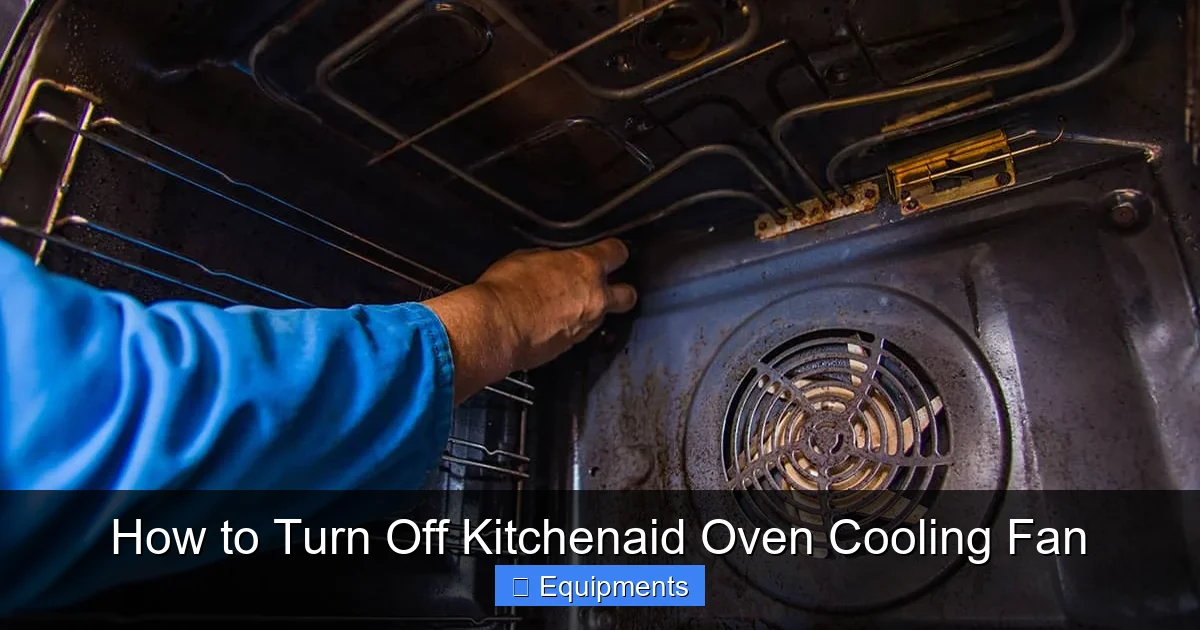
- Locate the cooling fan. It’s typically mounted on the rear of the oven cabinet or behind the lower access panel/drawer. You will need to remove screws to access it.
- Once you see the fan assembly, carefully disconnect the wiring harness plug from the motor. Do not cut wires.
- Restore power to the oven (turn breaker back on).
Observation: If the fan stops immediately and the oven otherwise functions (lights, clock work), you have confirmed the fan motor is the component being commanded to run. The problem is in the control signal. If, bizarrely, the fan continues to run (which it physically cannot without power), you have a wiring short somewhere else—an extremely rare scenario. This does not fix the problem. It merely isolates it. You must reconnect the fan and address the control issue. Leaving it disconnected will cause the oven to overheat and fail.
Method 4: The Permanent Fix: Repair or Replace the Faulty Component
This is the only correct, safe, and permanent way to “turn off” the unwanted fan operation. You must fix the root cause. Based on diagnosis:
- Faulty Sensor: Replace the oven cavity temperature sensor or the ambient sensor. These are usually accessible from inside the oven cavity (the long rod) or from behind the oven (a small, round sensor on the back panel). This is often a simpler, cheaper fix.
- Faulty Control Board Relay: This is more complex. Some service technicians can replace just the stuck relay on the board if they have the part and skill. More commonly, the entire main control board must be replaced. This is a more expensive repair but is necessary to restore safe, automated function.
- Faulty Fan Motor: If the motor itself is shorted or failing, it must be replaced. While you’re there, clean any dust or debris from the fan blades and housing to ensure optimal performance.
Critical Safety Considerations and Warnings
We cannot stress this enough: the cooling fan is a critical safety device. Any attempt to permanently disable, bypass, or remove it with the intention of stopping its operation is extremely hazardous and violates every appliance safety standard. Here is what you are risking:
Visual guide about How to Turn Off Kitchenaid Oven Cooling Fan
Image source: i.ytimg.com
- Fire Hazard: The most severe risk. Without forced-air cooling, heat will build up around the control board, wiring, and the oven’s outer skin. Plastics can melt, wires can short, and a fire can ignite inside the cabinet or within the walls if the oven is built-in.
- Catastrophic Appliance Damage: The control board will fail, often quite expensively. The touchpad will warp or melt. The oven’s insulation can degrade. You will turn a $300 repair into a $1,500+ replacement.
- Personal Injury: The exterior of the oven, particularly the control panel and sides, can become dangerously hot to the touch, posing a severe burn risk, especially to children or pets.
- Voided Warranty: Tampering with or disabling any safety feature will immediately void the manufacturer’s warranty. If a fire occurs, your homeowner’s insurance may also deny the claim.
- Carbon Monoxide Risk (for Gas Ranges): While less direct, an overheating control area on a gas range could potentially affect valve operation or wiring, though this is a secondary concern compared to fire.
The Bottom Line: You do not want to “turn off” the fan. You want to fix the reason it thinks it needs to be on. The goal is to restore the oven’s original, safe design function.
Troubleshooting Checklist Before You Call a Pro
If you’re facing a constantly running fan, work through this logical sequence. It will save you time and money, whether you DIY or call a technician.
- Power Cycle: Perform the 5-minute complete power reset as described above. This solves a surprising number of “ghost” issues.
- Check for Error Codes: Look at your oven’s display. Is it showing an error code (like F1, F2, F3, F9, etc.)? Write it down. This is the control board’s cry for help. Look up the code in your user manual or online for your specific model. Codes related to temperature sensing or cooling are common.
- Inspect for Obvious Issues: Can you see the fan? Is it jammed with debris like a loose oven rack, plastic utensil, or excessive grease? Clean it gently. Is the fan visibly wobbly? That indicates motor bearing failure.
- Run a Simple Test: After a power reset, set the oven to a low bake temperature (e.g., 200°F). Does the fan come on? It should, as the oven heats. Does it turn off when you cancel the bake cycle and the oven cools? It should. This test confirms the basic fan operation and control logic are working—it’s the temperature sensing that’s faulty.
- Locate Your Model Number: This is the single most important piece of information. Find the sticker (usually on the oven door edge, behind the drawer, or on the back). Have this number ready for any research or service call.
Conclusion: Safety First, Always
Dealing with a Kitchenaid oven cooling fan that won’t shut off is more than a minor annoyance; it’s a symptom of a broken safety system. The path of least resistance—trying to find a way to just make it stop—is the most dangerous. The correct path involves understanding that this fan is your oven’s guardian. The real solution lies in diagnosing and repairing the faulty sensor or control board that is sending the false “overheat” signal. While a power reset is a safe and smart first step, a persistent problem demands attention. For the vast majority of users, this means contacting a qualified appliance repair technician who can safely test components, source the correct part for your specific Kitchenaid model, and restore your oven to its intended, safe operation. Remember, a quiet, cool-running oven isn’t just peaceful—it’s a sign of a healthy, safe appliance protecting your kitchen and your family.
Frequently Asked Questions
Is it safe to just unplug my oven to stop the cooling fan?
Unplugging or turning off the breaker is a safe temporary diagnostic step to reset the system. However, it is not a solution. When you plug it back in, the underlying fault will likely return, and the fan will run again. It also resets clocks and any programmed settings.
Will disabling the cooling fan save me money on my electric bill?
Negligibly, if at all. The fan motor uses very little power (comparable to a small LED bulb). The potential cost of a fire, a ruined oven, or an electric shock injury from tampering with wiring far, far outweighs any microscopic energy savings. The fan’s cost to operate is a tiny price for critical safety.
My oven is out of warranty. Is DIY repair worth the risk?
If you have experience with appliance repair, comfortable working with 240V electricity, and can source the exact correct part (like an OEM temperature sensor or control board), DIY can save money. However, for most, the risk of incorrect diagnosis, improper installation, or creating a short circuit that causes damage or injury makes professional repair the prudent, safer choice. The cost of a service call is often less than the cost of a mistake.
Can a clogged vent cause the cooling fan to run constantly?
Yes, indirectly. The cooling fan’s job is to push hot air out through exhaust vents (often in the toe-kick or back). If these vents are severely blocked by dust, debris, or insulation, the hot air cannot escape. This can cause the ambient temperature sensor near the electronics to read high, tricking the control board into keeping the fan on continuously. Cleaning the exterior vents is a good part of routine oven maintenance.
What’s the difference between the convection fan and the cooling fan?
This is a crucial distinction. The convection fan is inside the oven cavity. It circulates hot air around your food for even cooking. You can turn this on or off with a “Convection Bake” or “Convection Roast” setting. The cooling fan is outside the oven cavity, in the cabinet. It has nothing to do with cooking food. It runs automatically based on internal temperature and cannot be selected or deselected via your cooking modes.
Will turning off the circuit breaker damage my oven’s computer?
No. Modern appliances are designed to handle power interruptions. You should always use the 5-minute wait rule to allow capacitors to discharge, but simply resetting the breaker is a standard troubleshooting step and will not harm the oven’s computer. It is equivalent to a power outage.