Having trouble with a locked LG dishwasher? We walk you through the most common reasons it locks up and provide clear, easy steps to unlock it safely. From simple button resets to deeper panel checks, you’ll have your dishwasher back in action in minutes.
Key Takeaways
- Identify the lock type: Most LG dishwashers use a child‑lock or a door‑latch sensor; knowing which one you have speeds up the fix.
- Simple reset works often: Turning power off for 1‑2 minutes clears most electronic glitches.
- Manual door release: A built‑in release lever can free a jammed door without tools.
- Check for error codes: Understanding the 4‑digit code points you to the exact problem.
- Safety first: Always disconnect power before inspecting internal components.
- When to call a pro: Persistent lock‑out or water leaks mean it’s time for a technician.
- Prevent future lock‑outs: Regular cleaning and proper loading keep the lock mechanism happy.
📑 Table of Contents
- Introduction: Why Your LG Dishwasher Might Be Locked
- 1. Understanding the Different Lock Features
- 2. Quick Reset: The First Thing to Try
- 3. Manual Door Release: When the Door Won’t Open
- 4. Decoding Error Codes: The Dishwasher’s Way of Speaking
- 5. Inspecting the Physical Latch and Wiring
- 6. Preventive Maintenance to Avoid Future Lock‑Outs
- Conclusion: You’ve Got the Power to Unlock Your LG Dishwasher
Introduction: Why Your LG Dishwasher Might Be Locked
Imagine you’re about to load a mountain of dishes after a big family dinner, and the dishwasher door won’t open. Frustrating, right? LG dishwashers are known for their sleek design and smart features, but like any appliance, they can sometimes get “stuck.” The most common culprits are the child‑lock function, a door‑latch sensor error, or a simple electronic glitch.
Good news: most lock‑outs are fixable at home with a few easy steps. In this guide, we’ll walk you through everything you need to know about how to unlock LG dishwasher models, from the quick button reset to a deeper look at the latch mechanism. By the end, you’ll feel confident tackling the problem without calling a repair service—unless you truly need one.
1. Understanding the Different Lock Features
1.1 Child‑Lock vs. Door‑Latch Sensor
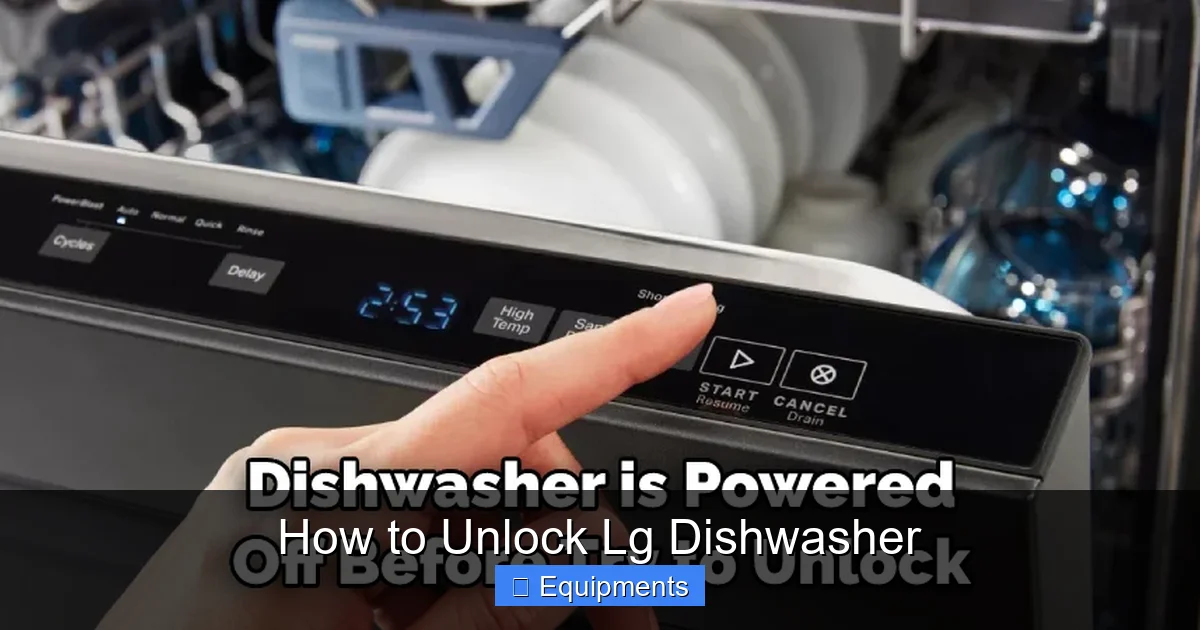
LG equips many of its dishwashers with a child‑lock that disables the control panel to keep kids from changing cycles. This lock is usually activated by holding down a specific button combination for a few seconds.
Visual guide about How to Unlock Lg Dishwasher
Image source: thekitchenix.com
The door‑latch sensor is a safety feature that tells the machine the door is closed before water can fill the tub. If the sensor thinks the door is open, the dishwasher won’t start, and the door may appear “locked.”
1.2 How the Locks Appear to Users
- Flashing icons: A lock symbol or a child‑lock icon will blink on the display.
- No response: Pressing buttons does nothing because the panel is disabled.
- Door won’t open: The latch may be physically engaged, or the electronic lock prevents release.
2. Quick Reset: The First Thing to Try
2.1 Power‑Cycle the Dishwasher
The simplest method to unlock your LG dishwasher is a power reset. Follow these steps:
Visual guide about How to Unlock Lg Dishwasher
Image source: thekitchenix.com
- Turn off the dishwasher by pressing the power button (if it still responds).
- Unplug the unit from the wall outlet or switch off the circuit breaker for 1–2 minutes.
- Plug it back in or turn the breaker on.
- Wait a few seconds, then press the power button again.
Most electronic glitches clear during this short “cold start,” and the lock symbol disappears.
2.2 Resetting the Child‑Lock Specifically
If the lock icon is still flashing, you likely engaged the child‑lock. To release it:
- Model with “Lock” button: Press and hold the “Lock” or “Child Lock” button for 3–5 seconds.
- Model without dedicated button: Hold the “Start/Pause” and “Heated Dry” buttons together for about 5 seconds.
Listen for a beep or watch the display change—this indicates the lock is off.
3. Manual Door Release: When the Door Won’t Open
3.1 Locate the Release Lever
Most LG dishwashers have a manual release lever hidden behind the lower front panel or inside the tub. Here’s how to find it:
Visual guide about How to Unlock Lg Dishwasher
Image source: thekitchenix.com
- Open the dishwasher as far as it will go (you may need to apply gentle pressure).
- Remove the lower front kick plate by unscrewing two small screws.
- Look for a small metal lever or a plastic tab near the bottom of the door latch.
3.2 Using the Lever
Pull the lever upward or push it sideways (depending on the model). This disengages the latch mechanically, allowing the door to open even if the electronic lock is still engaged.
**Tip:** Keep the lever in the released position while you reset the control panel. Once the lock clears, the latch will snap back into place automatically.
4. Decoding Error Codes: The Dishwasher’s Way of Speaking
4.1 Common LG Error Codes Related to Locks
LG dishwashers display a four‑digit error code when something goes wrong. The most relevant codes for lock issues are:
- E4: Door lock error – the latch isn’t engaging properly.
- E5: Child lock active – the control panel is disabled.
- E6: Water overflow – the door may stay locked as a safety measure.
4.2 How to Read and Reset Error Codes
- Turn the dishwasher off.
- Press and hold the “Start” button for 5 seconds; the display will show “—‑—‑”.
- Enter the error code using the keypad (if your model has one) or simply note the flashing pattern.
- Consult the user manual for the exact reset procedure—usually holding the “Start” button again for 3 seconds.
After resetting, the lock should release if the underlying issue is resolved.
5. Inspecting the Physical Latch and Wiring
5.1 Safety First: Disconnect Power
Before you open any panels, always turn off the dishwasher at the circuit breaker. This protects you from electric shock and prevents accidental starts.
5.2 Removing the Top Panel
Most LG dishwashers allow you to remove the top access panel without tools:
- Locate the two clips at the back of the top panel.
- Push the clips inward and lift the panel up.
- Set the panel aside.
5.3 Checking the Latch Mechanism
With the top panel off, you can see the latch arm and the magnetic switch that tells the control board the door is closed. Look for:
- Loose or broken plastic clips.
- Corrosion on the metal contacts.
- Obstructions like food debris.
If you spot any damage, replace the latch assembly (usually a $15‑$30 part). Most hardware stores carry generic dishwasher latch kits compatible with LG models.
5.4 Inspecting Wiring Connections
Sometimes the lock won’t release because a wire has come loose:
- Locate the wiring harness connected to the latch sensor.
- Press the clip to release the connector, then reseat it firmly.
- Look for frayed wires; if you see any, trim the damaged section and splice with heat‑shrink tubing.
After re‑connecting, restore power and test the lock function.
6. Preventive Maintenance to Avoid Future Lock‑Outs
6.1 Keep the Door Seal Clean
The rubber gasket around the door can collect soap scum and food particles. A dirty seal may prevent the latch from engaging fully, causing the sensor to think the door is open.
Wipe the seal weekly with a damp cloth and a mild detergent. For stubborn buildup, use a toothbrush and a 1:1 mix of water and white vinegar.
6.2 Regularly Run a Cleaning Cycle
LG recommends a monthly cleaning cycle using a dishwasher cleaner tablet. This removes mineral deposits that can affect the latch sensor and the child‑lock button’s responsiveness.
6.3 Avoid Overloading
Stacking dishes too tightly can push against the door while the cycle runs, pulling the latch open. Follow the user manual’s loading guidelines to keep the door weight balanced.
6.4 Test the Child‑Lock Periodically
Press the child‑lock button combination once a month to ensure it still works and to keep the mechanism lubricated.
Conclusion: You’ve Got the Power to Unlock Your LG Dishwasher
Locked dishwashers are a common hiccup, but with the right knowledge you can solve most problems yourself. Start with a quick power reset, check for child‑lock activation, and use the manual release lever if the door is stuck. When error codes appear, decode them and follow the reset steps. If the latch or wiring looks damaged, a simple inspection and reseating can do the trick.
Remember, safety comes first—always disconnect power before reaching inside. And to keep future lock‑outs at bay, maintain a clean seal, run regular cleaning cycles, and avoid overloading. With these tips, you’ll spend less time troubleshooting and more time enjoying clean dishes.
Frequently Asked Questions
Why won’t my LG dishwasher door open after the cycle ends?
Often the door is still locked by the child‑lock feature or the latch hasn’t released due to a sensor error. Try a power reset or use the manual release lever.
How do I deactivate the child‑lock on an LG dishwasher?
Press and hold the “Lock” or “Child Lock” button for 3‑5 seconds, or hold “Start/Pause” and “Heated Dry” together for about 5 seconds, depending on the model.
What does the E4 error code mean on an LG dishwasher?
E4 indicates a door‑lock error. The latch may be stuck or the sensor isn’t detecting a closed door. Check the latch mechanism and wiring.
Can I replace the door latch myself?
Yes. After disconnecting power, remove the top panel, locate the latch assembly, and swap it with a compatible replacement. It’s a quick DIY job for most users.
Is it safe to use a hair dryer to melt ice on the latch?
No. Applying heat can damage the plastic parts and the electronic sensor. If ice is the issue, turn off the power, let the dishwasher thaw naturally, and then inspect the latch.
When should I call a professional for a locked LG dishwasher?
If you’ve tried resetting, manual release, and inspecting the latch but the lock remains, or if you notice water leaks or strange noises, it’s time to contact an authorized LG service technician.