That persistent red “Clean” light on your Cuisinart coffee maker is a maintenance reminder, not a故障. Resetting it is a simple process that begins with a thorough descaling cycle using a citric acid or vinegar solution. After running the cycle, you typically press and hold the “Clean” button until the light turns off. Always consult your specific model’s manual, as button combinations can vary slightly. Regular cleaning, every 3-6 months, ensures great-tasting coffee and prolongs your machine’s life.
That little red “Clean” light on your beloved Cuisinart coffee maker. It starts as a gentle nudge, then becomes a blinking, annoying beacon you try to brew your morning coffee around. You’ve seen it, you’ve maybe tried to ignore it, and you’ve certainly wondered, “How do I make this thing go away?” You’re not alone. This is one of the most common questions for Cuisinart owners, and the answer is simpler than you think. Resetting that red light isn’t about tricking your machine; it’s about completing a necessary maintenance task and then telling the coffee maker you’ve done it. This comprehensive guide will walk you through everything you need to know, from understanding what that light really means to the exact steps for your specific model, ensuring your machine brews perfect coffee for years to come.
Key Takeaways
- The red light is a helpful reminder: It signals mineral buildup from water that affects taste and performance, not an error code.
- Descaling is the mandatory first step: You must run a full cleaning cycle with a descaling solution before the light will reset; you cannot simply “turn it off.”
- The reset is usually a button hold: After the cycle finishes, pressing and holding the “Clean” button for 3-5 seconds is the most common reset method.
- Your model’s manual is the final authority: While this guide covers most models, always verify the exact procedure in your Cuisinart user guide.
- Prevention is key: Using filtered or distilled water and cleaning every 3-6 months drastically reduces how often the light appears.
- If the light returns quickly, troubleshoot: A rapidly returning light may indicate an incomplete previous cycle or a clogged water line needing extra attention.
- Never ignore the light: Prolonged operation with heavy scale can damage the heating element and internal components, leading to costly repairs.
📑 Table of Contents
- Understanding Your Cuisinart’s “Clean” Light: It’s Not a Bug, It’s a Feature
- The Universal First Step: Performing the Descaling Cycle
- Model-Specific Reset Procedures: Finding Your “Off” Switch
- Troubleshooting: When the Light Won’t Reset or Comes Back Too Soon
- A Proactive Maintenance Schedule: Keeping the Red Light at Bay
- The Bottom Line: A Little Effort for a Lot of Reward
Understanding Your Cuisinart’s “Clean” Light: It’s Not a Bug, It’s a Feature
Before we dive into button-pressing, let’s understand our opponent. That red light is your Cuisinart’s way of saying, “Hey, I’ve worked hard! The water you’ve put through me has left mineral deposits—mostly calcium and magnesium—inside my heating system and water lines. These deposits, called scale, are insulating my heating element, making me work harder, use more energy, and worst of all, they’re starting to affect the taste of your coffee.” It’s a maintenance reminder system, pre-programmed into the machine’s logic based on an estimated number of brew cycles or a timer. It’s a helpful feature, not a fault. Ignoring it doesn’t make it go away; it makes the problem worse, potentially leading to poor performance, weird noises, and eventually, permanent damage. So, our goal isn’t to defeat the light, but to answer its call for help properly.
The Science of Scale: Why This Matters
If you use tap water, especially if it’s “hard” (high in minerals), those tiny particles travel with the water into your coffee maker. When the water heats up, the minerals precipitate out and stick to the hottest parts they find—the heating plate, the interior boiler, and the tiny water pathways. Think of it like plaque in arteries. This buildup acts as an insulator, meaning the heating element has to get much hotter to heat the water to the correct temperature. This strains the component, shortens its lifespan, and can cause “hot spots” that scalds coffee, creating bitter flavors. A clean machine heats efficiently and extracts coffee grounds more evenly, giving you a balanced, flavorful cup. Resetting the light is the final step in reversing this process.
The Universal First Step: Performing the Descaling Cycle
Here is the golden rule you must internalize: You cannot reset the clean light without first running a full descaling cycle. The machine’s internal sensor or timer is locked until it detects that a cleaning process has been initiated and completed. Pressing buttons without doing the work will do nothing. This cycle is designed to flush the vinegar or commercial descaler solution through the entire internal water system, dissolving and carrying away that chalky scale. The process is straightforward but requires patience. Here’s the universal method that applies to nearly all Cuisinart drip coffee makers (models like DCC-3200, DCC-2600, DCC-1500, etc.).
Visual guide about How to Reset Red Clean Light on Cuisinart Coffee Maker
Image source: thekitchenix.com
Step 1: Prepare Your Descaling Solution
You have two excellent options. The first is a commercial coffee maker descaler (like Urnex Dezcal, Durgol, or Citric Acid-based cleaners). These are formulated to be effective yet safe for your machine’s seals and components. Always follow the dilution instructions on the bottle. The second, and highly effective, option is a DIY white vinegar solution. Mix equal parts white distilled vinegar and cold water. For a standard 12-cup carafe, you’ll typically need about 4-6 cups of solution (2-3 cups vinegar + 2-3 cups water). Avoid using apple cider vinegar or flavored vinegars, as they can leave residual tastes and sugars. Pro Tip: For stubborn scale, you can use a stronger vinegar solution (up to 1 part vinegar to 1 part water), but for routine cleaning, the 50/50 mix is perfect and safe.
Step 2: Run the Cleaning Cycle
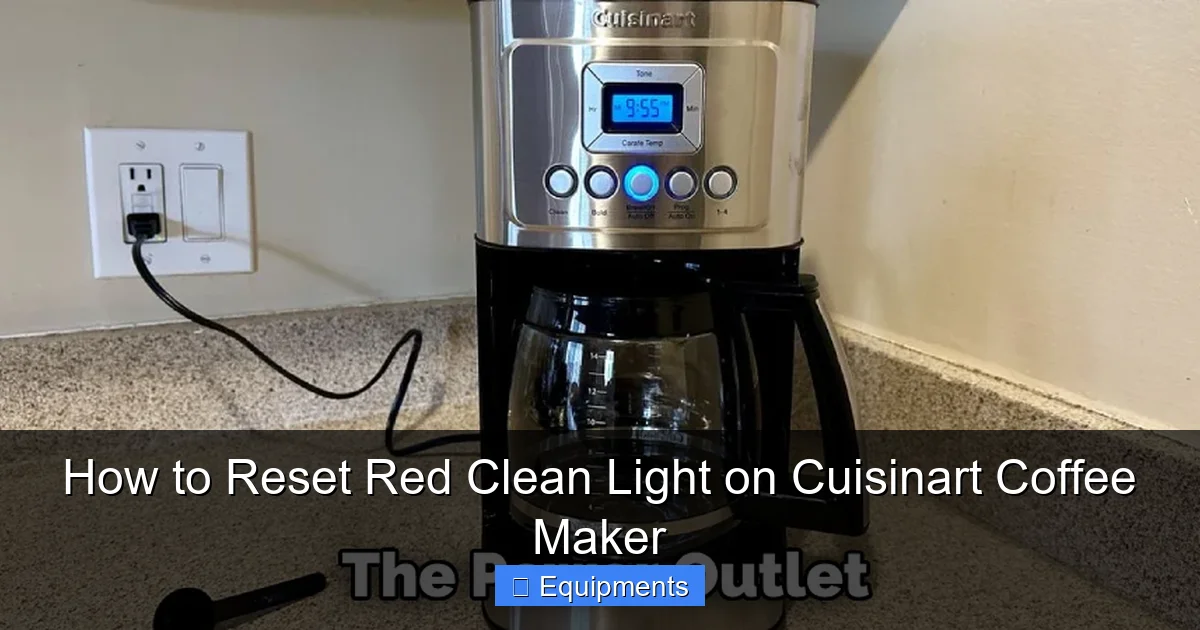
This is the core of the work. First, make sure your coffee maker is empty. No coffee grounds, no old water in the reservoir. Pour your prepared descaling solution into the water reservoir until it’s full. Place the empty carafe on the warming plate. Now, locate the “Clean” button on your machine’s control panel. It’s often red or has a small cleaning icon next to it. Press this button. On most models, you’ll know it’s active because the red “Clean” light will start blinking, and you might hear a different sound than a normal brew cycle. The machine will now heat the solution and pump it through the system, then pause. After a minute or two, it will automatically pump the used solution back into the reservoir and then pump it through again for a second cycle. This entire process can take 30-45 minutes. Do not interrupt it. Let the machine complete both cycles. When it’s done, the red light will usually stop blinking and remain solid, or the machine will beep.
Step 3: The Critical Rinse Cycles
This is where many people mess up. The descaling solution, especially vinegar, is acidic and must be completely flushed out. If you don’t rinse properly, you’ll have vinegar-tasting coffee for a week, and residual acid could potentially harm seals over time. Discard the used solution from the carafe and the reservoir. Now, thoroughly rinse the reservoir with fresh, cold water. Fill it with fresh, cold water—just as you would for a normal brew. Run a full brew cycle (without coffee grounds) and let it empty into the carafe. Discard that water. Repeat this full rinse cycle at least two more times (three full water cycles total after the descale). For vinegar users, some recommend a fourth rinse just to be absolutely certain. Taste the water from the final rinse; it should be completely neutral with no hint of vinegar or descaling solution taste. This step is non-negotiable for great-tasting coffee and machine health.
Model-Specific Reset Procedures: Finding Your “Off” Switch
Once you’ve completed the descaling and rinsing, your machine is physically clean. Now, we need to communicate that success to its computer. This is the “reset” part. While the descaling cycle is universal, the exact button combination to reset the light varies slightly across Cuisinart’s many models over the years. Here are the most common procedures. If your model isn’t listed, the general principle below will almost certainly apply.

Visual guide about How to Reset Red Clean Light on Cuisinart Coffee Maker
Image source: thekitchenix.com
The Most Common Method: The “Clean” Button Hold
For the vast majority of modern Cuisinart drip models (think DCC-3200, DCC-2600, DCC-2200, DCC-1500 series), the reset is beautifully simple. After you have completed the descaling and all rinse cycles:
- Ensure the machine is plugged in and the carafe is in place.
- Press and hold the “Clean” button.
- Continue holding it for approximately 3 to 5 seconds.
- You should see the red “Clean” light turn off completely. It may blink briefly and then go dark.
- Release the button. The machine is now reset.
Sometimes, the light will go off immediately. Other times, you may need to press the “On/Off” button once after holding the “Clean” button. The key is that holding the “Clean” button is the trigger.
For Older Models & Thermal Carafe Models (e.g., DCC-450, DCC-475)
Some older models or those with thermal carafes have a slightly different sequence. The principle is the same: you must initiate a “clean” mode acknowledgment after the physical cleaning is done.
- With the machine empty and reservoir filled with fresh water, press the “Clean” button once. The light should blink.
- Then, press and hold the “Brew” or “Start” button for 3-5 seconds.
- The blinking red light should extinguish.
For some models, you might need to unplug the machine for 60 seconds after the rinse cycles and before attempting the button hold. This clears the memory. Try the button hold again after plugging it back in.
The “Unplug & Replug” Ultimate Reset
If you’ve done the descaling, rinsed meticulously, and tried holding the “Clean” button for 5+ seconds with no success, perform a full power cycle. Unplug the coffee maker from the wall outlet. Wait a full 60 seconds. This drains all residual power from the control board, clearing its temporary memory. Plug it back in. The red light may come back on solid—this is normal. Now, immediately try the correct button-hold procedure for your model again (usually holding “Clean”). This time, it should recognize the completed cycle and reset. This is a great troubleshooting step for any unresponsive electronic device.
Troubleshooting: When the Light Won’t Reset or Comes Back Too Soon
You followed all the steps. The descaling solution bubbled, you rinsed three times, you held the button until your finger cramped, but that red light is still mocking you. Or worse, you reset it successfully, and it’s back in a week. Don’t panic. This is usually solvable. Let’s diagnose.

Visual guide about How to Reset Red Clean Light on Cuisinart Coffee Maker
Image source: thekitchenix.com
Scenario 1: The Light Simply Will Not Turn Off After Button Hold
First, verify the cycle was complete. Did you let the machine run its full two-cycle descaling process? Did you hear it stop and pump the solution back? If you interrupted it, the machine never registered a “clean” event. You must run the full descaling cycle again.
Second, confirm your rinses were adequate. Did you do at least three full fresh-water brew cycles? If any vinegar taste remains, there is still solution in the system, and the machine may not acknowledge a successful clean. Do one more rinse cycle with fresh, cold water.
Third, try the power cycle. Unplug for 60 seconds, plug back in, and try the button hold again. This clears the control board’s cache.
Fourth, consult your manual for a specific reset code. Some models, particularly commercial-grade or very specific lines, might require a different sequence, like pressing “Program” then “Clean.” Your manual is the ultimate source.
Scenario 2: The Light Reset, But Returned Within a Few Weeks
This indicates the cleaning may not have been fully effective, or your water is exceptionally hard. The scale was reduced but not eliminated, so the sensor (or timer) counted new cycles quickly.
Solution: Repeat the descaling with a stronger solution or longer dwell time. Before running the cycle, let the vinegar/water solution sit in the reservoir and carafe for 30-60 minutes with the machine off. This allows the acidic solution to soak and break down scale before heating and pumping. Then run the full clean cycle. Ensure you use hot (not boiling) water in your rinse cycles to help dissolve any remaining residue.
Consider your water source. If you have very hard water, switching to filtered or distilled water for brewing is the single best long-term prevention. It eliminates the problem at the source. You should also descale more frequently—every 2-3 months instead of 6.
A Proactive Maintenance Schedule: Keeping the Red Light at Bay
The best way to deal with the clean light is to make it a rare visitor. Establish a simple maintenance routine that becomes second nature. Think of it like changing the oil in your car—a little regular care prevents major breakdowns.
After Every Use: The 30-Second Habit
This takes almost no time and makes deep cleaning less frequent. Once the coffee maker has cooled down, simply rinse the brew basket and carafe with warm, soapy water. Give the warming plate a quick wipe with a damp cloth to remove any coffee splatter or residue. This prevents old coffee oils from baking on and creating bitter flavors or clogging the spray head. If your model has a removable water filter, rinse that too. This 30-second habit is the foundation of a clean machine.
Weekly: Deep Clean the Exterior & Grounds Path
Once a week, take 5 minutes for a more thorough wipe-down. Use a soft, damp cloth with a mild dish soap solution to clean the entire exterior, control panel, and lid. Pay special attention to the area around the brew basket where coffee grounds can accumulate. Use a soft brush or a damp cloth to clean the spray head (the part that showers hot water over the grounds in the basket). Grounds can clog the tiny holes here, affecting extraction. Some models have a removable shower head—take it off and rinse it under the tap.
Every 3-6 Months: The Descaling Ritual
This is the main event, triggered by the light or your calendar. Use the full descaling process detailed above. Set a calendar reminder based on your water hardness and usage. If you use hard tap water and brew daily, aim for the 3-month mark. If you use filtered water, you might stretch it to 6 or even 9 months. When the light comes on, treat it as your prompt. Don’t let it blink for more than a week. A clean machine is a happy, efficient, long-lasting machine that makes better coffee.
The Bottom Line: A Little Effort for a Lot of Reward
Resetting the red clean light on your Cuisinart coffee maker is the satisfying conclusion to a simple but vital maintenance task. It’s a two-part dance: first, the physical work of descaling and rinsing to remove the harmful mineral scale; second, the electronic “handshake” where you press the correct button to tell the machine, “The job is done!” By understanding why the light exists and following the clear steps for your specific model, you take complete control of your coffee’s flavor and your appliance’s lifespan. You’ll enjoy hotter, cleaner-tasting coffee, your machine will operate more quietly and efficiently, and you’ll avoid the frustration of a prematurely failing brewer. That little red light transforms from an annoying pest into a helpful friend—a tiny guardian of your daily ritual. So next time it illuminates, smile, roll up your sleeves for 45 minutes, and give your Cuisinart the care it deserves. Your taste buds will thank you with every delicious, bitter-free sip.
Frequently Asked Questions
Can I use lemon juice or cream of tartar instead of vinegar?
Yes, both are citric acid sources and can work. Mix 1 tablespoon of cream of tartar or the juice of one large lemon with enough warm water to fill your reservoir. The process is identical. However, commercial descalers or white vinegar are generally more potent, consistent, and leave less residual taste, making them the preferred choice for most users.
My clean light is blinking rapidly, not solid. Is that different?
No, the meaning is the same. A blinking red clean light is simply the more common alert mode across most Cuisinart models. It means “descaling needed now.” A solid red light is less common but serves the identical purpose. The reset procedure after cleaning is typically the same for both.
What if I don’t have a “Clean” button on my machine?
Some very basic or older Cuisinart models may not have a dedicated “Clean” button or indicator light. On these machines, the “clean” reminder is often a combination of the “Program” and “Brew” lights flashing, or it may just be a timer you reset by unplugging the machine for a full minute after manually descaling. Your user manual is essential for these specific models.
Is it safe to use straight vinegar without diluting it?
It is not recommended. Straight vinegar is too acidic and can potentially degrade the internal seals and gaskets over time. Always use a 50/50 vinegar-to-water dilution for routine cleaning. For extreme scale, you can use a 1:1 ratio (weaker vinegar to water), but never use undiluted white vinegar.
Can I reset the light without descaling if I just want it off?
No. The reset function is intentionally locked behind the descaling cycle to prevent users from ignoring the maintenance. The machine’s internal logic will not allow the light to be cleared unless it detects that a cleaning cycle has been initiated and completed. Attempting to bypass this will fail and is poor practice that will damage your machine.
How often should I really be descaling if I use filtered water?
If you consistently use high-quality filtered or distilled water in your reservoir, you can extend the descaling interval significantly. Instead of every 3 months, you may only need to descale once a year or even every 18 months. The red clean light may still come on based on a timer, not a sensor, so you can often ignore it if you know your water is pure and your coffee tastes great. However, an annual descaling is still a wise preventive measure.