Preheating a Frigidaire oven is simple once you know the right steps. This guide walks you through selecting the proper mode, setting the temperature, and confirming readiness, plus handy tips to save time and avoid common mistakes. Follow our easy instructions and enjoy consistently great baked goods every time.
Key Takeaways
- Understand the controls: Frigidaire ovens use a digital or knob interface; knowing which you have is the first step.
- Set the correct temperature: Always select the exact temperature your recipe calls for and allow the oven to signal when it’s ready.
- Use preheat indicators: Modern Frigidaire models have lights or beeps that tell you when the oven has reached temperature.
- Allow extra time for large dishes: Heavy pans and stoneware may need a few extra minutes to heat evenly.
- Maintain your oven: Clean the interior and check the heating elements regularly for consistent preheat performance.
- Safety first: Keep the oven door closed during preheat and never touch hot surfaces.
- Troubleshoot common issues: Learn quick fixes for slow preheating, error codes, and uneven heating.
📑 Table of Contents
- Introduction: Why Preheating Matters
- 1. Know Your Oven’s Control Type
- 2. Selecting the Right Cooking Mode
- 3. Setting the Temperature Correctly
- 4. Using the Preheat Indicator
- 5. Tips for Faster and More Efficient Preheating
- 6. Troubleshooting Common Preheat Problems
- Conclusion: Mastering the Preheat for Perfect Results
Introduction: Why Preheating Matters
When you bake a cake, roast a chicken, or bake a pizza, the first thing most recipes tell you is to preheat the oven. It sounds simple, but skipping this step or doing it wrong can ruin the texture, flavor, and even the safety of your food. A properly preheated oven creates a stable temperature environment, allowing heat to transfer evenly from the moment the food goes in.
Frigidaire ovens are popular for their reliability and user‑friendly controls, yet many owners are unsure how to get the most out of the preheat function. Whether you own a classic knob‑type model or a newer digital touchscreen, the basic principles are the same. This article will walk you through how to preheat a Frigidaire oven step by step, share practical tips, and help you troubleshoot any hiccups along the way.
1. Know Your Oven’s Control Type
Digital Touchpad vs. Mechanical Knob
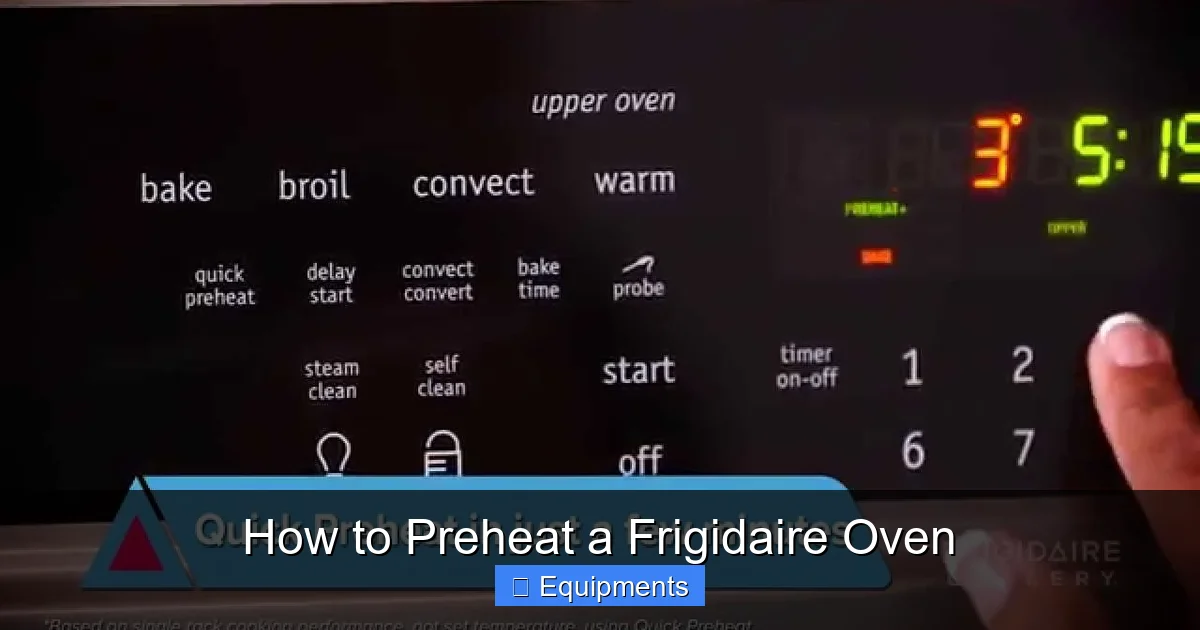
Frigidaire offers two main control styles:
Visual guide about How to Preheat a Frigidaire Oven
Image source: i.ytimg.com
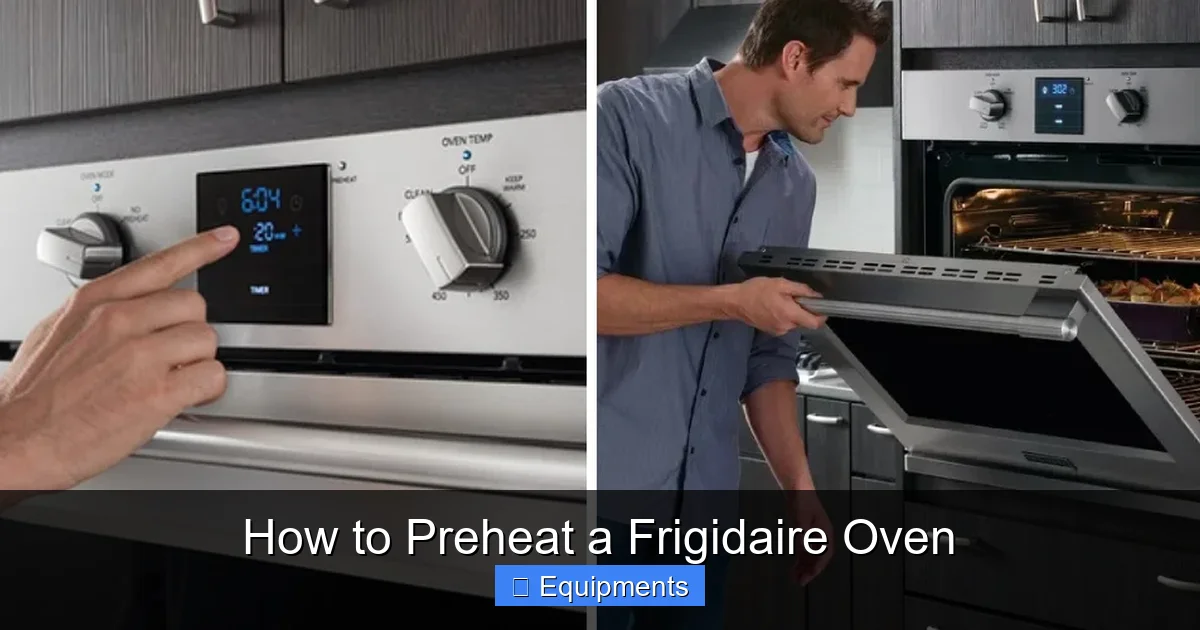
- Digital Touchpad: Features a screen, buttons, and often a preheat indicator light or sound.
- Mechanical Knob: Uses a rotating dial with temperature markings and a simple “Start” button.
Identifying which one you have will determine the exact steps you follow, but the overall process remains similar.
Finding the Control Panel
On most models, the control panel is located either on the top edge of the oven door (for built‑in units) or on the front face (for freestanding models). Look for a display that shows numbers, symbols for bake, broil, convection, and a button labeled “Preheat” or “Start.”
2. Selecting the Right Cooking Mode
Bake vs. Convection Bake
For most recipes, the “Bake” setting is appropriate. It uses the bottom heating element and provides steady, even heat. If your recipe calls for convection (often noted as “convection bake” or “air fry”), select that mode. Convection circulates hot air with a fan, reducing cooking time and giving a crispier crust.
Visual guide about How to Preheat a Frigidaire Oven
Image source: thekitchenix.com
When to Use Other Modes
- Broil: Only for top‑heat cooking; do not use for preheating unless a recipe specifically says “broil first.”
- Pizza or Pizza Stone: Some Frigidaire ovens have a dedicated “Pizza” setting that preheats the stone to a higher temperature.
- Delay Start: If you plan to bake later, you can set a delay, but always ensure the oven reaches temperature before loading food.
3. Setting the Temperature Correctly
Reading the Temperature Dial or Input
Digital models let you type the temperature using the keypad. Mechanical knobs have a marked scale from 150°F to 500°F (or 70°C to 260°C). Turn the knob until the pointer aligns with the desired temperature.
Visual guide about How to Preheat a Frigidaire Oven
Image source: thekitchenix.com
Common Temperature Mistakes
- Overshooting: Turning the knob past the needed temperature can waste energy and affect baking.
- Undershooting: Setting a temperature a few degrees too low may cause under‑cooked interiors.
- Not Accounting for Altitude: At high elevations, you may need to increase temperature by 15–25°F.
Practical Example: Baking a Chocolate Cake
Suppose your recipe calls for 350°F (177°C). On a digital Frigidaire, press “Bake,” then “350,” and hit “Start.” On a knob model, rotate until the pointer rests on “350.” The oven will now begin heating.
4. Using the Preheat Indicator
What the Indicator Looks Like
Most modern Frigidaire ovens display a flashing light, a steady glow, or an audible beep when the set temperature is reached. Older models may not have an indicator; you’ll need to rely on a timer.
Timing the Preheat
As a rule of thumb, a 350°F preheat takes about 10–12 minutes, while 450°F may need 15–18 minutes. Factors that affect timing include:
- Age of the oven (older units may heat slower)
- Room temperature (cold kitchens add a minute or two)
- Whether the oven is empty or contains a heavy baking stone
Testing Readiness Without an Indicator
If your oven lacks a built‑in signal, place an oven thermometer on the middle rack and wait until it reads the target temperature. This method ensures accuracy, especially for delicate pastries.
5. Tips for Faster and More Efficient Preheating
Keep the Oven Door Closed
Every time you open the door, heat escapes, and the oven must work harder to regain temperature. Try to avoid checking the oven until the indicator signals readiness.
Use the Right Rack Position
Place racks in the middle of the oven for most baking. If you’re using a convection setting, the fan will circulate air, making rack position less critical.
Utilize a Preheat Timer
Set a kitchen timer for the estimated preheat duration. When it goes off, check the indicator or thermometer. This habit prevents over‑preheating.
Maintain a Clean Oven
Spills and baked‑on residue act as insulation, slowing heat transfer. Wipe up any messes after each use, and run a self‑clean cycle at least twice a year.
Consider a Baking Stone or Steel
These heavy pieces retain heat well, giving you a crisp crust on breads and pizzas. However, they also increase preheat time by 2–4 minutes, so plan accordingly.
6. Troubleshooting Common Preheat Problems
Oven Takes Too Long to Preheat
Possible causes:
- Faulty heating element – inspect for cracks or discoloration.
- Thermostat calibration issue – run an oven thermometer test.
- Power supply problems – ensure the outlet provides proper voltage.
Temperature Overshoots or Undershoots
If the oven consistently reads higher or lower than the set temperature, you may need to recalibrate the thermostat. Refer to the user manual for the “Temperature Calibration” procedure, usually involving pressing a hidden button while the oven is off.
Indicator Light Doesn’t Turn On
Check the control panel settings. Some models allow you to turn the preheat beep on or off in the “Sounds” menu. If the light is still dark, there may be a faulty sensor that requires professional service.
Error Codes Appear During Preheat
Frigidaire ovens display codes like “F1” or “F2” for sensor failures. Write down the code, consult the manual, and contact customer support if needed.
Uneven Heating
Uneven spots can be caused by a failing heating element or a dirty oven cavity. Rotate pans halfway through cooking, and schedule a professional inspection if the problem persists.
Conclusion: Mastering the Preheat for Perfect Results
Learning how to preheat a Frigidaire oven doesn’t require a technician—it just needs a little attention to detail. By understanding your oven’s controls, selecting the right mode, setting the exact temperature, and watching for the preheat indicator, you’ll create a reliable cooking environment every time. Add the practical tips and troubleshooting steps from this guide, and you’ll avoid common pitfalls, save energy, and bake with confidence.
Next time you pull a recipe off the internet, remember: the secret to a fluffy cake, crispy pizza, or perfectly roasted vegetables starts before the food even touches the rack. Preheat correctly, and let your Frigidaire oven do the rest.
Frequently Asked Questions
How long does it take to preheat a Frigidaire oven to 350°F?
Typically 10–12 minutes, though older models or cold kitchens may need a minute or two more. Use the preheat indicator or an oven thermometer for accuracy.
Can I preheat a Frigidaire oven with the door slightly open?
No. Keeping the door closed maintains temperature and prevents energy waste. Open the door only after the oven signals it’s ready.
What should I do if my Frigidaire oven doesn’t beep when preheated?
Check the sound settings in the control panel. If the beep is disabled, enable it, or rely on the visual indicator or a kitchen timer.
Is it safe to use a pizza stone while preheating?
Yes, but place the stone on the middle rack and add an extra 2–4 minutes to the preheat time because the stone absorbs heat.
Why is my oven temperature lower than the setting?
This can happen if the thermostat is out of calibration or the heating element is worn. Test with an oven thermometer and consider recalibrating or contacting a service technician.
Can I set a delay start and still have the oven preheat automatically?
Yes. Set the desired start time, and the oven will begin heating at that moment, completing the preheat before the cooking cycle starts.
Pingback: How Long to Roast a 20 Lb Turkey - kitchenandhouseware.com
Pingback: How Long to Cook a Smithfield Country Smoked Ham - kitchenandhouseware.com
Pingback: How Many Days to Thaw a 20 Pound Turkey - kitchenandhouseware.com
Pingback: How to Cook a Rump Roast in the Oven - kitchenandhouseware.com
Pingback: How to Cook a Two Pound Prime Rib Roast - kitchenandhouseware.com
Pingback: How Long to Bake a Sweet Potato at 400 - kitchenandhouseware.com