Operating a Frigidaire oven is easier than you think. This guide walks you through basic controls, baking modes, safety tips, and maintenance tricks so you can bake, roast, and broil with confidence. Follow the simple steps and start creating delicious meals today.
Key Takeaways
- Know your controls: Identify the main dial, digital keypad, and oven rack positions for quick setup.
- Preheat properly: Always preheat to the recommended temperature to ensure even cooking.
- Use the right mode: Choose bake, convection bake, broil, or roast based on the recipe for best results.
- Safety first: Keep the oven door closed, use oven mitts, and never place flammable items inside.
- Clean regularly: A quick wipe after each use and a monthly deep clean keep performance optimal.
- Troubleshoot common issues: Learn how to reset error codes, fix uneven heating, and handle a stuck door.
- Maintain efficiency: Proper sealing and periodic calibration save energy and extend the oven’s life.
📑 Table of Contents
- Introduction: Why Knowing How to Operate a Frigidaire Oven Matters
- 1. Getting Started: Unpacking and Setting Up Your Frigidaire Oven
- 2. Understanding the Control Panel
- 3. Basic Operating Steps for Everyday Cooking
- 4. Advanced Features and Cooking Techniques
- 5. Troubleshooting Common Issues
- 6. Maintenance Tips for Longevity
- Conclusion: Mastering Your Frigidaire Oven Is Simple
Introduction: Why Knowing How to Operate a Frigidaire Oven Matters
Whether you are a college student learning to cook for the first time or a seasoned home chef looking for a reliable appliance, the Frigidaire oven is a popular choice for its affordability and user‑friendly design. But even the best oven can be frustrating if you don’t know how to use it correctly. This article will walk you through every step of operating a Frigidaire oven, from the moment you turn the power on to the final clean‑up.
We’ll keep the language simple, the sentences short, and the tone friendly—just like a chat with a neighbor who loves to bake. By the end, you’ll feel confident adjusting temperature, selecting cooking modes, and troubleshooting common hiccups. Let’s get started!
1. Getting Started: Unpacking and Setting Up Your Frigidaire Oven
1.1. Placement and Ventilation
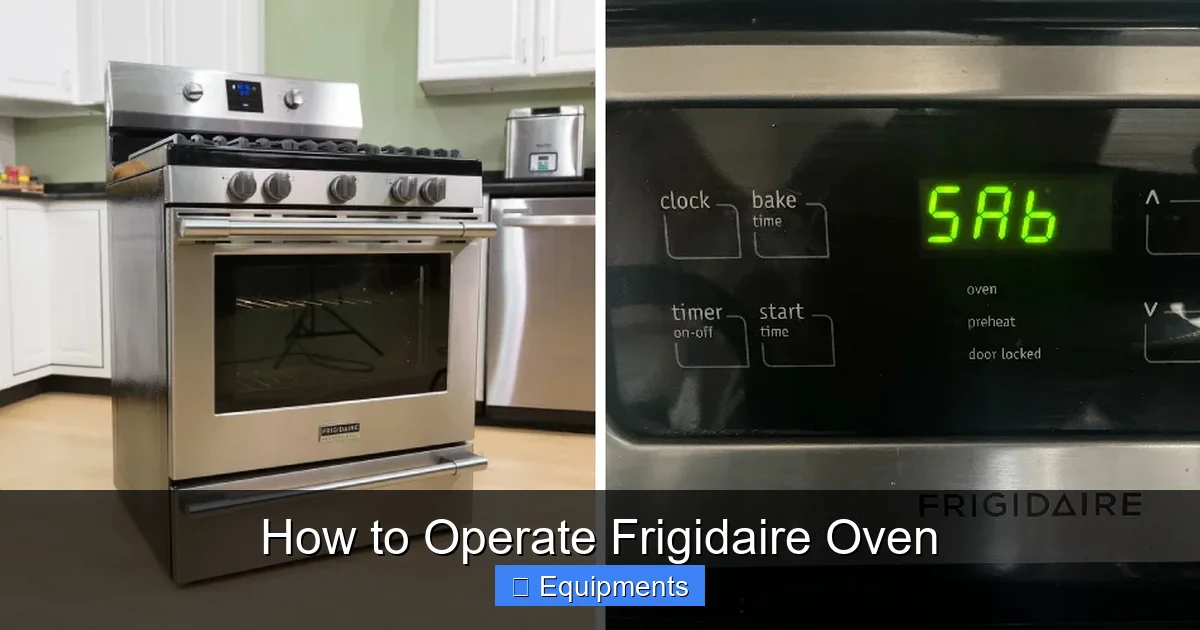
Before you even press a button, make sure the oven is placed on a flat, stable surface. Leave at least 2 inches of clearance on each side and a 3‑inch gap behind the unit for proper ventilation. This prevents overheating and protects the internal components.
Visual guide about How to Operate Frigidaire Oven
Image source: thekitchenix.com
1.2. Connecting Power
Most Frigidaire ovens are hard‑wired, but some models come with a standard 120‑volt plug. If you’re unsure, consult the installation manual or call a licensed electrician. Once the oven is plugged in, you should see a faint glow on the control panel—this means the appliance is receiving power.
1.3. Initial Clean‑Up
Wipe the interior with a damp cloth to remove any protective film or dust from shipping. Avoid harsh chemicals; a mild dish soap solution works fine. Let the oven dry completely before you start your first bake.
2. Understanding the Control Panel
2.1. Classic Dial vs. Digital Keypad
Frigidaire offers two main control styles:
Visual guide about How to Operate Frigidaire Oven
Image source: thekitchenix.com
- Dial‑type ovens: A large rotating knob selects temperature and mode. The dial usually clicks at every 25‑degree increment.
- Digital‑keypad ovens: A touchscreen or button panel lets you type in the exact temperature, choose a cooking mode, and set timers.
Both are intuitive; the key is to know where the “Bake,” “Convection Bake,” “Broil,” and “Roast” icons are located.
2.2. Common Buttons and Their Functions
- Power/On‑Off: Turns the oven on or off. Some models have a standby light that turns green when ready.
- Temperature (+/–) or Dial: Sets the cooking temperature, typically ranging from 150°F to 500°F.
- Mode Selector: Switches between Bake, Convection Bake, Broil, Roast, and sometimes a “Pizza” or “Proof” setting.
- Timer: Counts down the cooking time. You can set it manually or let the oven auto‑shut off after the selected duration.
- Start/Cancel: Begins the cooking cycle or stops it instantly.
2.3. Display Indicators
The digital screen shows temperature, remaining time, and error codes (if any). A flashing “E” usually signals a problem that requires a reset.
3. Basic Operating Steps for Everyday Cooking
3.1. Preheating the Oven
Preheating ensures the oven reaches the exact temperature before food goes in. Here’s how:
Visual guide about How to Operate Frigidaire Oven
Image source: thekitchenix.com
- Turn the oven on using the Power button.
- Select the desired cooking mode (e.g., Bake).
- Enter the temperature (e.g., 375°F). The display will start flashing.
- Wait for the preheat indicator (usually a light or a beep) to signal that the set temperature is reached.
Most recipes call for a preheat of 10‑15 minutes. If you’re in a hurry, you can start with a slightly lower temperature and add a few extra minutes to the cooking time.
3.2. Placing Racks Correctly
Racks are numbered from the bottom up. For most baked goods, the middle rack (position 3) offers even heat. Use the lower rack for pizzas and the top rack for broiling. Always pull the rack out before sliding food in or out to avoid burns.
3.3. Using Bake vs. Convection Bake
Bake: Standard heating from the bottom element. Ideal for cakes, casseroles, and breads.
Convection Bake: A fan circulates hot air, cooking food faster and more evenly. Reduce the recipe temperature by 25°F and check for doneness 5‑10 minutes early.
3.4. Setting the Timer
After you’ve loaded the food, press the Timer button and use the +/- keys to set the desired cooking time. The oven will automatically turn off when the timer reaches zero, but you can also press Cancel if you need to stop early.
3.5. Removing Food Safely
When the timer beeps, open the oven door slowly—hot air will rush out. Use oven mitts, and pull the rack out before lifting trays or pans.
4. Advanced Features and Cooking Techniques
4.1. Using the Broil Function
Broiling applies intense heat from the top element. It’s perfect for melting cheese, crisping tops, or giving steaks a caramelized crust.
- Place the rack in the top position (usually position 1).
- Select “Broil” and set the temperature (high or low, if your model offers both).
- Preheat for 5 minutes, then slide the food under the broiler.
- Watch closely—broiling can burn food in seconds.
4.2. Roasting Meat and Vegetables
Roast mode combines top and bottom heat with a fan for even browning. For a whole chicken:
- Season the bird and place it on a roasting pan.
- Select “Roast” and set 425°F.
- Insert the oven rack in the lower third.
- Cook for 20 minutes per pound, basting halfway.
- Use a meat thermometer; the internal temp should read 165°F for poultry.
4.3. Proofing Dough
Some Frigidaire ovens have a “Proof” setting that maintains a low, steady temperature (around 80‑90°F). This is ideal for bread dough:
- Place the dough in a greased bowl.
- Set the oven to “Proof” for 30‑45 minutes.
- The gentle warmth speeds up yeast activity without over‑proofing.
4.4. Self‑Cleaning Cycle
Many newer models feature a self‑cleaning function that reaches 900°F to incinerate food residue. To use:
- Remove racks and any foil or accessories.
- Select “Clean” and choose “Light” (2‑3 hours) or “Heavy” (4‑5 hours).
- After the cycle, let the oven cool, then wipe away ash with a damp cloth.
Never use the self‑clean feature if you have a gas oven, and keep the kitchen well‑ventilated.
5. Troubleshooting Common Issues
5.1. Oven Not Heating
First, check that the power indicator is on. If the display is blank, reset the circuit breaker. If the oven powers on but stays cool, the heating element may be faulty—contact a technician.
5.2. Uneven Cooking
Uneven results often stem from misplaced racks or a dirty oven floor. Clean any spills, rotate the food halfway through the cycle, and ensure the fan (for convection) is not blocked.
5.3. Door Won’t Close Properly
Inspect the door gasket for tears or debris. A warped gasket can cause heat loss. If the latch is stuck, gently tap it with a rubber mallet to free the mechanism.
5.4. Error Codes (E1, E2, etc.)
Refer to the user manual for specific code meanings. Generally, “E1” indicates a temperature sensor issue, while “E2” points to a communication error. Power cycling (turning off the oven for 5 minutes) often clears minor codes.
5.5. Excessive Smoke or Odor
This usually happens during the first few uses when residual manufacturing oils burn off. Run an empty 400°F bake for 30 minutes, then ventilate the kitchen. If smoke persists, check for food particles on the heating element.
6. Maintenance Tips for Longevity
6.1. Daily Wipe‑Down
After each use, let the oven cool to about 150°F, then wipe the interior with a soft cloth and a little dish soap. This prevents buildup that can cause smoke.
6.2. Monthly Deep Clean
Remove racks, clean the floor with a non‑abrasive cleaner, and inspect the door seal. Replace the gasket if you notice cracks.
6.3. Calibrating Temperature
If you suspect the oven runs hot or cold, place an oven thermometer inside and compare it to the displayed temperature. Adjust the calibration setting (usually a small screw behind the control panel) according to the manual.
6.4. Keeping the Exterior Shiny
Wipe the door and control panel with a damp microfiber cloth. Avoid abrasive cleaners; they can scratch the enamel.
Conclusion: Mastering Your Frigidaire Oven Is Simple
Operating a Frigidaire oven doesn’t require a culinary degree—just a clear understanding of the controls, a few safety habits, and regular maintenance. By following the steps outlined above, you’ll be able to bake, roast, broil, and clean with confidence. Remember to preheat, use the right rack, and keep the interior clean. With practice, you’ll discover that your Frigidaire oven is a reliable partner in every kitchen adventure.
Now that you know how to operate Frigidaire oven like a pro, go ahead and try a new recipe. Your next perfectly baked loaf or juicy roast is just a few clicks away!
Frequently Asked Questions
How do I preheat a Frigidaire oven?
Turn the oven on, select the desired cooking mode, enter the temperature, and wait for the preheat indicator (light or beep) to signal that the set temperature has been reached.
Can I use the convection bake setting for cookies?
Yes, convection bake works well for cookies. Reduce the recipe temperature by 25°F and check for doneness a few minutes earlier than the standard bake time.
What should I do if the oven door won’t close?
Inspect the door gasket for debris or damage, and make sure the latch isn’t stuck. Clean the gasket and gently tap the latch if needed.
How often should I run the self‑cleaning cycle?
Run the self‑cleaning cycle every 3‑4 months, or whenever you notice heavy buildup of food residue inside the oven.
Why is my oven producing a burning smell the first time I use it?
New ovens often have protective oils on the interior that burn off during the first few uses. Run an empty 400°F bake for 30 minutes and ventilate the kitchen.
How can I calibrate the temperature if my food is consistently overcooked?
Place an oven thermometer inside, compare it to the displayed temperature, and adjust the calibration screw according to the user manual until the readings match.